# Welcome to Bob Theisen's Blog💙

Learn more below

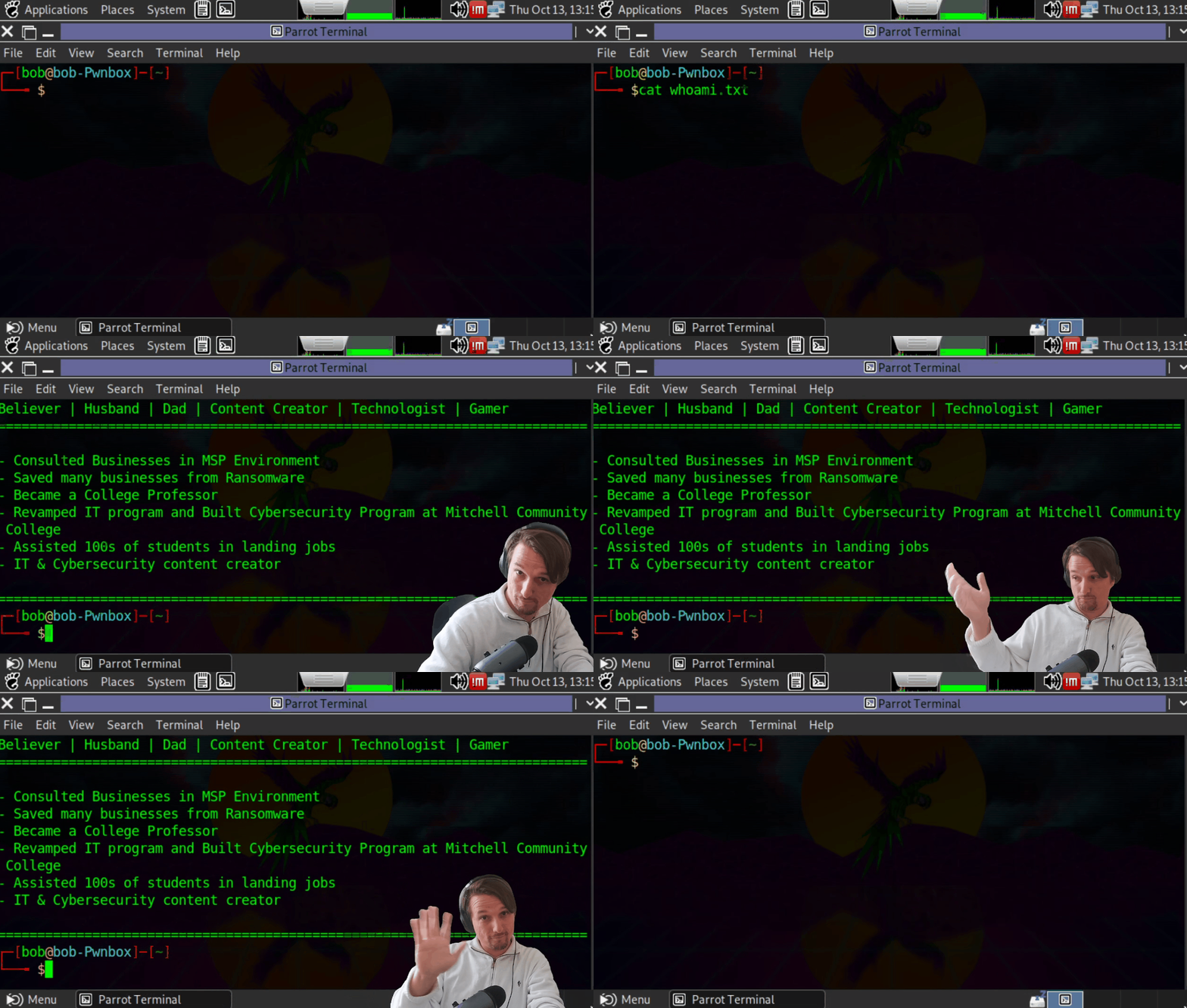
<figure><img src="https://4051891793-files.gitbook.io/~/files/v0/b/gitbook-x-prod.appspot.com/o/spaces%2F-MNfIA-XPlMphtr6yXWi%2Fuploads%2Fpw5EzwqG5bMJBBoLTexb%2FWhoAmI.gif?alt=media&amp;token=6b12d3a0-d2c2-4e0f-9324-42b37bcb3f83" alt=""><figcaption></figcaption></figure>

Welcome to my ever changing website! You'll find that this site is built for learning, exploration and empowerment. You should find something here that will do all three for you. I'm Bob (also known online as LTNBOB), the author of this site and I am called by God to empower others through innovative educational experiences. I believe that we are not talking enough about the quality of education. Seeking an education can be one of the most empowering things a person can do for themselves. It can lift you into realms you never dreamt of. Whether you are seeking informal educational pathways or enrolled in college you should demand a quality experience. The journey towards a credential should be full of enriching experiences. In Information Technology the experiences should lead to relevant/highly sought after skills and unique opportunities. Too many colleges are teaching out-of-date curriculum. This is unacceptable for the cost to be so high, at least thats the case here in the USA. Part of my calling is to change this by partnering with learner focused institutions, teams and individuals to address the skills gap in tech. The fact that you are here is an indicator that you are interested in learning more about Cybersecurity, Networking and or Systems administration. Perhaps even, my community-focused Twitch show [Hack\&Secure](https://www.twitch.tv/ltn_bob), [YouTube channel](https://www.youtube.com/channel/UCeV-vJZ2gydVsfLuJjGTuyQ/about?view_as=subscriber), [Linkedin](https://linkedin.com/in/robertftheisen) or one of my friends steered you in this direction.

Are you ready to get started?

Start by selecting a topic on the left or click the Next option below.


# Learning Goals for 2025-2026📚

It is important to write your goals down. For me writing is an essential part of my learning and growth process. It is how I track and record what I've actually done, want and feel called to do.

Below are my current goals that I am actively working towards:

1. Finish creating A Beginners Guilde to Cybersecurity & Ethical Hacking wit Hack The Box on YouTube

{% embed url="<https://youtube.com/playlist?list=PLwwAN0Pru-1-3zZ88F1I2ljlVQf1RWZNW&si=gZmMShXtFLdfnMGo>" %}

2. Finish creating Practical Network Fundamentals on YouTube

{% embed url="<https://youtu.be/EMCR8_83yqM?si=vRImoUqVIPv671fN>" %}

3. Finish writing my entry level computing course

### Strategy to Accomplish Goals

1. Make two or more videos a week
2. Make two or more videos a week
3. Write 2 sections a week

I used to write down as many goals as I could, but over the years I have found that to be counterproductive. It is better for me to have fewer goals and actually accomplish them, then to have lots of goals and not accomplish any. Ill add more goals after I accomplish the ones I have above.

### Ways to Help & Support

You can help me continue to improve my content through feedback, words of encouragement and even if you:

[![Buy Me A Coffee](https://cdn.buymeacoffee.com/buttons/v2/default-blue.png)](https://www.buymeacoffee.com/ltnbob)


# My Teaching Philosophy👨🏽‍🏫 🎤💻

For me this job is a calling where I get to help others better understand technology, how it fits in this world and how being good with it can increase your ability to help others as well as bring in some extra money in the process. Know that my focus is on empowering you however, it is important for you to know that the road to empowerment is riddled with unique challenges.

I typically share my philosophy with students in my classes through a Learning Management System used by the institution conducting the class. This is what I share with them:

### Accountability

One of the hardest things to do in the process of learning is making the information meaningful. Think about it! What is the last thing you learned? How did that knowledge help you or someone else? Did it add to a conversation you had? Is it stored somewhere deep in your memory bank? Are you actually using it? As I guide and coach you through your learning process you will constantly be asked to share, present and demonstrate your knowledge. Over the years I've found this to work really well in cementing the knowledge in the minds of those who really want to learn. Grades are another accountability measure, some students are motivated by a grade as if it is a rank in their favorite video game. This focus can help but shouldn't be your only motivation for learning. I encourage you to learn outside of the bounds of receiving credit. If you are motivated primarily by grades why should you learn anything without receiving credit? I look forward to knowing your answer on this at some point. Forgive me for this ahead of time but I will challenge your understanding of topics. Many have not been challenged in this way in any area of life and it shows in how they respond. Ill ask the class "Does everyone understand?" At first many nod their heads and keep their hands down fully believing they understand the topic. When I ask directly.... its another story. You want to make sure you understand! In IT you will be challenged on a regular basis and we want you to be able rise to the occasion. Leaders in IT will respect those who are honest and skilled at explaining what they are doing. Honestly, if you don't know why you are doing something you probably shouldn't be doing it.

### Reflection through writing

Writing is such an empowering activity and form of expression. When you write you are practicing your deepest form of thinking. I'm not looking for grammatical perfection in your writing but I will be looking at your ability to convey a message, technical accuracy and impact. This will be done through lab reports, reflections, forum discussions and blog posts that you will submit. Don't worry.... I am not asking you to write a dissertation here.

### Learn-to-teach

If you can teach a topic, you know it! Assuming your teachings are correct of course. This semester each of you will have the opportunity to teach an important Computer Networking concept to the class. Why would I ask such a thing of you? Because I believe in you and the power of teaching as a great learning activity. You will grow in your ability to communicate technical & non-technical concepts through learn-to-teach activities.

### Identifying major trends

The ability to identify trends in IT is what makes you an outlier. It's why the industry often talks about the select few that defined and are defining it (Bill Gates, Steve Jobs, Richard Stallman, Linus Torvalds, Ralph Baer, Mark Zuckerberg, Jeff Bezos, Elon Musk, Ada Lovelace, etc...). These outliers had an uncanny ability to identify trends in technology and needs of the people. They all built something that people were going to value in some way and now those tools they built are the digital world we spend much of our time in. We will often have discussions about trends and needs in the world of which I am confident you will be able to meet. In a practical sense this class is built around technology someone else designed that we must now need to know how to use to be employable in the industry they created.

I hope from reading all this you get somewhat of an idea about how I operate. You will learn even more about me as we spend time together. More importantly this is about you growing as a learner, IT professional and member of society. I'm excited about growing together!

### Ways to Help & Support

You can help me continue to improve my content through feedback, words of encouragement and even if you:

[![Buy Me A Coffee](https://cdn.buymeacoffee.com/buttons/v2/default-blue.png)](https://www.buymeacoffee.com/ltnbob)


# My Impact on the World

<figure><img src="https://4051891793-files.gitbook.io/~/files/v0/b/gitbook-x-prod.appspot.com/o/spaces%2F-MNfIA-XPlMphtr6yXWi%2Fuploads%2FEzdTcmnah31PbdZ9k1Yo%2Fimage.png?alt=media&amp;token=bb8a907c-03d5-489b-a04e-0ba6512463cd" alt=""><figcaption><p>A momentous calling</p></figcaption></figure>

These are what I believe to be my most significant creations and contributions that I have learned from and have helped others. None of these accomplishments would've been possible without God, great mentors, friends, family and the Internet. I'm actively trying to do what I am called to do which I believe is to engage, enlighten and empower others to be all that they are called to be.

### Built my first custom GPT: TechProfGPT (version 1 launched in November 2023)

🤖 Introducing TechProfGPT (version 1), my first AI (made with OpenAI's custom GPTs feature). This is a tech-savy professor that can teach IT, Cybersecurity and AI to learners of all skill levels. TechProf attempts to be mindful of students understanding, ask challenge questions, tell stories and explain practical application. This process of training TechProf has been a great learning opportunity for me and has made me realize that I have not written down nearly enough of what I have learned over the years and am actively learning.

<figure><img src="https://4051891793-files.gitbook.io/~/files/v0/b/gitbook-x-prod.appspot.com/o/spaces%2F-MNfIA-XPlMphtr6yXWi%2Fuploads%2FMqCbx0fNeE4YxUmcH6mr%2Fimage.png?alt=media&amp;token=8062f247-947f-4672-a397-a998e73ee11f" alt=""><figcaption><p>TechProfGPT</p></figcaption></figure>

{% embed url="<https://chat.openai.com/g/g-cqhqEmJDI-techprofgpt>" %}

### Built a Cybersecurity degree program from scratch at Mitchell Community College

This involved doing research, visiting other colleges, convincing higher education leaders to invest time and resources into making it happen. I lead the initiative on hiring high quality educators to manage the program.

### Becoming a college instructor, educator and author at a young age (early 20s to now)

Conquering the false misconception that I couldn't do it effectively. God told me I could do it but I really didn't believe it at first. The only human being at the time that believed I could was my mentor. I've gone on to empower thousands of people through my college classes, YouTube videos, conference talks and content done through partnership with companies like HackTheBox. Here are some nice things some of my students have shared over the years. Each of these recommendations were given via Linkedin (<https://www.linkedin.com/in/robertftheisen/>)

<figure><img src="https://4051891793-files.gitbook.io/~/files/v0/b/gitbook-x-prod.appspot.com/o/spaces%2F-MNfIA-XPlMphtr6yXWi%2Fuploads%2FrAQnSYdYfwz5fq1SkW9R%2Fimage.png?alt=media&amp;token=dc75393d-a24c-4656-b00a-49c6968ee429" alt=""><figcaption><p>Former Student of Mine: Robert Miller (Network Engineer)</p></figcaption></figure>

<figure><img src="https://4051891793-files.gitbook.io/~/files/v0/b/gitbook-x-prod.appspot.com/o/spaces%2F-MNfIA-XPlMphtr6yXWi%2Fuploads%2Fl0SDLd145XY9F75MC0fT%2Fimage.png?alt=media&amp;token=03dfcbba-9d6f-4a3a-951b-a2c8d35a3e18" alt=""><figcaption><p>Former Student of Mine: Ethan Yount (IT Support Analyst)</p></figcaption></figure>

<figure><img src="https://4051891793-files.gitbook.io/~/files/v0/b/gitbook-x-prod.appspot.com/o/spaces%2F-MNfIA-XPlMphtr6yXWi%2Fuploads%2F4YTNh9YmbSBcPlVxbXnd%2Fimage.png?alt=media&amp;token=241ed85e-6c04-467e-a250-25a9f78778dd" alt=""><figcaption><p>Former student of Mine: Anonymous (IT Pro &#x26; Twitch Streamer)</p></figcaption></figure>

<figure><img src="https://4051891793-files.gitbook.io/~/files/v0/b/gitbook-x-prod.appspot.com/o/spaces%2F-MNfIA-XPlMphtr6yXWi%2Fuploads%2F5noqSKiJmgMy3ymUsRi3%2Fimage.png?alt=media&amp;token=193b1aba-afa9-49a5-868e-755f4b069d59" alt=""><figcaption><p>Former student of Mine: Josh Giampaolo (IT Support Engineer II)</p></figcaption></figure>

<figure><img src="https://4051891793-files.gitbook.io/~/files/v0/b/gitbook-x-prod.appspot.com/o/spaces%2F-MNfIA-XPlMphtr6yXWi%2Fuploads%2Fh8FALnUAZZC8Wng1r7FN%2Fimage.png?alt=media&amp;token=a6b5b49e-dc38-4009-a997-06614f7e9fa1" alt=""><figcaption><p>Former Student of Mine: Elijah Barbee (Network Operations Center Technicial)</p></figcaption></figure>

<figure><img src="https://4051891793-files.gitbook.io/~/files/v0/b/gitbook-x-prod.appspot.com/o/spaces%2F-MNfIA-XPlMphtr6yXWi%2Fuploads%2F3nvw8KRsC90nZ4bPYLKh%2Fimage.png?alt=media&amp;token=eb1f3b2b-dc01-42c7-a9eb-137190c7e2f1" alt=""><figcaption><p>Former Student of Mine: Barry Heffner (Biomedical Equipment Technician III)</p></figcaption></figure>

<figure><img src="https://4051891793-files.gitbook.io/~/files/v0/b/gitbook-x-prod.appspot.com/o/spaces%2F-MNfIA-XPlMphtr6yXWi%2Fuploads%2FUwjqpJmZoDy5kyxU3Ab0%2Fimage.png?alt=media&amp;token=8e12f9b6-766b-41ef-8f39-d997322288eb" alt=""><figcaption><p>World Renowned Professor &#x26; Mainframe Thought Leader: Cameron Seay</p></figcaption></figure>

<figure><img src="https://4051891793-files.gitbook.io/~/files/v0/b/gitbook-x-prod.appspot.com/o/spaces%2F-MNfIA-XPlMphtr6yXWi%2Fuploads%2FnBBjrSAMP0rVDPLBhEJk%2Fimage.png?alt=media&amp;token=d76edc46-01c1-4bda-b5fc-7cffd7fda92b" alt=""><figcaption><p>Close Collaborator &#x26; Friend: Brandon Froehlich (Security &#x26; Cloud Consultant)</p></figcaption></figure>

<figure><img src="https://4051891793-files.gitbook.io/~/files/v0/b/gitbook-x-prod.appspot.com/o/spaces%2F-MNfIA-XPlMphtr6yXWi%2Fuploads%2FFy4gcCoRrhvRrXdsNvhP%2Fimage.png?alt=media&amp;token=db574299-b3f4-4e63-ac68-2048c610985c" alt=""><figcaption><p>Retired Higher Education Leader &#x26; Former Supervisor: Robert Leslie (Retired)</p></figcaption></figure>

<figure><img src="https://4051891793-files.gitbook.io/~/files/v0/b/gitbook-x-prod.appspot.com/o/spaces%2F-MNfIA-XPlMphtr6yXWi%2Fuploads%2FLNya8BPRodQeQek0DFci%2Fimage.png?alt=media&amp;token=054c86c9-b5d8-4bcc-94df-71a7b8402265" alt=""><figcaption><p>Former Co-Worker: Melissa Hill (Director of Distance Learning)</p></figcaption></figure>

<figure><img src="https://4051891793-files.gitbook.io/~/files/v0/b/gitbook-x-prod.appspot.com/o/spaces%2F-MNfIA-XPlMphtr6yXWi%2Fuploads%2FKwmwjuAKy5FJK8cqVDC8%2Fimage.png?alt=media&amp;token=0f8152ba-cf69-4d9c-bac3-51e75024048e" alt=""><figcaption><p>Former Co-Worker, Author and Friend: Trey Bilbrey (Lead Adversary Emulation Engineer)</p></figcaption></figure>

<figure><img src="https://4051891793-files.gitbook.io/~/files/v0/b/gitbook-x-prod.appspot.com/o/spaces%2F-MNfIA-XPlMphtr6yXWi%2Fuploads%2FKbupmYhlzn3902hzw3Q6%2Fimage.png?alt=media&amp;token=a6f0fcff-08d7-4cb0-80ae-bc2dd1305817" alt=""><figcaption><p>Former Co-Worker and Friend: Gregory Cain (Consultant)</p></figcaption></figure>

<figure><img src="https://4051891793-files.gitbook.io/~/files/v0/b/gitbook-x-prod.appspot.com/o/spaces%2F-MNfIA-XPlMphtr6yXWi%2Fuploads%2F7MX8OP1L42wz6Kma46cI%2Fimage.png?alt=media&amp;token=46bf3966-ab10-4f1d-806a-c7d34e93cfa5" alt=""><figcaption><p>Former Co-Worker: One nine9 (Information Security Specialist)</p></figcaption></figure>

<figure><img src="https://4051891793-files.gitbook.io/~/files/v0/b/gitbook-x-prod.appspot.com/o/spaces%2F-MNfIA-XPlMphtr6yXWi%2Fuploads%2FKPWIve68X1V7btfdDAKZ%2Fimage.png?alt=media&amp;token=6f947aad-eeaa-4ef6-a493-f5490407c2da" alt=""><figcaption><p>Former Co-Worker &#x26; Classmate (Network Administrator)</p></figcaption></figure>

### Played an essential role in the development of the Penetration Tester job role path on Hack The Box Academy

{% embed url="<https://academy.hackthebox.com/path/preview/penetration-tester>" %}

<figure><img src="https://4051891793-files.gitbook.io/~/files/v0/b/gitbook-x-prod.appspot.com/o/spaces%2F-MNfIA-XPlMphtr6yXWi%2Fuploads%2FbGvgZxWYuF5if3xKv0hD%2Fimage.png?alt=media&amp;token=d6e3c619-3b6b-4fe2-855f-8fc576f5fcd6" alt=""><figcaption><p>Penetration Tester Job Role Path on HTB Academy</p></figcaption></figure>

### Lead Author on Shells & Payloads Module

{% embed url="<https://academy.hackthebox.com/course/preview/shells--payloads>" %}

<figure><img src="https://4051891793-files.gitbook.io/~/files/v0/b/gitbook-x-prod.appspot.com/o/spaces%2F-MNfIA-XPlMphtr6yXWi%2Fuploads%2F5uKFRJP45yQOmpRJs2b9%2Fimage.png?alt=media&amp;token=56516684-1a30-4cb5-a5b1-4f160b7dfd98" alt=""><figcaption><p>Shells &#x26; Payloads module</p></figcaption></figure>

In the process of authoring, coauthoring, quality reviewing modules (interactive courses) I developed a keen attention to detail and heightened awareness of learner's perspectives as they read and learn.

### Coauthored and Built challenges for Pivoting, Tunneling and Port Forwarding

{% embed url="<https://academy.hackthebox.com/course/preview/pivoting-tunneling-and-port-forwarding>" %}

<figure><img src="https://4051891793-files.gitbook.io/~/files/v0/b/gitbook-x-prod.appspot.com/o/spaces%2F-MNfIA-XPlMphtr6yXWi%2Fuploads%2Fi4pfyIJzapkfHfmEHyW6%2Fimage.png?alt=media&amp;token=f8ecd9d7-1055-4610-a559-c156cc46b5ab" alt=""><figcaption><p>Pivoting, Tunneling and Port Forwarding</p></figcaption></figure>

This is widely regarded as one of the best learning materials on pivoting in the security industry. Lots of blood sweat and tears went into designing and testing the challenges. Lots of focus went into writing the content to adequately prepare the learner for the challenges while not giving away the answers.

### Planned, coauthored and Built challenges for Password Attacks Module

{% embed url="<https://academy.hackthebox.com/course/preview/password-attacks>" %}

<figure><img src="https://4051891793-files.gitbook.io/~/files/v0/b/gitbook-x-prod.appspot.com/o/spaces%2F-MNfIA-XPlMphtr6yXWi%2Fuploads%2FJXy3kzx6xdKM0r4Wq7s5%2Fimage.png?alt=media&amp;token=d0ec9a5f-6a33-4792-a1a0-5ba589fab34e" alt=""><figcaption><p>Password Attacks Module</p></figcaption></figure>

People can learn a lot through suffering. This module is a challenge that requires a lot of persistence, patience and repetition. Pentesting and a lot of Cybersecurity roles require a certain degree of accepting suffering. I say this with a hint of humor but I am serious. Certainly targets, problems, breaches and more that you will come across in the real world will make you want to pull your hair out as you work towards finding a solution. This module does a great job teaching that.

### Coauthored and built challenges for Active Directory Enumeration & Attacks

{% embed url="<https://academy.hackthebox.com/course/preview/active-directory-enumeration--attacks>" %}

<figure><img src="https://4051891793-files.gitbook.io/~/files/v0/b/gitbook-x-prod.appspot.com/o/spaces%2F-MNfIA-XPlMphtr6yXWi%2Fuploads%2FkYH2MeI36RmHJizQ6XGQ%2Fimage.png?alt=media&amp;token=22f392fe-aca6-4684-bd50-4ec0e0aed0f8" alt=""><figcaption><p>Active Directory Enumeration &#x26; Attacks module</p></figcaption></figure>

Widely regarded as the best learning resource on AD Enumeration & Attacks. Learners that complete this module should put it on their resume. It takes lots of knowledge and skill to complete it and we built it that way on purpose. It feels real and Im glad to have been part of the development.

### Coauthored Attack Common Applications module

{% embed url="<https://academy.hackthebox.com/course/preview/attacking-common-applications>" %}

<figure><img src="https://4051891793-files.gitbook.io/~/files/v0/b/gitbook-x-prod.appspot.com/o/spaces%2F-MNfIA-XPlMphtr6yXWi%2Fuploads%2FAe8ejTqXpHraPDCHgMdn%2Fimage.png?alt=media&amp;token=bb9a8635-f618-486c-84df-e6f154cbb7a8" alt=""><figcaption><p>Attacking Common Application module</p></figcaption></figure>

### Coauthored, Built and Extensively tested challenges for Attacking Enterprise Networks

{% embed url="<https://academy.hackthebox.com/course/preview/attacking-enterprise-networks>" %}

<figure><img src="https://4051891793-files.gitbook.io/~/files/v0/b/gitbook-x-prod.appspot.com/o/spaces%2F-MNfIA-XPlMphtr6yXWi%2Fuploads%2FSlqgp3Oymkiqqq8IJrKG%2Fimage.png?alt=media&amp;token=e911037d-286d-4520-85e1-714f0e4d8001" alt=""><figcaption><p>Attacking Enterprise Networks</p></figcaption></figure>

## Blog Posts I've Written for Hack The Box

I also wrote several blog posts for Hack The Box's blog

<figure><img src="https://4051891793-files.gitbook.io/~/files/v0/b/gitbook-x-prod.appspot.com/o/spaces%2F-MNfIA-XPlMphtr6yXWi%2Fuploads%2FuqbKUkYh4O6Y1a19rMMc%2Fimage.png?alt=media&amp;token=be42668c-efb9-4c54-bafd-4fb486686461" alt=""><figcaption></figcaption></figure>

{% embed url="<https://www.hackthebox.com/blog/how-to-create-a-captivating-cybersecurity-curriculum>" %}
HTB in the classroom: How to create a captivating cybersecurity curriculum
{% endembed %}

<figure><img src="https://4051891793-files.gitbook.io/~/files/v0/b/gitbook-x-prod.appspot.com/o/spaces%2F-MNfIA-XPlMphtr6yXWi%2Fuploads%2FG98JpHcmTNSzaHcdoBRo%2Fimage.png?alt=media&amp;token=53054a33-c2f1-4f51-8ccb-4521918f17e9" alt=""><figcaption><p>Cybersecurity in higher education 2.0: Closing a (gaping) industry skills gap</p></figcaption></figure>

{% embed url="<https://www.hackthebox.com/blog/state-of-cybersecurity-in-higher-education>" %}

<figure><img src="https://4051891793-files.gitbook.io/~/files/v0/b/gitbook-x-prod.appspot.com/o/spaces%2F-MNfIA-XPlMphtr6yXWi%2Fuploads%2FTXgpC5Yg34dyfJr56jik%2Fimage.png?alt=media&amp;token=74939c0c-f4fa-4138-844f-ad0f046b9399" alt=""><figcaption></figcaption></figure>

{% embed url="<https://www.hackthebox.com/blog/cybersecurity-interview-questions-and-answers>" %}
30 cybersecurity interview questions and answers
{% endembed %}

<figure><img src="https://4051891793-files.gitbook.io/~/files/v0/b/gitbook-x-prod.appspot.com/o/spaces%2F-MNfIA-XPlMphtr6yXWi%2Fuploads%2FxkKrxx25RlUrJkcU7KGZ%2Fimage.png?alt=media&amp;token=3b8adc38-b64e-4c15-9aa0-5c54a3f9e551" alt=""><figcaption></figcaption></figure>

{% embed url="<https://www.hackthebox.com/blog/best-entry-level-cybersecurity-jobs>" %}
4 of the best entry-level cybersecurity jobs for aspiring hackers
{% endembed %}

<figure><img src="https://4051891793-files.gitbook.io/~/files/v0/b/gitbook-x-prod.appspot.com/o/spaces%2F-MNfIA-XPlMphtr6yXWi%2Fuploads%2FMkeR7eGvQfIwwFWsU9F7%2Fimage.png?alt=media&amp;token=c053230e-1b3f-47c8-b9a8-9e0c67f1b74d" alt=""><figcaption></figcaption></figure>

{% embed url="<https://www.hackthebox.com/blog/is-a-cybersecurity-certification-worth-it>" %}
Is a cybersecurity certification worth it?
{% endembed %}

<figure><img src="https://4051891793-files.gitbook.io/~/files/v0/b/gitbook-x-prod.appspot.com/o/spaces%2F-MNfIA-XPlMphtr6yXWi%2Fuploads%2FYSuqvUZIkQiPdusuqRF4%2Fimage.png?alt=media&amp;token=ad64ea08-2cc2-4ae7-81dc-84f004ad22ef" alt=""><figcaption></figcaption></figure>

{% embed url="<https://www.hackthebox.com/blog/a-beginners-guide-to-htb-academy>" %}
A Beginner's Guide to HTB Academy
{% endembed %}

<figure><img src="https://4051891793-files.gitbook.io/~/files/v0/b/gitbook-x-prod.appspot.com/o/spaces%2F-MNfIA-XPlMphtr6yXWi%2Fuploads%2FKQYdBHFh59t9e5JEzAmc%2Fimage.png?alt=media&amp;token=2c4d6465-0068-4f0d-8395-a49d7ba4ac4b" alt=""><figcaption></figcaption></figure>

{% embed url="<https://www.hackthebox.com/blog/ransomware-horror-story>" %}
A Ransomware Horror Story
{% endembed %}

<figure><img src="https://4051891793-files.gitbook.io/~/files/v0/b/gitbook-x-prod.appspot.com/o/spaces%2F-MNfIA-XPlMphtr6yXWi%2Fuploads%2FgOdzdLXlp7mS709QUyWJ%2Fimage.png?alt=media&amp;token=e68d1986-024f-4f88-85be-6e8e5a2b1a47" alt=""><figcaption></figcaption></figure>

{% embed url="<https://www.hackthebox.com/blog/is-cybersecurity-it-job>" %}
Is Cybersecurity IT's job?
{% endembed %}

## Brought learners to Hack Space Con 2024

I raised money and brought several learners to a conference at Kennedy Space Center in Florida. They assisted me in delivering my free training called Practical Network Fundamentals.

Here is the recap video:

{% embed url="<https://youtu.be/yAXB8aEY61I?si=UXX3Y0-8Y6YxZzTw>" %}

Here is the website promoting my free training: <https://www.hackspacecon.com/workshops24> (click Robert "LTNBob" Theisen and it will take you to the talk description)

<figure><img src="https://4051891793-files.gitbook.io/~/files/v0/b/gitbook-x-prod.appspot.com/o/spaces%2F-MNfIA-XPlMphtr6yXWi%2Fuploads%2FYJI4STFr0Wqw8YVHgACm%2Fimage.png?alt=media&amp;token=fe66cd1b-c73b-4252-81f1-d01ada518f78" alt=""><figcaption></figcaption></figure>


# Amplify your learning by building a home lab

***

How do you stay up-to-date in an industry that is always evolving?

How do you get into an industry like this?

How do you stay relevant or even ahead in an industry like this?

I'll give you an hint..... it's not about credentials (degrees, certifications, etc..) it's really all about skills & capability. Your credentials and pursuit of credentials should net you skills as you obtain the piece of paper. If you are obtaining credentials without skills, then something is wrong with the training program you are using. It should be hands-on and aligned with the skills & systems companies are using now and will be using in the future. One of the best things you can do to ensure this for yourself is by building your own Learning Infrastructure. Whether you are looking at IT Ops, Software Development or Cybersecurity you will benefit from building an infrastructure as you learn. That's what I do!

As I become aware of a new skill, trend or system, I set it up & maintain it in my lab environment at home. Hopefully I can inspire you to do the same for yourself and maybe even your team. The information I've shared below can help you set up a lab infrastructure.\\

***

### My Home Lab/Content Creation Studio

Your home lab will evolve over the years. Your first iteration does not have to be a high performance compute datacenter made up of a cluster of H100s that can train large language models. Mine started out as a less than impressive collection of web cams, a mic, cheap plastic cabinets, an old Dell PowerEdge server and a laptop. Yes, my first content creation system and center point of my lab was a laptop. It was a Surface Book 2.

Before I started creating content online I would often tell my wife:

"Before I can start making videos I need more powerful hardware so I can have the best production value."

She would just say: "Just start on your laptop!"

We would argue about it but she was right! Just start with what you have now and kick your **needsmoretechidous** to the curb.

***

### My Home Lab Setup in 2021

Feel proud of your first iteration of your home lab. You are just getting started and that is something to celebrate. It will evolve over the years and throughout your career. Here is a video I made sharing one of my earliest home labs:

{% embed url="<https://youtu.be/lJZgZzk9xMs>" %}

***

### My Latest Home Lab Setup 2024

My current setup is purpose built for learning, content creation, penetration testing, systems administration, IT systems engineering, DevOps, and Software Development. I use Proxmox and VMware ESXI for virtualization so I can setup up various scenarios I read, hear and learn about. I see my home lab as an essential resource to maintain a relevant skillset.

{% embed url="<https://youtu.be/bbgNV-FlgP4?si=7gKIcihIeLFHuRM1>" %}

What's in my home lab:

* A powerful gaming/content creation PC
  * Intel I9 based build
  * 32 GB of RAM
  * 2 TB of NVME SSD Storage
  * RTX 3080 TI GPU
  * External WiFi Antenna
* 3 Dell PowerEdge R420s
  * These servers have been discontinued but I use them to practice with administering hypervisors
* 6 Intel-based Mac Minis
  * These were gifted to me and I am currently running Ubuntu on them
  * I administer them using Red Hat's Ansible. They are currently running in a Kubernetes cluster configuration (MicroK8s)
  * Im practicing with containerizing applications on this cluster
* 2 broken down HP laptops
  * I need to fix these and give them away as gifts
  * I will often accept forgotten hardware and give it away to people who want to get their home lab started up
* Triple monitor setup
  * This makes managing live streams simple and helps with multi-tasking
  * Each new monitor I add feels like adding an additional brain
* Ubiquiti Dream Machine Pro
  * This acts as my switch, router and next generation firewall
  * I also use the built-in OpenVPN server to connect into my lab when I am away from home
* 4 Cisco 2960 switches
* 2 Cisco 2911 routers
  * The Cisco gear is for practicing network concepts and making networking videos. I believe if you can learn networking from Cisco's perspective you can learn any vendor.

### Building your Home Lab

It would be awesome to have an unlimited budget for lab equipment but most of us just do not have that. I've built my home lab with this in mind and I recommend you do the same, at least at first. Here are some steps to follow as you build:

Identify the skills, job role, and type of work you are trying to achieve

Common job titles to search:

* SOC Analyst
* IT Support Analyst
* Help Desk Analyst
* Network Administrator
* Linux Administrator
* Network Engineer
* Active Directory Administrator
* Systems Administrator
* IT Systems Engineer
* Software Engineer
* Software Developer
* Data Analyst
* DevOps Engineer
* Threat Hunter
* IT Instructor
* Cybersecurity Analyst
* Penetration Tester

Just to name a few\....

It'd be a good idea to search for some of these titles in your area or with the company for which you want to work. Even if you are an entrepreneur this can give you some insight on what companies need help with.

Isn't that what a job posting is in the first place?.... a signal for help.

As you scan the postings, you'll gain insight on the systems and skills they are looking for help managing. Make a Learning Journey List of the skills you find so you can use it with search engines and AI chatbots.

Common sites to use on your search:

* Google
* LinkedIn
* Ziprecruiter
* Glassdoor
* Monster
* Indeed
* ChatGPT
* Perplexity
* Anthropic's Claude

#### Identify resources where you can obtain hardware & software for free or low cost

You would be surprised how many organizations offer at least one of their software products for free.

The Open Source movement/philosophy really has given us technologists the opportunity to experiment and learn at a low cost, especially when it comes to software tools & operating systems. If you are a student and have a .edu email address you can find tons of student discounts and intitiaves that can save you several thousands of dollars on licensing for labs, so please ask your school about this.

In the United States we have institutions called community colleges that offer great education at a low cost, often times you can get grants that cover the cost & give you some extra money. Many of these community colleges are partnered with companies in the IT industry.

Companies like

* Red Hat
* Microsoft
* Amazon
* Cisco
* Palo Alto Networks

These partnerships allow schools to give their students (you) access to enterprise grade software & cloud platforms. If you aren't currently enrolled in a school please don't be discouraged, there are lots of great resources for you as well.

***

### The Anatomy of a Home Lab

In general I believe you should build your home lab to have the following components:

* Desktop hardware

This should be for practicing administering desktop systems (clients). Ideally you will want to have 1 or 2 systems running Windows because over 70% of enterprises are running on Windows operating systems. Windows administration is a pretty easy skill to develop and is beneficial knowledge in:

* IT support
* System/Network administration
* Cybersecurity focused roles (SOC analyst, Penetration tester, etc...)

Ask family and friends if they have any computers laying around that you could have. This may seem weird but it will surprise you how far you can get by just asking. I've acculumated countless pieces of technology for my home lab over the years that I got by simply asking!

* Server Hardware

Servers are technically systems that service requests. You could practice with server side technologies on laptops, desktops or even in VMs. The term server hardware is normally associated with enterprise grade hardware where the form factor is built to house more capacity. It is common to see this kind of hardware in a blade form factor meant to be rack mounted. A great place to get good server hardware cheap is Server Superstore.

{% embed url="<https://serversuperstore.com>" %}

Server Superstore has some really powerful refurbished hardware for cheap. I recommend using this hardware to setup a type 1 hypervisor (also known as bare-metal hypervisor) using Proxmox or VMware ESXI. Proxmox is an opensource alternative to ESXI that has many of the same features but is free of cost. VMware is still the industry standard type 1 hypervisor but theres been a reputation hit since Broadcom acquired them, so that may change. Another option would be Microsoft's Hyper-V, there are many options out there.... why not try them all?

You would be surprised how many companies and school districts have literal garages full of powerful servers they are no longer using. One time I asked an IT director of a school district if he had any extra hardware I could have. He said yes and invited me to a medium size building that was soley dedicated to storing old hardware they were no longer using. They recently got a lot of money to refresh their entire IT infrastructure (millions of dollars) and had a garage full of decent hardware they had replaced. The IT director told me:

"Take whatever you want, we will write it off.... otherwise we are having a guy from a tech recycling company to come pick it up."

Someone in your sphere of influence could have the same level of access to technology. You wont know if you dont ask.

* Network Hardware

Try to get at least 2 old Cisco switches and 2 old Cisco routers. This way you can learn enterprise networking skills on a well known vendor that is still quite wide spread. Keep in mind that a lot of companies are trying to get away from Cisco products because of the price but they are reliable devices and a lot of fun to learn on. Having Cisco hardware can help tremendously if you are preparing for a Cisco certification exam like the CCNA.

You should also aim to get firewall hardware. Not because your home network is being bombared by malicious hackers aiming to steal all your secrets but because companies face that threat. If you want to have those skills, know firewalling is critical. There are lots of firewall vendors. I recommend you look into the following:

* Palo Alto Networks hardware and virtual firewalls (VM-based firewalls)
* PFsense (an opensource firewall)
  * It can be installed in a VM or on supporting hardware
  * Look into Netgate: <https://www.netgate.com>
* Ubiquiti Dream Machine Pro
  * This is a pretty solid next generation firewall that can get you used to cloud-managed networking
* Cisco's ASA series

You can find network hardware on eBay for pretty cheap.

***

### What about Cloud Labs?

I am recommending all this on-premises focused infrastructure because it is still a valuable and in-demand skill to have. I happen to believe a lot of companies will actually trend back on-prem as the costs for IaaS and SaaS get out of hand. That and LLM powered Chatbots enabling IT professionals to start developing more custom tooling. Here is one leading-edge signal that supports my prediction:

{% embed url="<https://basecamp.com/cloud-exit>" %}

However, this trend back on-prem hasn't happened yet. Developing cloud skills can be a valuable skill. I recommend experiment with all three major cloud providers:

1. Amazon's Web Services (AWS)
2. Microsoft's Azure
3. Google Cloud Platform (GCP)

Start by experimenting with setting up VMs on each just to see how it works and to get familiar with the user interface of each. Try to stay in the free tier with each to save money. You will notice that they typically require a credit card, so they can charge you for paid for instances and services. Be careful with this! Don't just click the top-end instance and start it up, you could potential set yourself back hundreds of dollars in minutes, perhaps thousands if you accidentally leave an instance running for long.

After you have experimented with setting up VMs in each try to host a simple website or wordpress site on an instance. This will give you a start in understanding how hosting in the cloud works.

### Go Build it!

That should be enough home lab information to get you started. Your next steps should be to come up with a plan to start getting some of this equipment and practicing with it. If you need some tips or scenarios please feel free to reach out to me directly through LinkedIn or Discord. I run a learning community on Discord called LTN Labs. If you enjoyed this article then you would probably love being part of the community.

Click this link to join us:

{% embed url="<https://discord.gg/ET93fpp>" %}

Keep learning!


# Setting Up Kali Linux in VMware Fusion on Apple Silicon

***

If you are getting into cybersecurity, penetration testing, or just want a dedicated environment to learn and experiment with security tools, Kali Linux is the go-to distribution. In this guide, I'll walk you through setting up a Kali Linux VM in VMware Fusion on an Apple Silicon Mac. This is one of the first things I recommend setting up when building out your home lab on a Mac.

***

### What You'll Need

Before we get started, make sure you have the following:

* An Apple Silicon Mac (M1, M2, M3, M4 or newer)
* VMware Fusion installed (the free Personal Use version works great)
* The Kali Linux ARM64 installer ISO

If you don't have VMware Fusion yet, you can download it from Broadcom's website. Since Broadcom acquired VMware, the download process has changed a bit. You'll need to create a Broadcom account, then navigate to the VMware Fusion download page. The Personal Use license is free.

For the Kali ISO, head over to the official Kali downloads page and grab the **Installer** image for **ARM64**. Since we are on Apple Silicon, we need the ARM64 version. Do not download the AMD64 version, that is for Intel-based systems.

***

### Creating the Virtual Machine

Once you have VMware Fusion installed and the Kali ISO downloaded, follow these steps:

1. Open VMware Fusion
2. Go to **File → New** (or click the **+** button)
3. Select **Install from disc or image**
4. Click **Use another disc or image** and browse to your downloaded Kali ISO
5. VMware will try to auto-detect the OS. It may detect it as Debian, which is fine since Kali is Debian-based
6. Click **Continue**

When VMware asks you to choose the operating system, select:

* **Linux** → **Debian 12.x ARM**

Kali is built on top of Debian, so this is the closest match. Don't worry if the exact Debian version doesn't perfectly align. This setting mainly just affects the default VM hardware profile, not the actual installation.

***

### Configuring VM Settings

Before you start the installation, I recommend adjusting the VM settings. You can do this by clicking **Customize Settings** before the first boot. Here are my recommended settings:

| Setting   | Recommended Value                       |
| --------- | --------------------------------------- |
| RAM       | 4 GB minimum (8 GB if you can spare it) |
| CPU Cores | 2 or more                               |
| Disk Size | 80 GB                                   |
| Network   | NAT (default)                           |

A few notes on these settings:

* **RAM** - Kali's desktop environment (Xfce by default) runs pretty lean but if you plan on running resource-heavy tools or multiple services, give it more RAM
* **Disk** - 80 GB gives you plenty of room for tools and wordlists. VMware uses thin provisioning by default, so it won't actually consume 80 GB on your Mac right away
* **Network** - NAT is the safest default. It lets your VM access the internet through your Mac's connection. If you need the VM to appear as a separate device on the network (useful for pentesting labs), switch to **Bridged** mode later

***

### Installing Kali Linux

Now for the fun part. Boot up the VM and you should see the Kali installer boot menu.

1. Select **Graphical Install**
2. Choose your language, location, and keyboard layout
3. Set a **hostname** (e.g., `kali`)
4. When asked for a domain name, you can leave it blank
5. Set up your **user account** and **password** (remember these, you'll need them to log in)
6. For disk partitioning, select **Guided - use entire disk**
7. Choose **All files in one partition** (recommended for new users)
8. Confirm the partition changes and select **Yes** to write changes to disk
9. The installation will begin copying files. This may take a little while
10. When asked about software selection, keep the defaults. The **Xfce desktop** and **standard system utilities** are a great starting point
11. Install **GRUB** to the primary disk when prompted
12. Finish the installation and let it reboot

After the reboot, you should be greeted with the Kali Linux login screen. Log in with the username and password you set during installation.

***

### Post-Installation Setup

After your first login, open a terminal and run the following commands to get your system fully up to date and install VMware's guest tools for a better experience:

```bash
# Update the package lists and upgrade all packages
sudo apt update && sudo apt full-upgrade -y

# Install open-vm-tools for VMware integration
sudo apt install -y open-vm-tools-desktop

# Reboot to activate the tools
sudo reboot
```

The `open-vm-tools-desktop` package gives you some really nice quality of life features:

* **Auto screen resizing** - The VM display will resize when you resize the window
* **Clipboard sharing** - Copy and paste between your Mac and the VM
* **Drag and drop** - Move files between your Mac and the VM
* **Shared folders** - Access Mac folders from within Kali

***

### Take a Snapshot

This is a step I always recommend. Before you start installing additional tools or making changes, take a snapshot of your clean installation:

1. Go to **Virtual Machine → Snapshots** (or press **Command + Shift + S**)
2. Click **Take Snapshot**
3. Name it something like "Clean Install"

This gives you a restore point you can always come back to if something breaks or you want to start fresh without reinstalling.

***

### Tips and Next Steps

Now that you have Kali up and running, here are some tips:

* **Shared Folders** - Enable via **Virtual Machine → Settings → Sharing** to easily pass files between your Mac and Kali
* **Bridged Networking** - Switch from NAT to Bridged if you want the VM on your actual network. This is useful for practicing with tools like Nmap and Responder in a lab environment
* **Explore the tools** - Kali comes loaded with security tools. Open the Applications menu and browse through the categories to see what's available
* **Practice legally** - Set up vulnerable VMs like DVWA, Metasploitable, or sign up for Hack The Box to practice your skills in a legal and ethical way

Building a Kali VM is one of the most practical first steps you can take in your cybersecurity journey. It gives you a dedicated environment to learn, break things, and build your skills without affecting your main system. If you found this guide helpful and want more lab setup content, feel free to connect with me on Discord. I'd love to hear about what you're building.

Keep learning!


# IP Addressing Simplified

## IP Addressing & Subnetting <a href="#ip-addressing--subnetting" id="ip-addressing--subnetting"></a>

**Why are we doing this? (The Willieverneedthis? Paradigm)**

When it comes to any process involving math many people tend to subscribe to this mindset: “This seems really pointless! Will I ever really use this stuff!?” This mindset makes sense but if you commit to it you can really cripple your ability to learn important concepts. The purpose of IP addressing & Subnetting is not to make your life harder. We aren’t learning this just to fill time. This is a skillset that is fundamental to the success of the Networking Professional. You will even find that the math involved is easy. The hardest part about this whole process is discovering and understanding a method that works for you. In this packet we are going to cover IP addressing concepts and a fantastic Subnetting method that has done wonders for me.

<figure><img src="https://4051891793-files.gitbook.io/~/files/v0/b/gitbook-x-prod.appspot.com/o/spaces%2F-MNfIA-XPlMphtr6yXWi%2Fuploads%2F1omkN8TIqJlXfOu9WS6G%2Fimage.png?alt=media&amp;token=d3757ce8-43b7-4a90-a4aa-8094486fac68" alt=""><figcaption><p>An Ewok Wondering if He will ever need IP Addressing - Made with Stable Diffusion</p></figcaption></figure>

### What is an IP address? <a href="#what-is-an-ip-address" id="what-is-an-ip-address"></a>

An Internet Protocol address is a logical identifier for a host (device with a network card) on a network. You should know that an IP address is assigned in software. There are two versions of IP: IPv4 and IPv6. We will be focusing on mastering IPv4 first so don’t expect to see much about IPv6 in this packet. As of the date of this writing IPv4 is the dominant protocol in the Enterprise Local Area Network.

### Internet Protocol version 4 (IPv4) <a href="#internet-protocol-version-4-ipv4" id="internet-protocol-version-4-ipv4"></a>

IPv4 has been around since the early days of the Internet. A matter of fact this first experimental network was known as the ARPANET (Advanced Research Projects Agency Network) and it was developed by the United States Department of Defense to address data packets for transmission over a physical medium. Yes, you could say the Internet started as a government experiment. This picture below is one of the first Computer Network topologies drawn to represent the Internet (ARPANET).

<figure><img src="https://4051891793-files.gitbook.io/~/files/v0/b/gitbook-x-prod.appspot.com/o/spaces%2F-MNfIA-XPlMphtr6yXWi%2Fuploads%2Fu8HhHVdZCgecR4cKd7ri%2Fimage.png?alt=media&amp;token=ef602ea1-ee06-4964-90ed-29334cafaabe" alt=""><figcaption><p>The Original ARPA Network</p></figcaption></figure>

## IPv4 Structure <a href="#ipv4-structure" id="ipv4-structure"></a>

<figure><img src="https://4051891793-files.gitbook.io/~/files/v0/b/gitbook-x-prod.appspot.com/o/spaces%2F-MNfIA-XPlMphtr6yXWi%2Fuploads%2F69O0wWgKsf4J2R6T79lx%2Fimage.png?alt=media&amp;token=4d2b25a7-2b66-4fdc-8d33-a72d4cc46965" alt=""><figcaption><p>Packet Structure</p></figcaption></figure>

What…… in…… the….. World is all that in that image?!?! This is probably what you are thinking right? Don’t worry you will understand it in due time, for now just follow me. Like many other protocols IPv4 specifies a structure for a message being sent over a network. Let’s say you are composing an email using Microsoft Outlook. You enter the email address of your friend in the To: field, finish your email and hit send. Immediately your’ Operating System and the drivers for your NIC (Network Interface Card) work together to package your message inside an IPv4 packet. The process of packaging the data inside of the packet is known as encapsulation This process is like writing a letter (email) and placing it in an envelope (packet) to be carried to the destination by the postal service. All information that is generated and sent over a network goes through the process of encapsulation (remember the OSI Model!?).

<figure><img src="https://4051891793-files.gitbook.io/~/files/v0/b/gitbook-x-prod.appspot.com/o/spaces%2F-MNfIA-XPlMphtr6yXWi%2Fuploads%2Fh26mwZn9KjXYFywpjB6P%2FConnectingtoWebServer.gif?alt=media&amp;token=6ebed839-8e3a-4b26-a4b9-943b06bf0d06" alt=""><figcaption><p>Client/Server Relationship Illustration</p></figcaption></figure>

Each message generated for transmission over a network has a source and destination IP address (like we saw in the addressing structure highlighted in Diagram 1-2). We must also note that the IP address has a specific format. This formatting is called **Dotted Decimal**. Take the IP address **192.168.0.5** for example, this is an IPv4 address and you’ll notice that it is made up of **4 decimal numbers** separated by **4 octets** (spaces between periods). The IPv4 address has 2 portions: Network & Host. The **Network** & **Host** portion of the IPv4 address are critical to understanding how you should apply an addressing scheme to a network. Let’s compare a network to a neighborhood. A neighborhood is a grouping of houses in as part of a town or district and a network is a grouping of computers. Each house in a neighborhood has a specific address that is unique to that house. Each computer in a network has an IP address that is unique to that computer. Please understand that the Network portion of an IP address represents the whole network (neighborhood) therefore every computer that is going to be on the same network should have an IP address that has the same network portion. “Alright great the network portion is important because it summarizes an entire network but what about the host portion you mentioned? Is this like a game show host?” No, it is not at all like a game show host! The host portion of an IP address should be unique to every computer. “How can I tell which portion of the IP address is reserved for the network and which is assignable to hosts?” You know what….. I am so glad you asked! Enter the Subnet Mask.

### [The Subnet Mask](http://www.ltneighbor.net/ipaddressing/ipaddressing#the-subnet-mask) <a href="#the-subnet-mask" id="the-subnet-mask"></a>

An IPv4 address would be useless without the Subnet Mask. The Subnet Mask is an address that defines the network and host portion of an IP address. Check this out:

192.168.0.10 255.255.255.0

Let’s use another metaphor to make sense of this. If an IP address is a phone number for a computer then the Subnet Mask is the area code. In this case, where there is a 255 in the Subnet Mask the number in the corresponding octet in the IP address must match. Where there is a 0 in the Subnet Mask the number in the corresponding octet in the IP address can change and must be different on all devices connected to the network. Using this same example what is the network portion of this IP address? **\_\_\_\_\_\_\_\_**

If you said 192.168.0 is the network portion then you are absolutely……….. Correct!

What is the host portion? **\_\_\_\_\_\_\_\_**\_\_\_

If you said the last octet then you would be correct!

Alright so now we must understand how and why 255 represents the network bits. Here is where that math we talked about earlier comes in. Trust me it’s not rocket science or calculus, its all just 1s and 0s.

### [It’s all just 1s and 0s](http://www.ltneighbor.net/ipaddressing/ipaddressing#its-all-just-1s-and-0s) <a href="#its-all-just-1s-and-0s" id="its-all-just-1s-and-0s"></a>

The dotted decimal format of an IP address exists because most humans (even IT people) will not take the time to memorize the binary form of an IP address. We know that in its raw form data is just 1s and 0s. All modern day computers (except quantum computers see: <http://www.wired.co.uk/article/quantum-computing-explained>) receive a message as a stream of 1s and 0s, this language is known as **\_\_\_\_\_\_***\_\_*.

I feel confident that you answered binary.

Applying this to IP addressing we should know that an IPv4 address (or subnet mask) can only be a maximum of 32 bits in length. Let’s look into this with this subnet mask:

255.255.255.0

11111111.11111111.11111111.00000000

Understanding that the IPv4 address is a maximum of 32 bits in length how many bits is contained per octet? **\_\_\_\_**

If you said 8 bits per octet then you are probably going to be the next Pythagoras! But wait, where does the decimal number 255 or 192 come from?

11111111.11111111.11111111.00000000 = **\_\_\_\_\_\_\_\_** 128 64 32 16 8 4 2 1

IPv4 uses the base 2 numbering system which means every binary digit has a decimal representation. Examining an IPv4 address in its binary form we should note 2 important factors: 1s represent Network bits and 0s represent host bits. Make sense? Cool, this means we add the decimal representation of the 1s to find the decimal number for that octet. What about the 0s? Leave them alone! You do not add the decimal representation of a binary digit that is 0. So what is the dotted decimal translation of the IP address listed above? If you said 255.255.255.0 you are on the right track. If you skipped ahead, found the answer and want to get on with this already, then the rest of this packet will not make a whole lot of sense. Go back and read to understand this before moving on. If you get this let’s continue. Remember that the Subnet Mask specifies the network and host bits of an IP address. Which means that when you compare the binary representation of a Subnet Mask and the binary representation of an IP address you can visualize how a router or NIC (Network Interface Card) decides where to send the message.

11000000.10101000.00000000.00001010 11111111.11111111.11111111.00000000

Comparing the network and host bits of the Subnet Mask and IP address is called ANDing…… and this is how NICs on computers and routers decide whether to send the packet to a PC on its own network or to forward it to the Default Gateway. Wherever the 1s match is what will be the network, wherever the 0s match will be for hosts. It is also critical that you understand that the grandmaster network engineers have established some rules and different classes of IPv4 addresses of which we must be aware.

### [RFC 1918 Private IP address (https://tools.ietf.org/html/rfc1918)](http://www.ltneighbor.net/ipaddressing/ipaddressing#rfc-1918-private-ip-address-httpstoolsietforghtmlrfc1918) <a href="#rfc-1918-private-ip-address-httpstoolsietforghtmlrfc1918" id="rfc-1918-private-ip-address-httpstoolsietforghtmlrfc1918"></a>

The IETF (Internet Engineering Task Force) are the grandmasters of the networking world. They develop the protocols and technologies that are used in networking so it’s safe to say they know what they are talking about. Many moons ago they specified a range of IPv4 addresses that should be used on enterprise networks and considered as private. Here is how they are defined:

| Private Class | IP Address Range              |   | Subnet Mask   |
| ------------- | ----------------------------- | - | ------------- |
| Class A       | 10.0.0.0 - 10.255.255.255     |   | 255.0.0.0     |
| Class B       | 172.16.0.0 - 172.31.255.255   |   | 255.255.0.0   |
| Class C       | 192.168.0.0 - 192.168.255.255 |   | 255.255.255.0 |

Great we have all this information about IP addressing and subnetting but what good is it if we don’t know how to use it. Let’s glue these concepts together.

### [IP Addressing Applied](http://www.ltneighbor.net/ipaddressing/ipaddressing#ip-addressing-applied) <a href="#ip-addressing-applied" id="ip-addressing-applied"></a>

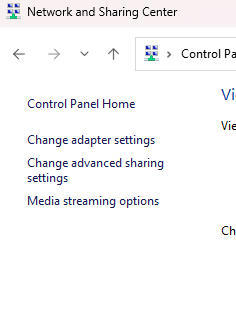
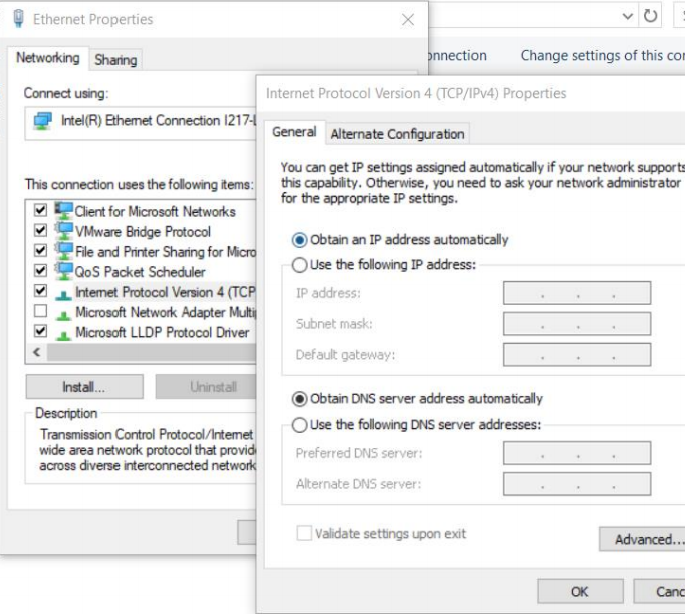
All operating systems that are designed to connect to a network have the option to configure an IP address. In Windows you navigate to the adapter settings to change the IP address statically or set it to be configured dynamically.

<figure><img src="https://4051891793-files.gitbook.io/~/files/v0/b/gitbook-x-prod.appspot.com/o/spaces%2F-MNfIA-XPlMphtr6yXWi%2Fuploads%2Fd22ZVdrioYxMQVn43H0Y%2Fimage.png?alt=media&amp;token=ef8f58fa-9dde-4cd0-865f-10cf7b353caf" alt=""><figcaption><p>Navigating to Adapter Settings</p></figcaption></figure>

<figure><img src="https://4051891793-files.gitbook.io/~/files/v0/b/gitbook-x-prod.appspot.com/o/spaces%2F-MNfIA-XPlMphtr6yXWi%2Fuploads%2FZsp6eUFbHw7wSK13GfUa%2Fimage.png?alt=media&amp;token=db77f4e7-a431-44d3-afe9-fb25955df052" alt=""><figcaption><p>Change Adapter Settings</p></figcaption></figure>

<figure><img src="https://4051891793-files.gitbook.io/~/files/v0/b/gitbook-x-prod.appspot.com/o/spaces%2F-MNfIA-XPlMphtr6yXWi%2Fuploads%2FQCj2dua2dJ9SvujI6L9H%2Fimage.png?alt=media&amp;token=f131fa9f-ba4e-4868-8438-8cc970bba0af" alt=""><figcaption><p>IPv4 Settings</p></figcaption></figure>

IP addressing should be considered in your network design and based on host requirements per network or department. The right IP addressing scheme is calculated based on your Subnet Mask because a Subnet Mask gives you the total number of addresses. To calculate this I have a great method to use. Here it is: Host requirement = 54

#### [Step 1. Think in binary!](http://www.ltneighbor.net/ipaddressing/ipaddressing#step-1-think-in-binary) <a href="#step-1-think-in-binary" id="step-1-think-in-binary"></a>

* What Subnet Mask would give me close to the host requirement?
* I must consider the magic number (the decimal representation of the last 1 in the Subnet Mask). The Magic Number will also help us find the next network!

#### [Step 2. Find the Magic number (one that gives you at least 54 addresses)](http://www.ltneighbor.net/ipaddressing/ipaddressing#step-2-find-the-magic-number-one-that-gives-you-at-least-54-addresses) <a href="#step-2-find-the-magic-number-one-that-gives-you-at-least-54-addresses" id="step-2-find-the-magic-number-one-that-gives-you-at-least-54-addresses"></a>

11111111.11111111.11111111.11000000 128 64 32 16 8 4 2 1

This gives us a total usable range of 62 addresses. Remember you have to accommodate for the network and broadcast address.

#### [Step 3. Find the next network (you can pick any private IP class to start with). We will use](http://www.ltneighbor.net/ipaddressing/ipaddressing#step-3-find-the-next-network-you-can-pick-any-private-ip-class-to-start-with-we-will-use) <a href="#step-3-find-the-next-network-you-can-pick-any-private-ip-class-to-start-with-we-will-use" id="step-3-find-the-next-network-you-can-pick-any-private-ip-class-to-start-with-we-will-use"></a>

a class C IP address

* We know the 1st network will be 192.168.0.0
* What is the 2nd network? **\_\_\_\_**\_\_\_

If you said 192.168.0.64 then you are correct! How did we get that? THE MAGIC NUMBER! Isn’t it magical?

* Once you have the 2nd network you can determine the usable range within your 1st network

#### [Step 4. Find the range for the 1st network](http://www.ltneighbor.net/ipaddressing/ipaddressing#step-4-find-the-range-for-the-1st-network) <a href="#step-4-find-the-range-for-the-1st-network" id="step-4-find-the-range-for-the-1st-network"></a>

1st network: 192.168.0.0

2nd network: 192.168.0.64

Usable range for 1st network: 192.168.0.1 – 192.168.0.62

Broadcast for 1st network is 192.168.0.63

#### [Step 5. This is all you need!](http://www.ltneighbor.net/ipaddressing/ipaddressing#step-5-this-is-all-you-need) <a href="#step-5-this-is-all-you-need" id="step-5-this-is-all-you-need"></a>

Take some time to practice this method with intentionality. Feel free to use a subnetting calculator to check your work as you go. If you would like some challenge problems, I would be glad to send you some I’ve developed for my students. Have fun!

### Ways to Help & Support

You can help me continue to improve my content through feedback, words of encouragement and even if you:

[![Buy Me A Coffee](https://cdn.buymeacoffee.com/buttons/v2/default-blue.png)](https://www.buymeacoffee.com/ltnbob)


# What Pong Can Teach You About Programming

A beginner-friendly look at programming concepts through a simple Pong game.

One of the best ways to learn technology is to build something small enough to understand, but interesting enough to care about.

That is why I love simple games as learning projects. A game like Pong does not require a massive team, a professional game engine, or years of experience. At its core, Pong is just a few shapes moving around on a screen. But hidden inside that simple game are some of the most important ideas in programming.

If you are new to tech, this is good news.

You do not have to start by building the next billion-dollar app. You do not have to understand every programming language, framework, cloud platform, or cybersecurity tool before you begin. You can start with a paddle, a ball, a score, and a question:

**How does this actually work?**

That question is powerful. It turns playing into learning.

***

## The Game Is the Lesson

Pong is simple from the player's point of view:

* Move your paddle
* Hit the ball
* Score points
* Try to win

But from the computer's point of view, a lot is happening:

* The browser listens for your keyboard, mouse, or touch input
* The game updates the position of the ball and paddles
* The code checks for collisions
* The score changes when the ball passes a paddle
* The screen redraws many times per second
* The match ends when someone reaches the winning score

That is programming in miniature.

Programming is not magic. It is a process of breaking behavior down into small steps that a computer can follow. A game helps you see those steps because the results are visual. When you change a number, the ball moves differently. When you add a condition, the game reacts differently. When you make a mistake, you usually see it right away.

That immediate feedback is a gift for learners.

***

## Lesson 1: Variables Store State

One of the first big ideas in programming is **state**.

State is the information the program needs to remember right now. In Pong, state includes things like:

* Where is the ball?
* How fast is it moving?
* Where are the paddles?
* What is the player's score?
* Is the game currently playing or finished?

In code, that might look like this:

```javascript
const ball = {
    x: canvas.width / 2,
    y: canvas.height / 2,
    speed: 300,
    velocityX: 300,
    velocityY: 300
};
```

This object is a small model of the ball. The real ball you see on the screen is drawn from these values. If `ball.x` changes, the ball moves horizontally. If `ball.y` changes, the ball moves vertically.

That is a huge concept for beginners:

**The screen is a reflection of the program's state.**

When you understand that, websites, games, apps, dashboards, and cybersecurity tools become less mysterious. They all store information, change that information, and show the result.

***

## Lesson 2: Input Is How Humans Talk to Programs

Programs are not very interesting if they never respond to us.

In Pong, input comes from the player. You move the mouse, touch the screen, or press a key. The browser detects that action and sends an event to the program.

For example:

```javascript
canvas.addEventListener('mousemove', movePaddle);
```

This line tells the browser, "When the mouse moves over the canvas, run the `movePaddle` function."

That is an event-driven way of thinking. The program is not just running from top to bottom once. It is waiting for things to happen:

* A player moves the mouse
* A key is pressed
* The window is resized
* The game reaches the winning score

Modern web apps work this way too. When you click a button, submit a form, open a menu, upload a file, or type in a search box, events are happening. Pong gives beginners a visual way to understand that relationship.

Input is how humans communicate intent to software.

***

## Lesson 3: The Game Loop Makes Motion Possible

If you want something to move on screen, you need repetition.

The ball does not move because the computer draws it once. The ball moves because the game keeps repeating this pattern:

1. Read the current state
2. Update the state
3. Draw the new state
4. Do it again

In browser-based games, this is often done with `requestAnimationFrame`:

```javascript
function game(time) {
    update(deltaTime);
    render();
    requestAnimationFrame(game);
}
```

This is called a **game loop**.

The game loop is one of those concepts that unlocks a lot of understanding. It teaches you that animation is not really one smooth motion. It is a series of still frames shown quickly enough that your brain sees movement.

That same basic idea appears all over technology:

* Video playback
* Game engines
* Monitoring dashboards
* Simulations
* Real-time data visualizations

The computer keeps updating and redrawing. That is the rhythm.

***

## Lesson 4: Conditions Let Programs Make Decisions

Programs become useful when they can make decisions.

In Pong, the game constantly asks questions:

* Did the ball hit the top wall?
* Did the ball hit a paddle?
* Did the player score?
* Did someone reach 21?

Those questions become `if` statements:

```javascript
if (player.score >= WINNING_SCORE) {
    endMatch(player);
}
```

This is a win condition. The game checks whether a player's score has reached the target. If it has, the match ends.

That might seem simple, but this is the same basic logic behind much larger systems:

* If a password is correct, let the user log in
* If a payment succeeds, mark the order as paid
* If a server stops responding, send an alert
* If suspicious traffic appears, investigate it

An `if` statement is a decision point. It teaches the computer how to respond when something is true.

***

## Lesson 5: Collision Detection Is Just Comparing Boundaries

When beginners see a ball bounce off a paddle, it can feel like the computer understands the physical world.

It does not.

The computer is doing math.

In Pong, collision detection means checking whether the ball and paddle overlap. The program compares the edges of each object:

```javascript
const isColliding =
    p.left < b.right &&
    p.top < b.bottom &&
    p.right > b.left &&
    p.bottom > b.top;
```

This looks intimidating at first, but the idea is simple:

**Are these two rectangles touching?**

That is all.

This is a wonderful lesson because it shows how programs turn real-world ideas into measurable rules. The computer does not know what a paddle is. It knows numbers: left edge, right edge, top edge, bottom edge.

That skill matters far beyond games. In technology, we constantly translate messy human concepts into rules a computer can evaluate.

Cybersecurity does this too. A detection rule might ask:

* Did this login happen from an unusual location?
* Did this process access a suspicious file?
* Did this network connection go somewhere unexpected?

Different context, same pattern: collect data, compare values, make a decision.

***

## Lesson 6: Feedback Helps People Learn What Happened

Good software gives feedback.

In Pong, feedback can be visual or audio:

* The ball bounces
* The score changes
* A sound plays when the paddle hits the ball
* A message appears when someone wins

This matters because users need to know that their actions had an effect.

```javascript
hitSound.play();
```

That one line is small, but it improves the experience. It tells the player, "Yes, the hit counted."

This is a user experience lesson. Whether you are building a game, a website, a cybersecurity tool, or an internal IT dashboard, people need clear feedback. They need to know what happened, what changed, and what they can do next.

Beginners sometimes think programming is only about making the computer work. It is also about helping humans understand what the computer is doing.

***

## Lesson 7: Constraints Make Games Feel Fair

A game needs limits.

If the ball gets faster forever, the game eventually becomes impossible. If the paddle can move off screen, the controls feel broken. If there is no winning score, the match never ends.

That is why we add constraints:

```javascript
ball.speed = Math.min(ball.speed + SPEED_STEP, MAX_BALL_SPEED);
```

This line increases the ball speed, but caps it at a maximum value.

That is a great programming lesson. Systems need boundaries. Without boundaries, small changes can become big problems.

In IT and cybersecurity, constraints show up everywhere:

* Account lockout policies
* Rate limits
* Firewall rules
* Storage quotas
* Password length requirements
* User permissions

Constraints protect systems and make behavior predictable.

***

## Lesson 8: Small Projects Build Real Confidence

One of the biggest barriers for new people in tech is confidence.

Many learners look at the industry and see an overwhelming mountain of topics:

* Networking
* Linux
* Programming
* Cybersecurity
* Cloud
* AI
* Databases
* Automation

That can feel like too much.

But building Pong reminds us of something important: you can start small and still learn real concepts.

A simple game can teach:

* Variables
* Objects
* Functions
* Events
* Loops
* Conditions
* Coordinates
* Debugging
* User feedback
* System state

Those are not toy ideas. Those are foundations.

If you can understand how a ball moves across a screen, you are already learning how software works. If you can explain why the ball bounces, why the score changes, and why the game ends, you are practicing the same kind of thinking technologists use every day.

***

## How I Would Use Pong as a Teaching Tool

If I were teaching this to a beginner, I would not start by explaining every line of code.

I would start with questions:

* What do you see on the screen?
* What has to be remembered for the game to work?
* What happens when you move the paddle?
* What should happen when the ball touches a wall?
* What should happen when someone scores?
* How does the game know when it is over?

Then I would connect each answer to code.

That is important. Beginners need bridges between what they can observe and what the code is doing. The goal is not memorization. The goal is understanding.

This is why I like adding a lesson panel to a project like this. If the game can show the code that is running and explain the concept behind it, the project becomes more than entertainment. It becomes an interactive classroom.

The learner gets to play, observe, read, and connect ideas in real time.

That is powerful.

***

## Final Thoughts

Pong is old, but it still has something to teach us.

It teaches that programming is not just typing code. Programming is modeling behavior. It is deciding what needs to be remembered, what should change, what rules should apply, and what feedback people need.

It teaches that games are not separate from "real" technology. Games are software. They use the same ideas that power websites, mobile apps, security tools, automation scripts, and enterprise systems.

Most importantly, Pong teaches that beginners can build something real.

You do not need to understand everything before you begin. You need a project small enough to start, meaningful enough to care about, and clear enough to learn from.

Start with a paddle and a ball.

Then start asking how it works.


# Automate All The Things🤖🦾

## Automate all the things <a href="#automate-all-the-things" id="automate-all-the-things"></a>

![Automation assembling vehicles](https://4051891793-files.gitbook.io/~/files/v0/b/gitbook-legacy-files/o/assets%2F-MNfIA-XPlMphtr6yXWi%2F-MXKfH5A4WsxDeBhaDal%2F-MXKh4gbOrOueKZUov7q%2Fimage.png?alt=media\&token=d21781fa-c4cf-4b50-95dd-91c72e10d211)

Automation as a philosophy and approach to work is in full effect in our society. Lets just consider what Mark Andreessen wrote in his [essay](https://www.wsj.com/articles/SB10001424053111903480904576512250915629460) titled “Software is eating the world.”. We can look at the world now and see that software indeed has eaten the world. Remember when we used to walk into a store that existed for the purpose of borrowing movies and video games. Well now all of this has been virtualized and automated. All we have to do is pay a small monthly fee for access to unlimited libraries of movies, shows, video games and music. Oh and those sites you use have incredible algorithms running to power custom tailored recommendations to help you as you explore this vast Internet we spend so much time on. Speaking of the Internet, Google automated the process of searching for websites and content on the web. In a way you could say they automated the process of finding what you want on the World Wide Web, they continue to dominate in the search engine business and I get the sneaky suspicion that they always will. Perhaps this ease of usability Google added to the Internet drove the wide spread adoption of the Internet as one of the most important inventions in human history.

Soon we will be calling our cars to come pick us up using AI powered Digital Assistants. The command we issue will travel over high-speed networks to the car which will be driven to us by algortithms in the same way a pilot works alongside algorithms to fly an air-plane thousands of feet in the skies. Consider the work [Tesla](https://www.tesla.com/) is doing as they continue to position their vehicle product line to receive updates over the Internet which will eventually lead to a rolling computer that can drive entirely on its own. While I don’t own a Tesla myself I’ve driven one and witnessed it’s [capabilities](https://www.youtube.com/watch?v=giyo1y4pXNM) first hand. They are a glimpse of the future of autonomous systems, not just cars. Tesla’s mission to accelerate the world’s transition to sustainable energy is powered by automated systems working together in a beautiful symphony of orchestrated computer systems.

Even the field of IT is continuously iterating towards automated systems to free up IT operations teams (Network & System admins, SOC analysts, Software developers, the list goes on…) to move organizations forward. I personally believe it is part of who we are to automate processes so we can do more. Some important books in human history declare that we are to be fruitful and multiply. We can examine reality and make a strong case that this is what tech moguls like Jeff Bezos and Elon Musk are doing as they break the mold in all they do. It’s almost as if they have found an algorithm in life that works at least as it relates to the economy and generating financial wealth. Speaking of Jeff Bezos, did you know his company Amazon has an IT Automation engine called [Amazon Web Services](https://aws.amazon.com/) (also known as AWS). Some shoot me strange looks when I say that AWS is IT automation, think about it for a bit. Here is this platform anyone can use to install, configure, manage and automate countless IT systems (client OSs, server OSs and entire network infrastructures) from anywhere in the world. This is including but not limited to being in your pajamas at home.

Most of us are carrying around a super computer in our pockets that we can verbally call on for assistance. Don't believe me!? Try it for yourself! If you have an iPhone say “Hey [Siri](https://www.apple.com/siri/), text my mom and tell her I love her”. Siri interfaces with iMessage to send the text message to your mom or whatever loved one you just texted. If you do not have an iPhone you probably are running an OS that runs Google’s AI assistant. To use Google’s AI assistant just say “Ok, Google” and Google assistant uses Google Maps to navigate to your favorite restaurant. People….. this is amazing stuff why aren’t more of us using it. Get better at using it and you actually become more employable. Just look at technical careers, they pay well because they require more skills. Guess what!? The Internet and the World Wide Web has made it easier than ever to gain skills, knowledge and even find paid work. We must have the confidence to learn what it takes to do the work we are called to do and the Internet is a wonderful tool to enable this.

As a technologist myself when I am administering the systems I use for mass instruction I like to implement automation wherever I see the opportunity. I’ve listed below examples of IT Automation scripts I use and teach others how to use:

## Cisco IOS and Cloud-based networking <a href="#cisco-ios-and-cloud-based-networking" id="cisco-ios-and-cloud-based-networking"></a>

In industry and higher education many large sized organizations decided many many years ago to go with Cisco for their network infrastructure. You’ll find many Cisco Switches, Routers and wireless access points out in the wilderness. One of the most appealing features of a Cisco product is many of them run their proprietary OS called IOS (Internetwork Operating System). It’s got an amazing command line interface that if learned properly you’ll breeze through configurations and even have the ability to automate tasks on a large scale. I’m growing more and more intrigued by the promises of Red Hat’s Ansible but you really should learn IOS as a good baseline. Ansible is an automation langauge that allows you to automate tasks on several IT platforms including but not limited to: Cisco IOS, Windows desktop OS, Windows server and countless Linux distros, you’ll find some useful Ansible playbooks further down this page.

Many networking vendors still include CLIs in their operating systems. The latest trend is to build a cloud-based controller model where all configurations are done on a web-based GUI often called a Northbound interface that will send configuration changes over the Internet to the networking devices on site. This model can lower the learning curve for IT professionals to manage networks and even makes it easier for non-technical decision makers to visualize what’s happening on a network. Examples of companies that have done this are [Cisco Meraki](https://meraki.cisco.com/), [Ubiquiti Networks](https://www.ui.com/), and [Palo Alto Networks](https://www.paloaltonetworks.com/) just to name a few. As a side note, new cybersecurity concerns arise as organizations decide to host their networking controller on websites over the Internet. This model creates a larger target and can make it easier for attackers to get access to critical systems as the commands and configurations must travel over the open Internet where there could be packet capture devices at multiple connection points. Overall, it is my belief that cloud-based network controller models are a good for the industry but it still requires a fundamental understanding of networking to use of the platforms I mentioned.

### [Router Configurations](http://www.ltneighbor.net/Scripts/scripts#router-configurations) <a href="#router-configurations" id="router-configurations"></a>

```
    en
    conf t
    hostname R1
    enable secret Cisco
    service password-encryption
    banner motd $ Unauthorized access is strictly prohibited. $
    line con 0 
    logg sync
    login local
    exec-timeout 60
    line vty 0 15
    logg sync 
    login local 
    transport input ssh 
    transport output ssh
    exit 
    ip domain-name Bob.net
    username Bob password Cisco
    crypto key generate rsa 
    2048
    ip ssh version 2
    int g0/0.10
    description Link to Administration
    encap dot1q 10 
    ip add 192.168.10.1 255.255.255.0
    no shut
    int g0/0.20
    description Link to IT VLAN
    encap dot1q 20 
    ip add 192.168.20.1 255.255.255.0
    no shut
    int g0/0.30
    description Link to HR VLAN
    encap dot1q 30 
    ip add 192.168.30.1 255.255.255.0
    no shut
    int g0/0.40
    description Link to ENG VLAN
    encap dot1q 40 
    ip add 192.168.40.1 255.255.255.0
    no shut
    int g0/0
    no shut
    int g0/1
    description Link to Building A
    ip add 10.0.0.1 255.255.255.252
    no shut
    int g0/2 
    description Link to ISP
    ip add 200.0.0.1 255.255.255.252
    no shut
    exit
    ip dhcp excluded-address 192.168.10.1 192.168.10.20
    ip dhcp excluded-address 192.168.20.1 192.168.20.20
    ip dhcp excluded-address 192.168.30.1 192.168.30.20
    ip dhcp excluded-address 192.168.40.1 192.168.40.20
    ip dhcp pool Admin
    network 192.168.10.0 255.255.255.0
    default-router 192.168.10.1
    dns-server 1.1.1.1
    ip dhcp pool IT
    network 192.168.20.0 255.255.255.0
    default-router 192.168.20.1
    dns-server 1.1.1.1
    ip dhcp pool HR
    network 192.168.30.0 255.255.255.0
    default-router 192.168.30.1
    dns-server 1.1.1.1
    ip dhcp pool ENG
    network 192.168.40.0 255.255.255.0
    default-router 192.168.40.1
    dns-server 1.1.1.1
```

### [Switch Configurations](http://www.ltneighbor.net/Scripts/scripts#switch-configurations) <a href="#switch-configurations" id="switch-configurations"></a>

```
    en    
    conf t
    hostname S1
    enable secret Cisco
    service password-encryption
    banner motd $ Unauthorized access is strictly prohibited. $
    line con 0 
    logg sync
    login local
    exec-timeout 60
    line vty 0 15
    logg sync 
    login local 
    transport input ssh 
    transport output ssh
    exit 
    ip domain-name Bob.net
    username Bob password Cisco
    crypto key generate rsa 
    2048
    ip ssh version 2
    vlan 10 
    name Admin
    vlan 20
    name IT 
    no shut
    vlan 30 
    name HR
    vlan 40 
    name ENG
    exit
    int vlan 20 
    ip add 192.168.20.2 255.255.255.0
    no shut 
```

## Red Hat Ansible <a href="#red-hat-ansible" id="red-hat-ansible"></a>

Early in this lesson I mentioned Red Hat’s automation engine [Ansible](https://www.redhat.com/en/technologies/management/ansible). I believe this technology will become a force in IT Operations (Network and System administration) affording all IT professionals a fun and easy way to automate some of the mundane tasks that are taking too long to complete. These tasks are distracting from more important matters like making sure users are empowered, trained, secured and organizations can keep evolving with the technology. Ansible does have a slight learning curve so it would be in your best interest to start learning it directly from the developers. Ansible is free and open source so you’ll find a great community backing the project with [exceptional education based documentation](https://docs.ansible.com/ansible/latest/network/getting_started/index.html).

### Powershell

{% embed url="<https://devblogs.microsoft.com/scripting/author/the-scripting-guys/>" %}

### Ways to Help & Support

You can help me continue to improve my content through feedback, words of encouragement and even if you:

[![Buy Me A Coffee](https://cdn.buymeacoffee.com/buttons/v2/default-blue.png)](https://www.buymeacoffee.com/ltnbob)


# How I Set Up GitHub Sync for My GitBook Blog

If you've ever written something in GitBook and wished you could just open a terminal, write a Markdown file, `git push`, and have it automatically show up on your blog — this post is for you. That's exactly what I set up, and it's way cleaner than I expected.

Here's the full walkthrough of how I connected my [GitBook blog](https://bob.ltneighbor.net/) to a GitHub repo so I can write and publish from my laptop.

***

## Why Bother?

GitBook's editor is great, but I want my writing to live in a git repo. That means:

* Version history on every post
* Write in any editor (VS Code, Neovim, whatever)
* Push to publish — no browser required
* My content isn't locked inside a platform

The goal: **write Markdown locally → `git push` → blog updates automatically.**

***

## What You'll Need

* A [GitBook](https://gitbook.com/) account with an existing Space
* A [GitHub](https://github.com/) account
* The `gh` CLI or access to GitHub in a browser

***

## Step 1: Open the GitHub Sync Integration in GitBook

In GitBook, navigate to your **Space** (not the Docs Site — the Space level). Click **Integrations** in the left sidebar, then find **GitHub Sync** and click **Install**.

> ⚠️ Make sure you're in the Space settings, not the Docs Site settings. GitHub Sync only lives at the Space level.

***

## Step 2: Install the GitBook GitHub App

Click **Authenticate with GitHub**. GitBook will open a GitHub OAuth screen — authorize it.

After OAuth, you'll see the **Account** dropdown is still empty. That's because OAuth alone isn't enough — you also need to install the **GitBook GitHub App** on your GitHub account.

Click the **"Install the GitHub app"** link in the GitBook config. GitHub will ask you which repositories the app can access. Choose **All repositories** (simplest option), then click **Save**.

***

## Step 3: Re-Authorize GitBook

After installing the App, go back to GitBook and click the **Connected** button next to Authenticate. GitHub will prompt you to update GitBook's authorized permissions — click **Authorize GitBook.com**.

Now when you open the **Account** dropdown, you should see your GitHub username appear. Select it.

***

## Step 4: Create a GitHub Repo for Your Blog

If you don't have a dedicated repo yet, create one:

```bash
gh repo create your-username/blog --public --description "Blog synced with GitBook"
```

Then add an initial commit so it's not empty:

```bash
gh repo clone your-username/blog
cd blog
echo "# My Blog" > README.md
git add README.md && git commit -m "Initial commit" && git push
```

***

## Step 5: Select the Repo in GitBook

Back in the GitBook config, open the **Select repository** dropdown and choose your newly created `blog` repo.

> **Note:** If the repo doesn't appear immediately, it's a caching issue on GitBook's side — new repos can take a few minutes to show up. Give it a couple minutes and try again.

***

## Step 6: Choose Your Initial Sync Direction

GitBook asks: **which content wins on first sync?**

* **GitHub to GitBook** — imports GitHub content, replaces GitBook content
* **GitBook to GitHub** — exports GitBook content to GitHub, replaces repo content

Since my blog content already lived in GitBook, I chose **GitBook to GitHub**. This exported all my existing posts as Markdown files into the repo.

> If you're starting fresh with content in GitHub, pick the other direction.

Click **Sync**.

***

## The Result

After the sync, my `rftheisen/blog` repo was populated with all my blog posts as `.md` files, organized in folders, with a `SUMMARY.md` that acts as the table of contents:

```
SUMMARY.md
README.md
my-teaching-philosophy.md
amplify-your-learning-by-building-a-home-lab.md
educational-walkthroughs-and-reviews/
    hackthebox-netmon-walkthrough.md
    ai-learning-resources-for-beginners.md
...
```

***

## My Publishing Workflow Now

```bash
# Clone the repo once
git clone https://github.com/rftheisen/blog
cd blog

# Write a new post
touch my-new-post.md
# ... write in VS Code or any editor ...

# Add it to SUMMARY.md so GitBook knows where it lives
# Then push
git add .
git commit -m "Add new post: my-new-post"
git push
```

That's it. GitBook picks up the push automatically and publishes within seconds.

***

## Key Takeaways

* You need **both** GitHub OAuth **and** the GitBook GitHub App installed — OAuth alone won't work
* The sync is **truly bidirectional** — you can write in GitBook or GitHub and both stay in sync
* `SUMMARY.md` is the table of contents — any new post needs an entry there to appear in the navigation
* Images go in `.gitbook/assets/` and are referenced normally in Markdown

If you're a sysadmin or developer who lives in the terminal, this setup makes blogging feel a lot more like the rest of your workflow. Highly recommend.


# The Age of Empowerment

A Short Story imagining what may be possible in the near future

### Grandma Donna's Pool

Donna woke up at 9 am as she does each morning. She began by asking Simon (her AGI assistant) to "start her morning routine". The shower started and automatically adjusted to the temperature she prefers. As she powered off the shower the coffee maker started pouring her cup of delicious Jamaican High Mountain coffee. As she walked towards the glass doors leading to the back deck, the doors slid open and through the speakers on the deck a voice calmly described "Good morning Donna, it is a beautiful 70 degrees this morning with a forecast of clear skies making the beautiful Napa valley hills great for viewing from this angle. Is there anything you want or need assistance with this morning outside of your normal routine?"

<figure><img src="https://4051891793-files.gitbook.io/~/files/v0/b/gitbook-x-prod.appspot.com/o/spaces%2F-MNfIA-XPlMphtr6yXWi%2Fuploads%2FM5bSxG95Zxh7grfU09XY%2Fimage.png?alt=media&amp;token=38b3f7fd-f92f-4b26-9ec9-236101946f4f" alt=""><figcaption><p>Donna enjoying the view</p></figcaption></figure>

Donna walked up and sat down on the chair close to the guard rail of the deck admiring the rolling hills in the distance as she considered not just what she needed today, but what she wanted. She recalled her grandkids coming over the prior weekend and mentioning to her that they "wished that Grandma Donna had a pool for them to swim in". This gave her an idea. She responded to Simon's question "Absolutely Simon, could you have the fleet build a pool here in the backyard where the garden is, please replant the flowers on the other side of the backyard?" Simon responded "Yes mam. We do not have any cement for pouring I found some available in stock at a local hardware store. It is going to cost $2,000 USD to have the cement we need, are you okay with me making this purchase with the card you have stored?" Donna replied "Absolutely!".

<figure><img src="https://4051891793-files.gitbook.io/~/files/v0/b/gitbook-x-prod.appspot.com/o/spaces%2F-MNfIA-XPlMphtr6yXWi%2Fuploads%2FUVVUN6BWDn7nY6VIwq6t%2Fimage.png?alt=media&amp;token=97173f5a-5f07-443a-8732-1e20443fcba9" alt=""><figcaption><p>The Fleet of Robots prepare to trave to the Hardware Store</p></figcaption></figure>

The garage door began to open and a fleet of robots (about 10) emerged from their underground storage units. They took flight and picked up the order of cement from the hardware store. As soon as they returned they began digging a perfectly symmetrical hole in the ground, then poured the cement.

<figure><img src="https://4051891793-files.gitbook.io/~/files/v0/b/gitbook-x-prod.appspot.com/o/spaces%2F-MNfIA-XPlMphtr6yXWi%2Fuploads%2FvxQr7Vj6lbEumHaOqvAi%2Fimage.png?alt=media&amp;token=b70d3e69-cad7-4789-9a96-5adb00046d90" alt=""><figcaption><p>The fleet finish the initial dig</p></figcaption></figure>

Donna watched them work as she sipped her coffee and ate sour dough toast. She could change camera angles and view the feed through an app on her tablet. As the robots finished the initial structure and cement pour, Donna was inspired to add a water fall to the pool. She spoke into the tablet's mic "Fleet can you please add a waterfall to this pool inspired by Niagra falls?".

<figure><img src="https://4051891793-files.gitbook.io/~/files/v0/b/gitbook-x-prod.appspot.com/o/spaces%2F-MNfIA-XPlMphtr6yXWi%2Fuploads%2FOwhp9Ik7sMOxnVjnlB7P%2Fimage.png?alt=media&amp;token=953e9a72-707d-4ebe-8fab-dd773779162e" alt=""><figcaption><p>Donna asks for a waterfall</p></figcaption></figure>

The fleet built a medium size structure that looked like a mini Niagara falls. The fleet finished the pool before 4 pm and Donna was elated. All 10 robots hovered back to their underground storage units to recharge their batteries and await orders.

Simon asked "Miss Donna are you happy with the pool?". Donna responded "I love it and so to will my grand children."

<figure><img src="https://4051891793-files.gitbook.io/~/files/v0/b/gitbook-x-prod.appspot.com/o/spaces%2F-MNfIA-XPlMphtr6yXWi%2Fuploads%2FhiyUBFC4CQqxCSSK8Ut6%2Fimage.png?alt=media&amp;token=0b9e48d5-71e9-4c76-b342-e319e378143e" alt=""><figcaption><p>A Small Niagra Falls in Donna's Backyard</p></figcaption></figure>


# Drones & Cybersecurity 🚁🏴‍☠️

## Exploring Drone Technology & Cybersecurity <a href="#exploring-drone-technology--cybersecurity" id="exploring-drone-technology--cybersecurity"></a>

### [Hardware Explanation](http://www.ltneighbor.net/ExploringDrones/DronesOntheNet#hardware-explanation) <a href="#hardware-explanation" id="hardware-explanation"></a>

![](https://4051891793-files.gitbook.io/~/files/v0/b/gitbook-legacy-files/o/assets%2F-MNfIA-XPlMphtr6yXWi%2F-MNktxec4JyM3EkcyOHC%2F-MNku0bz8O_a44m6Aawq%2Ftelloblueprint.png?alt=media\&token=e686cc04-8a6b-45bf-bc6f-1a5fad9344e1)

CPU: Intel 14 Core Processor

* This is the brains of the system and where the real magic happens.

5 Megapixel camera

* Allowing for high quality images and videos - 4 tiny propellors
* 4 propeller guards
  * Crashing is inevitable!
* 1 battery charger port connected with micro usb
* 1 1.1Ah/2.8 volt battery
* Maybe one day Tesla will make a battery that can fit this and last longer in flight
* Has WiFi enabled NIC with SSID Broadcast no security enabled out-of-box

. ![SSID](https://4051891793-files.gitbook.io/~/files/v0/b/gitbook-legacy-files/o/assets%2F-MNfIA-XPlMphtr6yXWi%2F-MNktjhbrdYRscLV-exy%2F-MNktro-r7zhtR2Byqrv%2FTelloSSID.png?alt=media\&token=cd424755-4e79-422a-ab4f-e2a0ca3beda9)

### [Software & Networking Exploration](http://www.ltneighbor.net/ExploringDrones/DronesOntheNet#software--networking-exploration) <a href="#software--networking-exploration" id="software--networking-exploration"></a>

The Tello Drone runs a DHCP server that leases out IP addresses on the 192.168.10.0/24 network.

Checking my ip address and sending a ping icmp echo-request message to my drone

![](https://4051891793-files.gitbook.io/~/files/v0/b/gitbook-legacy-files/o/assets%2F-MNfIA-XPlMphtr6yXWi%2F-MNksuf7TloSzTDevMs5%2F-MNktW3Tujsb4Nrpwn4E%2Fdronenetworking.gif?alt=media\&token=8212bbed-e6e5-4878-941f-78b80454031f)

* [Fantastic demonstration of connecting to Tello Drone](https://www.youtube.com/watch?v=kcXN7CYgQ0g)
* The [DJI-SDK/Tello-python repo](https://github.com/dji-sdk/Tello-Python) is hosted on GitHub and has many nifty python kits to learn programming in a comprehensive way
* [NMAP](https://nmap.org/) scan shows: Running Abyss webserver port: 9999

![](https://4051891793-files.gitbook.io/~/files/v0/b/gitbook-legacy-files/o/assets%2F-MNfIA-XPlMphtr6yXWi%2F-MNku4l4be4ytQm1a3Lx%2F-MNku7TdqDThY8zKfdXJ%2Fnmapscan.gif?alt=media\&token=6c4ffc99-9a7d-4bd3-8d41-6f552003a165)

I was successful in connecting to the drone utilizing the [Drooone Windows app](https://www.microsoft.com/en-us/p/drooone/9n0z6wvt0w6n?activetab=pivot:regionofsystemrequirementstab) developed by Symmetry Soft. This allows us to pilot the drone from our Windows system. See below for a quick view of how this works. Below is an example of me using the drone in a lesson from one of my YouTube courses Practical Networking Fundamentals:

{% embed url="<https://youtu.be/rD1A0KKlRBA>" %}

When I first started experimenting with Drooone the application kept displaying an error message when I attempted to connect to the Tello SSID (wireless network name). After some troubleshooting I discovered that it was the Windows firewall denying the connection from the OS to the drone. Deactivating the firewall allowed it to work, following this I allowed UDP ports: 10001 & 10002 through the firewall. Leaving the entire Firewall turned off is not a best practice & can put your computer at risk. This is why you must learn what exactly is being blocked and allow that specific application or logical port through the firewall.

### Ways to Help & Support

You can help me continue to improve my content through feedback, words of encouragement and even if you:

[![Buy Me A Coffee](https://cdn.buymeacoffee.com/buttons/v2/default-blue.png)](https://www.buymeacoffee.com/ltnbob)


# Emerging Technology Predictions

What will the future look like considering the now?!

Below are my notes on various sectors and the key companies and technologies that will revolutionize the way humanity operates. This is a constant work in progress so it will likely never be completed, only ever reaching temporary finished states.

* People evolve... so to do their tools
* Good technology is multi-functional
* Software, AI, Automation and Robotics will be the key technologies of the future

### Transportation & Logistics

* Getting from point A to Point B
* We used run, ride horses and pull carriages
* Roads, Highways and Interstate systems have evolved based on the medium we travel
* Water, Ground and Air are the natural mediums for travel
* The steam engine was a major milestone
* Combustion engines on a chassis and wheels (Ford Motor Company)
* Engines just got better over time. More horsepower, faster and could pull more weight
* Not just transporting people, your transporting goods
* Why do we still use boats?
  * Can they carry more?
  * Are they faster?
* Fuel... how do we fuel our transportation?

Hyperloop/Maglev

{% embed url="<https://www.hyperlooptt.com>" %}

{% embed url="<https://www.boringcompany.com/hyperloop>" %}

* Racing technology
  * F1

### The World is going Self driving

* [Tesla](https://www.tesla.com/) accelerating the transition to sustainable energy

{% embed url="<https://www.tesla.com>" %}

{% embed url="<https://www.tesla.com/support/autopilot>" %}
The cars can drive themselves
{% endembed %}

#### Uber

Uber has a long term vision of a fully self driving fleet of cars. Imagine Netflix but for getting a ride.

{% embed url="<https://www.uber.com/us/en/autonomous/>" %}

#### Lyft

Lyft is an Uber competitor.

{% embed url="<https://www.lyft.com>" %}

They are also working on building a self-driving fleet.

{% embed url="<https://autonomous.lyft.com>" %}

#### Amazon Prime Air

Amazon is working on a drone delivery service that will allow even faster delivery

{% embed url="<https://www.aboutamazon.com/news/tag/prime-air>" %}

#### Google's Waymo

{% embed url="<https://waymo.com>" %}

### Occupation/Business and Commerce

* Future Office and workspace
* Getting a job
* Multi disciplinary and entrepreneurial

### Communication

* Video
* Audio
* Text
* In person meeting
* Natural Language Processing
* The Internet
  * Satellite
  * [Space X's Starlink](https://www.starlink.com/) Highspeed Internet
  * Cellular
  * WiFi 6

### Energy

Tesla is working on solar solutions and batteries in the energy category. It seems the market misunderstands Tesla by labeling them as an automotive company. Really they are a robotics, AI and sustainable energy company.

{% embed url="<https://www.tesla.com/megapack>" %}

### Finances (Fintech)

Robinhood makes investing easy for the average person.

{% embed url="<https://robinhood.com/us/en/>" %}

Coinbase is a crypto exchange

{% embed url="<https://www.coinbase.com>" %}

#### Housing/Habitat

* [iRobot](https://www.irobot.com/)

### Healthcare & Biotech

Neuralink is working on brain computer interfaces that will restore prior functionality to people with seriously limiting disabilities, eventually they will make BCIs that give people super powers.

{% embed url="<https://neuralink.com>" %}

Neuralink has had two successful human trials. Both have quadrapalegia and have reported life transforming improvements after having the BCI installed.

{% embed url="<https://neuralink.com/blog/prime-study-progress-update-user-experience/>" %}

The senior leadership/engineering team at Neuralink was interviewed on an episode of Lex Fridman's podcast. In this episode their first human trial participant Noland Arbaugh also shares his experience with the interface.

{% embed url="<https://youtu.be/Kbk9BiPhm7o?si=CRbF36yhN7q7blNZ>" %}
Lex Fridman episode with Neuralink Team
{% endembed %}

This is an emerging field with several labs surfacing working on BCI technology, in industry and academia.

{% embed url="<https://neuroscience.stanford.edu/research/funded-research/brain-machine-interfaces-science-engineering-and-application>" %}
Stanford's Neuroscience Center
{% endembed %}

{% embed url="<https://rni.wvumedicine.org>" %}
WVU's Neuroscience Center
{% endembed %}

Some other private labs worth mentioning are Precision Neuroscience and Synchron.

{% embed url="<https://precisionneuro.io>" %}
Precision Neuroscience
{% endembed %}

{% embed url="<https://synchron.com>" %}
Synchron
{% endembed %}

### Entertainment

This section needs to be divided into multiple different sectors/categories.

* Camera and lenses
* Audio
  * Headphones
  * Speakers
  * Microphones
* Display tech
  * OLED screens
  * Projectors
  * Holograms
* Video
  * VOD (Video on Demand)
  * Live Streaming
  * Long form and short form
* Music
* Augmented Reality - the real world has a virtual overlay
  * Microsoft Hololens
  * Magic Leap
  * Google glass
  * Apple glass
* Virtual Reality - completely immersed in a virtual reality or software defined world.
  * Meta quest 3
  * HTC Vive
* All this can be done through a computer

Gaming is going to trend towards the cloud. This allows you to play high end games through any browser, which removes the need for dedicated gaming hardware.

{% embed url="<https://www.xbox.com/en-us/play>" %}

{% embed url="<https://www.nvidia.com/en-us/geforce-now/>" %}

Unreal Engine by Epic is transforming gaming and how TV and movies are filmed.

{% embed url="<https://www.unrealengine.com/en-US>" %}

* Industrial Light Magic (ILM)
* Pixar Animation Studios
* Epic
* NVIDIA
* Blender
* OBS
  * StreamLabs OBS and OBS Ninja
* AI Art Generators like Dalle3, Stable Diffusion, Midjourney

{% embed url="<https://openai.com/index/dall-e-3/>" %}

{% embed url="<https://stability.ai/news/stable-diffusion-3>" %}

{% embed url="<https://www.midjourney.com/home>" %}

### Education & Learning

GPT4o1 by OpenAI

{% embed url="<https://openai.com/o1/>" %}

Hack The Box

{% embed url="<https://www.hackthebox.com>" %}

Boot.dev

{% embed url="<https://www.boot.dev/>" %}

Khan Academy

{% embed url="<https://www.khanacademy.org>" %}

SAN.edu

{% embed url="<https://www.sans.edu>" %}

Western Governors University (WGU)

{% embed url="<https://www.wgu.edu>" %}

### Ways to Help & Support

You can help me continue to improve my content through feedback, words of encouragement and even if you:

[![Buy Me A Coffee](https://cdn.buymeacoffee.com/buttons/v2/default-blue.png)](https://www.buymeacoffee.com/ltnbob)


# Hack The Box NetMon Educational Walkthrough

What you will learn:

* Efficient learning practices using Hack The Box, Google search and other people
* Using ParrotOS
* Understanding the fundamentals of IP addressing
* Understanding the fundamentals of network ports
* Using [Nmap's](https://nmap.org/) scripting engine to quickly enumerate a target
* Healthy documentation habits
* Discovering and understanding how to use CVEs
* Common configuration mistakes admins use that attackers take advantage of to own the system
* Patch management fundamentals
* Understanding the File Transfer Protocol
* Bad and Good password hygiene
* Implementing proper network segmentation techniques and firewall rules to prevent unwanted access
* Understanding web application fundamentals
* Using [Burp](https://portswigger.net/burp) to capture session cookies
* Understanding Windows file system (NTFS) basics
* Accessing a Windows system using server message block (SMB)

**Be on the look out for a video walkthrough that provides a more interactive guide to supplement this written walkthrough where all the learning objectives above will be fufilled.**

![](https://4051891793-files.gitbook.io/~/files/v0/b/gitbook-legacy-files/o/assets%2F-MNfIA-XPlMphtr6yXWi%2F-MV9ef3MGbj25cRjlZAW%2F-MV9gBpbR9iiz44nRztO%2Fimage.png?alt=media\&token=ace668ad-ea3c-4bdc-9f56-bbe7ec90f2c9)

![](https://4051891793-files.gitbook.io/~/files/v0/b/gitbook-legacy-files/o/assets%2F-MNfIA-XPlMphtr6yXWi%2F-MV9ef3MGbj25cRjlZAW%2F-MV9hzLCzBgTz7bvAmTl%2Fimage.png?alt=media\&token=7f6bafb1-fadf-4fe5-8252-e4d7676cda04)

In the above image we see that this is a Windows system that is running several common services. Perhaps the most noteworthy services are FTP (port 21) and HTTP (port 80), these indicate that this Windows system is running a web server and an FTP server.

The first service I decided to check was the web service (http port 80). This is done by entering the IP address of the target in a web browser. It is worth noting that in a real world environment, web management interfaces shouldn’t be accessible from just any device on the network. On Hack The Box’s environment this is in place on purpose for us to practice. Many applications provide options to restrict access from specific IP addresses and/or network segments. System administrators can also create rules at the network level to permit and deny access from certain segments. Lets continue with our enumeration.

![Accessing PRTG Admin Interface](https://4051891793-files.gitbook.io/~/files/v0/b/gitbook-legacy-files/o/assets%2F-MNfIA-XPlMphtr6yXWi%2F-MV9ibU_MKMd81vsFFxh%2F-MV9jOorntI99mHunksM%2Fimage.png?alt=media\&token=080889dc-c7d3-42e2-9e44-f9136ccb630a)

![Making note of the PRTG version installed](https://4051891793-files.gitbook.io/~/files/v0/b/gitbook-legacy-files/o/assets%2F-MNfIA-XPlMphtr6yXWi%2F-MV9kA3Sz__lWuiijFQi%2F-MVAEkOtU5wGpw45kp68%2Fimage.png?alt=media\&token=a862326d-96b1-45d8-aa9e-00f159b2a6e9)

PRTG is a network monitoring tool used in enterprise network environments and Internet Service Provider networks to monitor the status & health of network devices. It is used to monitor servers, switches, routers, access points, etc. If this box is monitoring the whole network and an attacker can breach this server, then they can own the whole network. This would especially be true if the administrators haven't been careful about running updates regularly.

This box requires further enumeration through the use of Nmap. There are several scripting modules out there for use already.

These two articles below provide some excellent supplimentary reading if you would like to learn several NSE options built into Nmap

{% embed url="<https://null-byte.wonderhowto.com/how-to/easily-detect-cves-with-nmap-scripts-0181925/>" %}

{% embed url="<https://securitytrails.com/blog/nmap-vulnerability-scan>" %}

![Nmap default scripts show important info about the target](https://4051891793-files.gitbook.io/~/files/v0/b/gitbook-legacy-files/o/assets%2F-MNfIA-XPlMphtr6yXWi%2F-MViils5qhna6U61yq1D%2F-MVislhfNXm-rGqr4k8Z%2Fimage.png?alt=media\&token=2b22d121-2570-43da-87d2-879a929b0df2)

It is possible to log in using the anonymous user account on the FTP server. This allowed us to get the user flag from the user.txt file in the Public user profile in Windows. See below for the list of commands we used.

![Using FTP to navigate the target’s file system and download the User flag](https://4051891793-files.gitbook.io/~/files/v0/b/gitbook-legacy-files/o/assets%2F-MNfIA-XPlMphtr6yXWi%2F-MViils5qhna6U61yq1D%2F-MVj-uJMwRci6oYa__7O%2Fimage.png?alt=media\&token=c7244479-d734-42e6-8315-27cb9efe72c4)

A web browser can also be used as an FTP client.

![Using the web browser as an FTP client](https://4051891793-files.gitbook.io/~/files/v0/b/gitbook-legacy-files/o/assets%2F-MNfIA-XPlMphtr6yXWi%2F-MVj0Lbq2O31IwfI-Whj%2F-MVj4RhM4fwvonIkujBh%2Fimage.png?alt=media\&token=2aae8db5-5ca3-4e44-a71a-ed8d7cd16993)

After capturing the user.txt file from the Public directory it was time to work on getting root by exploring more about PRTG. PRTG is accessible from a web browser, so it is safe to say that it is a [Web application](https://en.wikipedia.org/wiki/Web_application). This means the application itself is delivered using web server technologies. Like any other application, PRTG has default configuration files. Understand that system administrators often refer to the same documentation that penetration testers and malicious actors do. Good documentation makes an application easier to install, configure and manage. It can also give important details about where critical files are stored on the system. A quick Google search of: "where does PRTG keep default configuration files?" will turn up several PRTG documentation pages revealing that the configuration files are stored in the ProgramData directory. ProgramData is a hidden directory kept at the root of the C: drive in Windows. It is important to note that many different applications keep data in the ProgramData directory, including several strains of malware.

![dir -a shows us all files, including the ones that are set to hidden](https://4051891793-files.gitbook.io/~/files/v0/b/gitbook-legacy-files/o/assets%2F-MNfIA-XPlMphtr6yXWi%2F-MYW7_V7xQdCqO7vZBGc%2F-MYWAfptyPMkxLiEDRVI%2Fimage.png?alt=media\&token=f1d61f5f-37df-44a8-a978-a4dacd135acc)

![Inside of the Paessler directory](https://4051891793-files.gitbook.io/~/files/v0/b/gitbook-legacy-files/o/assets%2F-MNfIA-XPlMphtr6yXWi%2F-MYW7_V7xQdCqO7vZBGc%2F-MYWAZ3TGA30g1Xb2klc%2Fimage.png?alt=media\&token=4e20ee6c-2d1f-46c6-b0b3-a0a16d13bd8d)

Using the get command allows us to download files, so I chose to download the files that seemed like they may have some useful information.

![Using get to download files](https://4051891793-files.gitbook.io/~/files/v0/b/gitbook-legacy-files/o/assets%2F-MNfIA-XPlMphtr6yXWi%2F-MYWB1u2tBmHzZhd51Uv%2F-MYWBhsdGCmQAwrxUHT8%2Fimage.png?alt=media\&token=68e2ece3-5c55-483a-a6fd-d118ed37f770)

Similar to a Linux system, you must use quotes when interacting with a file or folder that has a name containing spaces. Otherwise it will not be recognized as a file that exists. FTP from the command line will pull down the files to whatever your current working directory is. The downloaded files are stored on my ParrotOS (HTB Pwnbox) home directory.

![My home directory with the 3 downloaded files](https://4051891793-files.gitbook.io/~/files/v0/b/gitbook-legacy-files/o/assets%2F-MNfIA-XPlMphtr6yXWi%2F-MYWCVsCWfDsJlZ31K-2%2F-MYWCcDrjSU3G8ZnbGZk%2Fimage.png?alt=media\&token=86b765b4-5f23-4b12-b104-1dadd61b42e4)

Now that the files are on our attack system we can start searching for more important information. Keep in mind what our goal is, if we don't have a goal then we will be aimlessly poking through these files with no context and likely hit a wall. These are the pieces of information I immediately thought to look for:

* User names
* Passwords
* Passphrases
* Passkeys

We live in a search centric world and their are lots of tools at our disposal (especially in Linux distros) to speed up the search for specific data. In this case I just opened the graphical file manager (how dare I not use CLI for something... 😁 ) in ParrotOS to interact with the PRTG configuration files

![Me being a GUI baby](https://4051891793-files.gitbook.io/~/files/v0/b/gitbook-legacy-files/o/assets%2F-MNfIA-XPlMphtr6yXWi%2F-MYWCVsCWfDsJlZ31K-2%2F-MYWEMHupDaaHFvWeEQG%2Fimage.png?alt=media\&token=ee31ad7c-ffa0-4a75-ab45-01aacc6e889d)

I wasn't able to find anything in the PRTG Configuration.dat file and the other two config files provide a fun learning opportunity. Notice the warning sign on each.

![Warning sign on file](https://4051891793-files.gitbook.io/~/files/v0/b/gitbook-legacy-files/o/assets%2F-MNfIA-XPlMphtr6yXWi%2F-MYWEQi1gxcz_Gmjr14V%2F-MYWFDdLlmZU9q32HPQ8%2Fimage.png?alt=media\&token=3a99aafb-af67-4ef6-9139-61e1932155f4)

Attempting to double click on this file shows that the OS does not have a default application set that knows how to read this file. This is where a text or code editor can come in handy. ParrotOS has Sublime Text installed by default so lets go with that and open the file from inside of Sublime.

![Boom! File opens in Sublime text](https://4051891793-files.gitbook.io/~/files/v0/b/gitbook-legacy-files/o/assets%2F-MNfIA-XPlMphtr6yXWi%2F-MYWEQi1gxcz_Gmjr14V%2F-MYWFeYsYM-qWXt2j5Iw%2Fimage.png?alt=media\&token=99101e75-b4c4-46e3-a4bb-ce82f73a4720)

Now lets try the same search through Sublime Text. Keep in mind that most modern Operating Systems and applications give you the ability to search.

![Using the search term:  password, turns up some juicy details](https://4051891793-files.gitbook.io/~/files/v0/b/gitbook-legacy-files/o/assets%2F-MNfIA-XPlMphtr6yXWi%2F-MYWFtgNL3TLJxdpMeih%2F-MYWFyil2cRUPBGCH6GN%2Fimage.png?alt=media\&token=a558fd5f-5ac1-48f5-9b27-9434e2dc74e7)

Trying to log in to the PRTG management console with the credentials found above did not initially work so we started guessing in an educated manner. Seems that changing the year in the password worked (changed to 2019). We were then able to access PRTG management console. The admin of this system was likely just trying to make their own life easier by using this password format, this led to major security isssues. It is a good practice to set a scheduled time to change passwords on commonly used applications and accounts. It is not good to change the password to something similar just for the sake of memoriziation. This is a common mistake made by even some of the most technically savy administrators. Most will make this mistake because they want one less thing to worry about. Managing IT systems can be a hectic and time consuming job so many practices are done out of sake of convenience to reduce stress on admins. I recommend the use of a [password manager](https://www.cnet.com/how-to/best-password-manager/) to generate and store passwords. This removes the burden of needing to remember passwords, making it easier for admins to use more complex passwords that are not easy to guess manually or through automated brute force tools.

![Successfully accessed PRTG Management Interface](https://4051891793-files.gitbook.io/~/files/v0/b/gitbook-legacy-files/o/assets%2F-MNfIA-XPlMphtr6yXWi%2F-MVjEKC5B-91CKZpOnog%2F-MVjEYgoAAN5ggaz3Cwl%2Fimage.png?alt=media\&token=ae89f356-7e52-45a4-b1ac-1985c1dc7fa5)

Obtaining admin credentials for PRTG was not the golden ticket. We still needed to get to the underlying Windows system that is hosting the PRTG application. At this point there are a lot of takeaways you can learn from this box. The three major takeaways for me at this point are:

* Harden your default configurations. In other words don't leave default configuration settings and files.
* A simple default configuration left on FTP allowed us to capture some files from the Public folder and a PRTG config file containing admin credentials.
* Update (patch) Operating systems and applications. An out of date application in this case leads to the full compromise of a system. It is good to develop a patch management strategy and schedule.

## Finding an exploit to get to the root of it all

At this point we have a few different avenues we can choose to go down. We could look for a way to upload a reverse shell or we could do further enumeration on the target. In this case I chose to do further enumeration by searching for some exploits and CVEs ([Red Hats definition of CVE](https://www.redhat.com/en/topics/security/what-is-cve)) for PRTG. If you didn't already know, CVE is short for Common Vulnerabilities and Exposures. It is a list of publicly known vulnerabilities and even exploits that have been written for use. There is a command line tool that automates the process of searching for released exploits, it's called [searchsploit](https://www.exploit-db.com/searchsploit).

![SearchSploit results for PRTG Network Monitor](https://4051891793-files.gitbook.io/~/files/v0/b/gitbook-legacy-files/o/assets%2F-MNfIA-XPlMphtr6yXWi%2F-MYXatApbfDtIvPzllWR%2F-MYXbWXHGml2Nkv8-nwn%2Fimage.png?alt=media\&token=dfbd060d-7565-4b69-9081-032f9cacb1de)

We found two promising exploits. Notice the version number next to PRTG and compare it to the version of PRTG running on the box we are working on. This will determine which exploit we should try to use. Depending on which OS you are running you could have a copy of Exploit-DB on your distro. If none of the exploit files exist on your system you may need to manually search for the exploit through Google or on [exploit-db.com](https://www.exploit-db.com/).

![Exploit for PRTG](https://4051891793-files.gitbook.io/~/files/v0/b/gitbook-legacy-files/o/assets%2F-MNfIA-XPlMphtr6yXWi%2F-MYXbaitNz_J77Lx_nVE%2F-MYXuW31sgMxKCyOYAvG%2Fimage.png?alt=media\&token=83a5ceca-760d-4e90-90b1-88a7d45031d3)

After downloading the exploit and studying the file we can find directions the author wrote to show users of the exploit how to use it. This exploit creates a user account with admin privileges ,but to successfully run the exploit we must use a session cookie from a browser session we have logged in to PRTG as prtgadmin. A session cookie can be copied from the browser developer tools console or we can use Burp Suite.

![Capturing the session cookie using Burp Suite](https://4051891793-files.gitbook.io/~/files/v0/b/gitbook-legacy-files/o/assets%2F-MNfIA-XPlMphtr6yXWi%2F-MYXbaitNz_J77Lx_nVE%2F-MYXuESTn1Fz4h-_WoVF%2Fimage.png?alt=media\&token=fb31bf4a-5f82-4b65-8119-aa8b1e95ede9)

Attempting to run the exploit did not initially work. If you get an error when attempting to run this exploit it would be wise to try using a tool called dos2unix to convert the file to a format that can be used on a Linux distro.

![We needed to use dos2unix in ParrotOS to successfully execute the exploit with no errors](https://4051891793-files.gitbook.io/~/files/v0/b/gitbook-legacy-files/o/assets%2F-MNfIA-XPlMphtr6yXWi%2F-MYXyfVAIbNRpFlXpQ1u%2F-MYY3DPC3nd-r4d5LeXq%2Fimage.png?alt=media\&token=304f9063-c844-4cd6-baeb-320b2cd2a016)

![Command used to execute PRTG exploit](https://4051891793-files.gitbook.io/~/files/v0/b/gitbook-legacy-files/o/assets%2F-MNfIA-XPlMphtr6yXWi%2F-MYXyfVAIbNRpFlXpQ1u%2F-MYY2ZICEnacnSdP3PLm%2Fimage.png?alt=media\&token=eead51bc-6b78-4b1a-8907-7dc7eee48f06)

![Exploit successfully creates admin account on the system](https://4051891793-files.gitbook.io/~/files/v0/b/gitbook-legacy-files/o/assets%2F-MNfIA-XPlMphtr6yXWi%2F-MYXyfVAIbNRpFlXpQ1u%2F-MYY3ZvK3YRGoYHEPTjV%2Fimage.png?alt=media\&token=cb9b5753-b66f-4f33-bf64-93a81c3e2019)

As mentioned above, notice how the exploit creates a user account and password on the system for us to then use to access a share on the system. For those that don’t know, the entire C: drive on Windows is a hidden share at install. There are many ways to connect to an SMB share on Windows, in this case I just used the graphical file manager to connect using the parameters displayed in the image below:

![Connecting to the Windows box using the graphical file manager](https://4051891793-files.gitbook.io/~/files/v0/b/gitbook-legacy-files/o/assets%2F-MNfIA-XPlMphtr6yXWi%2F-MYXyfVAIbNRpFlXpQ1u%2F-MYY4WngqAY7VDSn3ltX%2Fimage.png?alt=media\&token=5ee0c532-6bdb-4678-b211-2e0de33cf1ef)

There you have it! Full admin access to the entire file system on the Windows box. From here one can navigate to Users then to the Administrator profile with no issues and find the root.txt flag. In a real world scenario an attacker may try to establish persistence at this point, ensuring they can maintain remote access, distribute malware or even begin to pivot to other devices on the network. It is important to run updates regularly on applications & operating systems, create strong passwords and securely store any backup configuration files (especially ones containing credentials)!

Shoutouts:

* Anyone reading this for inspiring me to continue creating educational content in many formats
* [livestep](https://github.com/TheLivestep) for introducing the dos2unix tool
* Everyone who joined in on Twitch and provided good conversations
* [Hack The Box](https://www.hackthebox.eu/) for continuing to develop an amazing platform for learning Cybersecurity

Please feel free to reach out to me if you have any thoughts, suggestions or feedback on this article. Id love to hear from you! I hope you enjoyed this educational walkthrough.

Keep learning!

### Ways to Help & Support

You can help me continue to improve my content through feedback, words of encouragement and even if you:

[![Buy Me A Coffee](https://cdn.buymeacoffee.com/buttons/v2/default-blue.png)](https://www.buymeacoffee.com/ltnbob)


# Hack The Box Dante Pro Lab Review, Reflection & Resources

<figure><img src="https://4051891793-files.gitbook.io/~/files/v0/b/gitbook-x-prod.appspot.com/o/spaces%2F-MNfIA-XPlMphtr6yXWi%2Fuploads%2F0fVUsQe25SVLEzZwJNLt%2Fimage.png?alt=media&amp;token=d0ddf459-a1c1-4602-a5b4-a3bedb728bf3" alt=""><figcaption><p>A complex playground - Made with Midjourney</p></figcaption></figure>

{% embed url="<https://youtu.be/B-7kQUeplxw>" %}
My Video On Dante
{% endembed %}

Hack The Box's Dante Pro Lab is an awesome learning experience for those that want an in-depth understanding of penetration testing and insight on how attackers often approach enterprise network environments. In this review I will be sharing my thoughts, a few lessons learned, tools and why I think you should definitely try at least one of Hack The Box's Pro Labs.

I am a bit biased when it comes to Hack The Box because I absolutely love the platform and view them as the Apple (Jobs era) of Cybersecurity Training. For those who do not know what Hack The Box is, it is a company and website that creates intentionally vulnerable machines, challenges, lab environments and learning experiences to help anyone upskill in Cybersecurity subjects. Each piece of content they develop is accessible all from inside a browser, they even provide a browser-based VM called Pwnbox (based on Parrot OS) that learners can use to practice tactics, techniques and procedures. There are also options to connect to their hackable environments using your own personal VM and a VPN connection.

### What is Dante?

**Dante** is part of HTB's Pro Lab series of products. A Pro Lab is a vulnerable lab environment made up of multiple vulnerable VMs that are connected in a cohesive way modeling common real-life enterprise environments. Dante is made up of **14** machines & **27** flags. Each flag must be submitted within the UI to earn points towards your overall HTB rank and the Dante completion certificate.

<figure><img src="https://4051891793-files.gitbook.io/~/files/v0/b/gitbook-x-prod.appspot.com/o/spaces%2F-MNfIA-XPlMphtr6yXWi%2Fuploads%2FtBd96BhjUgnqXT6JfbbV%2Fdantefrontpage.gif?alt=media&amp;token=97b9e8b4-3482-40d1-b97b-01287ecd2639" alt=""><figcaption><p>Dante on Hack The Box</p></figcaption></figure>

Each Pro Lab has a story behind it and is designed that way to give it a realistic feel and I can say Dante does feel like a real IT environment. I initially wanted to start with Dante because I had never done a Pro Lab before and I was seeing people share their completion on social media sites. Truthfully I was hesitant at first to even subscribe to Dante because it feels intimidating to learn this way. I felt the same way when I first started using Hack The Box to learn penetration testing skills because it requires much more active learning and humility to learn hands-on in my opinion. But I overcame that hesitancy and just dove in.

Please know that I can share some of the tools and insights from my experience working through Dante but I will not be sharing any solutions because I don't want to spoil the learning experience and it is against HTB's TOS to share Pro Lab solutions.

### Quick Thoughts on Using Pwnbox

I really like [Pwnbox](https://0xdf.gitlab.io/2020/08/04/htb-pwnbox-review.html) (browser-based VM) . My experience in working with it is consistently positive and I spent continuous hours working in it during my time working through Dante. I mostly used Pwnbox to complete Dante though I would occasionally use a personal VM on my network when I wanted to save tools (mostly Github repos) I was learning about in the process. The only downside is it does not have persistence (you can't save your progress or tools you installed). I also have peace of mind performing these techniques from another network.

### Lessons Learned

I learned so much working through Dante that I could probably write a book about it. Ill condense some of that here for the sake of everyone's time. Know that any learning resource I use I approach from a Security Researcher/Educator perspective. So I'm viewing learning resources as a researcher but also as an educator who will likely use the resource as a teaching tool in the future which brings me to my first lesson learned.

#### 1. Hands-on Learning is the Best Way to Learn

It would've been a whole lot easier for me to just read books & articles about subjects and try to live off theoretical knowledge but this approach isn't as impactful. Dante requires you to apply your theoretical knowledge. In other words I came across some web applications where I understood theoretically how I could exploit them but only practical application would prove if my theory was right. This isn't really a new lesson per say more so an active reminder. In all of the classes I teach I require my students to show me what they have learned in a variety of different lab configurations, but what I learned with Dante is that it is especially impactful and essential to learn hacking, security research & penetration testing skills by having an enterprise lab to practice on. I never once got bored during Dante because I was always intentionally researching with the goal of progressing further in the environment.

#### 2. Take Good Notes so you don't Need to Intentionally Memorize Everything

Memorization is important but **how** you memorize topics, concepts and tool usage is more important. For example, I could read the manual on the [Metasploit Framework](https://www.metasploit.com/) and try to memorize every single module, setting and option or I could use it in practical scenarios and memorize specific uses through repetition within the context of testing a target system. As I would use tools Id never really worked with before, I would keep my own personal cheat sheet. The cheat sheet isn't a book, it is more of a personal reference guide that can be organized based on what makes most sense to you. When I came across commands, web sites and one-liners that I felt myself wanting to try over and over I'd put it in my notes for easier reference and copy & pasting (you don't always need to type out the entire command every time). It also helped me "save my progress" when I needed to take a break. This is essential to progress through the lab and you can come up with your own note taking methodology as you go but I recommend always documenting what you did last and what you want to try next.

Practically, for each vulnerable target document the hostname and IP address followed by any enumeration results you've gathered. I didn't approach this as I would a penetration test report, but more so as a learning journal. You can also save any links to websites or learning resources you find during your research (yes you will be doing a lot of good research). As you take notes you will also learn at a deeper level. Think of it as Saving Your Learning Progress. Writing will help you develop a deeper understanding. I thought about providing a note taking template with this blog post but it is probably best if you develop your own and get creative with it. Doing Dante will provide endless opportunities to take notes on a wide variety of subjects and TTPs.

#### 3. Pivoting is Amazing

I had to swallow my pride on a few of the Pivots in Dante. I've taught beginner-advanced computer networking courses (at a Cisco Network Academy) for over 5 years in a hands-on lab environment and hit a few "walls" in Dante when trying to get a shell back 2 or more pivots deep in a network. At first I was blaming it on the lab environment thinking it needed to be reset or something but NOPE it was me. Even though I have a great understanding of computer networks, network/system administration and lots of topics in Cybersecurity I didn't understand pivoting at a deep level. For some reason I thought it should've just been easy for me but there are many different ways to Pivot, some ways work better than others depending on the target. Creating network diagrams and staring at them made me think about all the different ways to get to the subnet I wanted to get to. It also tested and grew my understanding of networking within a security context. I mainly used <https://app.diagrams.net/> to quickly put together a network topology. I recommend coming up with a pivoting strategy as soon as possible because as you move deeper into the network the way you pivot will determine your success in getting shells back :) . If you like computer networking the pivots in Dante are fascinating and a lot of fun.

#### 4. Leave No Stone Unturned

Look around on every machine you exploit. Though this will take more time and isn't as addictive as popping a shell, it is critical when searching for information that could help you gain access to more devices on the network. This is a phase often referred to as Post Exploitation. I recall having this constant temptation to hurry to the next machine so I could get a shell (getting shells is a great feeling) and that often made me overlook details and files I should've discovered at first. Leave No Stone Unturned, I promise you will not regret it and it will help you as you progress.

#### 5. Pro Labs are Good Professional Experience

This kind of vulnerable lab environment as a learning experience is invaluable. As soon as you finish you get a beautifully designed completion certificate.

<figure><img src="https://4051891793-files.gitbook.io/~/files/v0/b/gitbook-x-prod.appspot.com/o/spaces%2F-MNfIA-XPlMphtr6yXWi%2Fuploads%2FKpAYlAX299sXszjRM5HS%2Fimage.png?alt=media&amp;token=6688ed9e-e011-4915-81a3-6bb996aeeecf" alt=""><figcaption><p>Dante Completion Credential</p></figcaption></figure>

Even more importantly, I noticed that I had an in-depth learning experience where I could talk about what I learned in great depth. I added it as a certification on my LinkedIn and learned from hiring managers in the industry that it is respected. My personal opinion is that more companies need to strongly consider putting Hack The Box's Pro Labs on their job descriptions because they really do provide a good learning experience and proof that candidates (especially in pentesting) have a demonstratable skillset. If you are looking for a job, you can use this kind of experience in the interview to show employers you have practical skills.

### Useful Learning Resources to Help With Dante

Dante was an excellent learning experience not only because of the hands-on challenge but also the research it will inspire. I recommend just start working your way through Dante and let the process guide your research and learning.

Here are some helpful tools that could help with Dante:

#### Free

#### HackTricks

{% embed url="<https://book.hacktricks.xyz/welcome/readme>" %}

#### PayloadsAllTheThings

{% embed url="<https://github.com/swisskyrepo/PayloadsAllTheThings>" %}

#### Pivoting, Attacking The Unreachable Network by Plaintext

{% embed url="<https://youtu.be/B3GxYyGFYmQ>" %}

#### Pivoting with Chisel blog by Chisel

{% embed url="<https://ap3x.github.io/posts/pivoting-with-chisel/>" %}

#### Tunneling with Chisel and SSF by 0xdf

{% embed url="<https://0xdf.gitlab.io/2020/08/10/tunneling-with-chisel-and-ssf-update.html>" %}

#### Basic Network Pivoting by Achmadinata

{% embed url="<https://medium.com/mii-cybersec/basic-network-pivoting-5aca38b4bfa1>" %}

#### ired.team by Mantvydas Baranauskas

{% embed url="<https://www.ired.team/>" %}

#### IppSec's Website

IppSec Rocks allows visitors to search a topic and automatically discover a IppSec walkthrough that covers the keyword used.

{% embed url="<https://ippsec.rocks/>?" %}

#### IppSec's YouTube Channel

{% embed url="<https://www.youtube.com/c/ippsec>" %}

Hack The Box's Discord - Dante Pro Lab channel

#### Paid

#### Hack The Box Academy

{% embed url="<https://academy.hackthebox.com/>" %}

#### Penetration Tester Job Role Path

{% embed url="<https://academy.hackthebox.com/path/preview/penetration-tester>" %}

#### HTB Academy Global Search

I found HTB Academy's global search feature very useful during my time working through Dante. All I needed to recall was keywords and I could use that keyword to find all content related to the concept I wanted clarification on.

<figure><img src="https://4051891793-files.gitbook.io/~/files/v0/b/gitbook-x-prod.appspot.com/o/spaces%2F-MNfIA-XPlMphtr6yXWi%2Fuploads%2Ffj0bFKD76ZWD17E2Ss4N%2FAcademyGlobalSearch.gif?alt=media&amp;token=2588497a-c7e2-40d2-98ac-df5c7b2f0ed7" alt=""><figcaption></figcaption></figure>

The following HTB Academy modules were especially helpful to me during Dante:

**Hacking WordPress**

<figure><img src="https://4051891793-files.gitbook.io/~/files/v0/b/gitbook-x-prod.appspot.com/o/spaces%2F-MNfIA-XPlMphtr6yXWi%2Fuploads%2FfBhU9efCGxGMh66zqtbk%2Fimage.png?alt=media&amp;token=3f937e0f-d5ba-481a-bd96-9c627fea3813" alt=""><figcaption><p><strong>Hacking WordPress Module</strong></p></figcaption></figure>

{% embed url="<https://academy.hackthebox.com/course/preview/hacking-wordpress>" %}
Link to Hacking WordPress
{% endembed %}

**Shells & Payloads**

<figure><img src="https://4051891793-files.gitbook.io/~/files/v0/b/gitbook-x-prod.appspot.com/o/spaces%2F-MNfIA-XPlMphtr6yXWi%2Fuploads%2FfpEJkEFRzYWzXt7wPTUP%2Fimage.png?alt=media&amp;token=cb6757fb-b697-4f63-a870-7aad10b647af" alt=""><figcaption><p><strong>Shells &#x26; Payloads Module</strong></p></figcaption></figure>

{% embed url="<https://academy.hackthebox.com/course/preview/shells--payloads>" %}
Link to Shells & Payloads
{% endembed %}

**Pivoting, Tunneling, and Port Forwarding**

<figure><img src="https://4051891793-files.gitbook.io/~/files/v0/b/gitbook-x-prod.appspot.com/o/spaces%2F-MNfIA-XPlMphtr6yXWi%2Fuploads%2FFTBAthi0rgr9ZaAWwyke%2Fimage.png?alt=media&amp;token=0d394772-3844-4593-8ed4-ed217f9056dd" alt=""><figcaption><p><strong>Pivoting, Tunneling &#x26; Port Forwarding Module</strong></p></figcaption></figure>

{% embed url="<https://academy.hackthebox.com/course/preview/pivoting-tunneling-and-port-forwarding>" %}
Link to Pivoting, Tunneling & Port Forwarding
{% endembed %}

**Using the Metasploit Framework**

<figure><img src="https://4051891793-files.gitbook.io/~/files/v0/b/gitbook-x-prod.appspot.com/o/spaces%2F-MNfIA-XPlMphtr6yXWi%2Fuploads%2FFnspIIE0qZ3nnYIhjRgW%2Fimage.png?alt=media&amp;token=afe2d5be-7484-4c3a-ba2c-76c8087e66c8" alt=""><figcaption><p>Using the Metasploit Framework Module</p></figcaption></figure>

{% embed url="<https://academy.hackthebox.com/course/preview/using-the-metasploit-framework>" %}
Link to Using the Metasploit Framework
{% endembed %}

**Active Directory Enumeration & Attacks**

<figure><img src="https://4051891793-files.gitbook.io/~/files/v0/b/gitbook-x-prod.appspot.com/o/spaces%2F-MNfIA-XPlMphtr6yXWi%2Fuploads%2FbbETteZN9WXFzwWFQ4kx%2Fimage.png?alt=media&amp;token=c443e1a6-24fe-4fd3-8b32-2a82589b0e91" alt=""><figcaption><p>Active Directory Enumeration &#x26; Attacks Module</p></figcaption></figure>

{% embed url="<https://academy.hackthebox.com/course/preview/active-directory-enumeration--attacks>" %}
Link to Active Directory Enumeration & Attacks
{% endembed %}

### Ways to Help & Support

You can help me continue to improve my content through feedback, words of encouragement and even if you:

[![Buy Me A Coffee](https://cdn.buymeacoffee.com/buttons/v2/default-blue.png)](https://www.buymeacoffee.com/ltnbob)<br>


# My HTB CPTS Journey (In Progress)

Notes, Reviews, Reflections and Resources

<figure><img src="https://4051891793-files.gitbook.io/~/files/v0/b/gitbook-x-prod.appspot.com/o/spaces%2F-MNfIA-XPlMphtr6yXWi%2Fuploads%2FnCKicrXqtVK0W2eFMOn4%2Fimage.png?alt=media&amp;token=695eed8c-3b60-422e-b711-a7482451001b" alt=""><figcaption><p>A Jedi Holding a Laptop Heading Down a Path Made of Green Cubes - Made with Midjourney</p></figcaption></figure>

Welcome to my comprehensive article/journal covering my journey to achieving Hack The Box's Certified Penetration Testing Specialist exam. This is a new certification and educational experience designed by the Academy Team at Hack The Box. I will complete each of the modules in the recommended order as well as some of the recommended boxes in preparation for CPTS. After completing each module Ill share lessons learned all leading up to the actual exam taking process. Ill also be creating YouTube videos as inspiration hits and within Hack The Box's Terms of Service.

Some other things Ill be considering in my reflections are:

* The Cohesiveness of the Content
* Order in which concepts are presented
* Clarity in Lesson Presentation
* Overall Technical Performance (labs, UI elements and challenge questions)
* Teaching Effectiveness (how well the content prepares learners for challenge questions and the overall exam at the end of the path)

I will be viewing the content from a student and educator perspective. I'd like to assess the content for use at the college level to see how it can potentially be integrated into Cybersecurity curriculums. My hope is that as you read this you'll learn a whole lot, build insight and maybe even start your own CPTS journey. Please know this article is more of a study guide and reflection than training content. Lets begin.

### Penetration Testing Process Reflection

<figure><img src="https://4051891793-files.gitbook.io/~/files/v0/b/gitbook-x-prod.appspot.com/o/spaces%2F-MNfIA-XPlMphtr6yXWi%2Fuploads%2FyQoN52YTLz18CxE3JzsI%2Fimage.png?alt=media&amp;token=901c2c38-7852-4025-80cd-8af32fae5665" alt=""><figcaption><p>Penetration Testing Process by Cry0l1t3 &#x26; mrb3n</p></figcaption></figure>

{% embed url="<https://academy.hackthebox.com/course/preview/penetration-testing-process>" %}
Link to Penetration Testing Process Module
{% endembed %}

This is a solid module that served as an overview of the Penetration Testing Process and a sort of orientation to the Penetration Tester job role path. There are some useful navigational tools presented like a **Path Syllabus** that categorizes each module based on how the covered concepts would fit in each phase of a Penetration test. It also lightly defines many common terms that can often get mixed up like Penetration Test, Vulnerability Assessment, Red Team Assessment etc. It gets really detailed further on regarding some of the less popular topics like the important paper work and steps that need to be completed prior to even starting the actual test & getting to hacking. The authors get precise about different types of NDAs, common IT & Security leadership types you'd interact with and good questions to facilitate the initial conversations. A lot of great advice is provided alongside checklists that could be practically applied by anyone going through the process with an organization. Id go so far as to say if you have your own Security firm or are operating as an independent contractor you could use these checklists as a baseline to build off of in interacting with clients.

One thing I wish HTB Academy had with this module is a 10 - 20 minute video where there is a sort of acted out scenario that could show learners what Pre-engagement phase interactions may look like. With any all completely online learning resource it can be a challenge to build the inter-personal skills needed in business interactions, those skills normally develop from interacting directly with other people but I really think a video could help with this. Some simple and straightforward challenge questions are used to keep readers on their "toes" as they read through the module. I find this format of having challenge questions to answer really effective at ensuring retention of concepts & learning objectives. I think it can be tempting for anyone to "turn off" their brain while reading and just hurry to the finish. We all have a "**lazy learner**" inside of us somewhere. As an instructor I've struggled to get my students to consistently read material in its entirety. I'm not sure if this is just a reflection of the "**microwave mindset**" age we are in or if more content needs to be in the format that HTB seems to have mastered. What I do know is some degree of challenge has to be involved to really encourage someone to read & retain cause it is not enough to just read something once and be done with it . That said, I did read several sections twice because of the wealth of information provided. I think the authors should create more challenges questions in this module to ensure students are really absorbing everything presented.

The module ends with a section called **Practice** that provides a recommended practice plan on how learners can supplement what they learn through HTB Academy modules by writing, completing other HTB content, and practicing communicating in technical & non-technical ways.

Overall this was a great start to the path that has me looking forward to the next module.

### Getting Started Reflection

<figure><img src="https://4051891793-files.gitbook.io/~/files/v0/b/gitbook-x-prod.appspot.com/o/spaces%2F-MNfIA-XPlMphtr6yXWi%2Fuploads%2FiV1K7TEn2pKHpu0TgNQ1%2Fimage.png?alt=media&amp;token=4111e554-91d4-42f9-a215-f43db8279237" alt=""><figcaption><p>Getting Started by mrb3n &#x26; 21y4d</p></figcaption></figure>

{% embed url="<https://academy.hackthebox.com/course/preview/getting-started>" %}
Link to Getting Started Module
{% endembed %}

Getting Started is an excellent module that gets into the technical side of the Penetration Testing process. Most of this module is interactive so you must spawn and hack targets using the concepts & skills taught in each interactive section. The authors did a great job teaching the concepts. As you read, it feels like you are being taught not just reading a technical manual. Each section builds off the next in a cohesive way and the concepts build on one another. Challenges start off easy by gradually increasing in difficulty as you progress through the module before the grand finale **Knowledge Check** section. Mid-way through the module there are four interactive sections that guide the learner through attacking a HTB box called Nibbles.

![](https://4051891793-files.gitbook.io/~/files/v0/b/gitbook-x-prod.appspot.com/o/spaces%2F-MNfIA-XPlMphtr6yXWi%2Fuploads%2F2XRyEauXqYm8DiWBENyj%2Fimage.png?alt=media\&token=2b225c7d-fca0-43df-95af-40f1620ce952)

This practically ties together each of the concepts and skills mentioned in the previous sections. It acts as a guided Knowledge Check before the actual **Knowledge Check.** In the future, the authors may want to consider renaming that **Knowledge Check** section to **Skills Assessment** as is reflected in other modules on the platform. I say this because technically every interactive section could be considered a knowledge check.

I use the Getting Started module in many of the college classes I teach. It brings together so many concepts that I see opportunities to integrate it all over the place really. For example, I teach an advanced networking class where we build Windows Domains, configure Cisco Switches & Routers and become familiar with Linux. Part of the class covers common security terminology like **Vulnerabilities** & **Exploits.** Most of the text-books out there just define the terms but I like to connect terminology with practical experiences. That's when Ill have my students create an HTB Academy account and we will go through Getting Started together. It is a great teaching tool. I use the HTB Academy sections as slides and we will do the challenges together. Often Ill stop and have my students try to complete the challenge questions on their own to make sure they are learning and not just copying what I do. It can imagine internal corporate training programs operating in this fashion as well to help upskill employees or try out new TTPs. This also gives me deeper insight into what fundamental IT skills learners need to understand more complex IT topics. I have an unpopular opinion on this that Ill cover now.

**What does it mean to be a Beginner?**

I've taught thousands of students over the years in IT & Cybersecurity. Most of these students were beginners. In general I believe there are two kinds of beginners when we are talking about Cybersecurity. There are **absolute beginners** and there are **people with IT experience** that want to shift the focus to Cybersecurity-focused job roles. An absolute beginner may have never built a network or configured a domain controller. A beginner with IT experience may have been a sys admin or network admin and is familiar with how many IT systems work but may have never really tried hacking or worked in a Security Operations Center. HTB Academy's curriculum can reach both audiences but for the absolute beginner you may want to start with their [Information Security Foundations ](https://academy.hackthebox.com/path/preview/information-security-foundations)because it covers some of the basics of Windows & Linux Operating Systems, Networking (which is very very very important), Active Directory, Web Applications and more. The reason I went on this text-based rant is because I feel if you are an absolute beginner and you start with the Getting Started module there's going to be some unexpected hurdles. For example, when you start learning about reverse and bind shells you may still be trying to understand what Linux is and even how IP addresses & ports work. Don't feel bad about that! The great thing about hacking is all of us are learning as we go. No one knows everything.

All that said, Getting Started is a great module with lots of hands-on practice for any skill-level to be given a solid challenge and learning experience.

## Network Enumeration with NMAP Reflection

<figure><img src="https://4051891793-files.gitbook.io/~/files/v0/b/gitbook-x-prod.appspot.com/o/spaces%2F-MNfIA-XPlMphtr6yXWi%2Fuploads%2Fi1rvMzDo1S09TDOfuTLM%2Fimage.png?alt=media&amp;token=620bf953-67ba-4047-b9f5-0216a11af6f5" alt=""><figcaption><p>Network Enumeration with Nmap by Cry0l1t3</p></figcaption></figure>

Network Enumeration with NMAP is a well designed module with many challenge questions sprinkled throughout that force learners to apply enumeration concepts taught in accompanying sections. I like the way the author challenges the learner to think. If learners are paying attention while reading it generally does not take long to know what must be done to find the flag or answer. That said, it is easy to get caught up in finding the answers being the primary focus. Hack The Box does of course produces challenges that have answers that are addicting to find and submit like beating a boss in a video game. I recommend not limiting your learning experience to just finding the answers. Enjoy the process and focus on learning throughout the journey!

I did find myself using the cheat sheet to jog my memory on different commands that can be used. Each module on HTB Academy has a cheat sheet, which is essentially a list of some of the most important commands, options, one liners and payloads mentioned in the module. These are super helpful with module challenges, but also on engagements in real life. There are countless long commands that I just never memorized, so it is helpful to be able to have these premade cheat sheets to quickly reference.

<figure><img src="https://4051891793-files.gitbook.io/~/files/v0/b/gitbook-x-prod.appspot.com/o/spaces%2F-MNfIA-XPlMphtr6yXWi%2Fuploads%2FGkCxOdXlkUI4inzHDZVz%2Fcheatsheets.gif?alt=media&amp;token=2d0ca630-df0c-4cf9-b1df-b54643d040f4" alt=""><figcaption><p>Viewing &#x26; Downloading a Cheat Sheet on HTB Academy</p></figcaption></figure>

You can even download the cheat sheets for offline use. I find this to be a thoughtful feature to include as I've personally seen some books sold on Amazon that essentially act as cheat sheets. It is awesome that they are already included with the cost of a subscription or individual module.

There are 3 labs at the end of the module that are focused on using NMAP to evade a firewall and IDS/IPS on the targets. I personally found the narrative-based scenarios to be a bit confusing to understand the purpose of but the challenge itself was a great learning experience (February 2023).

Overall, I recommend this module especially if you are beginner who is new to the concept of enumeration.


# I Passed HTB CJCA: Why Beginners Should Consider It

My reflection on Hack The Box's Certified Junior Cybersecurity Associate exam, what it covers, and why I think beginners should consider it.

<figure><img src="https://4051891793-files.gitbook.io/~/files/v0/b/gitbook-x-prod.appspot.com/o/spaces%2F-MNfIA-XPlMphtr6yXWi%2Fuploads%2Fgit-blob-b9a9e461f77fc08dbd560035c20f355186680d55%2Fhtb-cjca-certificate-robert-theisen.png?alt=media" alt=""><figcaption><p>HTB Certified Junior Cybersecurity Associate credential earned on May 12, 2026</p></figcaption></figure>

I also have to say that the certification art style is sick. It has a professional feel, but it still looks gamified, exciting, and genuinely cool to look at. Most other certifications look professional but bland, with little to no art direction. I love that HTB put this level of visual identity into the credential because it makes the achievement feel more memorable.

On top of that, the physical certification kit came in the mail. It includes a printed version of the certificate, a t-shirt, stickers, and other cool exam lore. This is such a fun touch because it makes the achievement feel less like a PDF sitting in a portal and more like a milestone worth celebrating.

<figure><img src="https://4051891793-files.gitbook.io/~/files/v0/b/gitbook-x-prod.appspot.com/o/spaces%2F-MNfIA-XPlMphtr6yXWi%2Fuploads%2Fgit-blob-357415e1f10fb0b0aa4a6b5dcd390623d2c129ca%2Fcjca-physical-kit-preview.jpeg?alt=media" alt=""><figcaption><p>HTB CJCA physical certification kit</p></figcaption></figure>

I recently passed Hack The Box's Certified Junior Cybersecurity Associate, also known as HTB CJCA, and I wanted to share a reflection on the experience. Not just because I earned the certification, but because I care deeply about helping beginners break into cybersecurity the right way.

One of the biggest struggles beginners face is finding high-quality, hands-on training that is structured, realistic, and flexible enough to fit into real life. There are plenty of certifications and study paths out there, but many of them lean heavily on theory. A learner can memorize concepts, pass a multiple-choice exam, and still feel unsure when asked to investigate a system, analyze activity, or work through a lab.

That gap is one of the reasons I chose CJCA.

I already work in IT and cybersecurity, so I did not approach this as a complete beginner. But I have helped enough beginners break into the field to understand how confusing the journey can be. There are many paths, many certifications, and many people giving advice. I wanted to go through CJCA myself so that the prep content I create through YouTube, blog posts, and live streams would be informed by someone who has actually passed the exam.

{% embed url="<https://www.hackthebox.com/blog/Start-cybersecurity-with-HTB-CJCA>" %}
Hack The Box's introduction to HTB CJCA
{% endembed %}

## Why CJCA Stood Out To Me

<figure><img src="https://4051891793-files.gitbook.io/~/files/v0/b/gitbook-x-prod.appspot.com/o/spaces%2F-MNfIA-XPlMphtr6yXWi%2Fuploads%2Fgit-blob-f1c10d54efbd175aff2da3031142d5ee8cf2dcb6%2Fhtb-academy-junior-cybersecurity-analyst-path.png?alt=media" alt=""><figcaption><p>Hack The Box Academy's Junior Cybersecurity Analyst path preview</p></figcaption></figure>

The HTB Academy path stood out to me because of its on-demand nature. You can work through it on your own time and at your own pace, whether that means moving quickly or slowing down when a topic needs more attention. For me, that meant working through modules in the evenings after work. It is hard to put an exact number on how long the full process took, but that flexibility made it realistic.

The path covers a wide breadth of important topics: Windows and Linux fundamentals, networking basics, web penetration testing, network penetration testing, vulnerability assessment, common security frameworks, and cybersecurity paradigms. What I appreciated most is that CJCA covers many of the things you might only define at a surface level when studying for something like Security+, but then goes a step further by making you apply them.

That application matters.

It is one thing to know what enumeration means. It is another thing to sit in a lab, gather information, make decisions, test assumptions, and keep moving when the answer is not immediately obvious. That is where real skill starts to develop.

## What CJCA Covers Well

CJCA does a good job of giving beginners a broad, hands-on foundation. Learners get exposure to operating system fundamentals, networking, offensive security concepts, defensive security concepts, vulnerability assessment, and reporting. It is not just a collection of definitions. The Academy path regularly asks learners to apply what they are reading.

That is one of the most valuable parts of the experience. Beginners need repetition, context, and realistic practice. They need to see what it feels like to be uncertain, test an idea, fail, adjust, and eventually make progress. The on-demand format makes that much more doable because learners can return to difficult concepts, download cheat sheets, and build their own notes over time.

For someone who is trying to break into cybersecurity, that kind of practice can be a confidence builder. It helps learners move from "I recognize that term" to "I have used that skill in a lab environment."

## Where I Would Supplement The Path

I do think it is important to be honest about one area where I would supplement the path: networking.

The networking content is enough for the exam. You learn what you need to understand what is happening at a surface level in enterprise environments. But if you want a deeper understanding of real-world environments involving next-generation firewalls, switches, routers, and access points, I still strongly recommend building a foundation with Cisco's CCNA material.

That is not a knock against CJCA. It simply means CJCA has a scope, and deeper networking deserves its own serious study. The networking content in CJCA is good enough to help you understand what is going on at a basic level, but real-life enterprise networking can get much deeper.

## My Exam Experience

The exam itself felt fair and aligned with the training. It was challenging, but very doable. It encourages creative use of the skills you learned without going outside the scope of the path. If you are used to multiple-choice exams, though, the format may feel intimidating. Instead of picking from answer choices, you are dropped into a lab environment and expected to use your hard-earned skills.

Even with my experience, I felt intimidated before hitting the start exam button. I overthought it for a while until one evening I finally decided to jump in.

The exam gives you five days to reach the required score by capturing flags through penetration testing challenges, completing blue-team focused tasks, and submitting a report. The blue-team side flexes your threat hunting abilities and asks you to think like a hacker from a defender's perspective. I went in with my notes and the cheat sheets I had downloaded from each module. I also felt a boost of courage knowing I had a retake available if I failed.

During the exam, you are given a scope for the engagement that clearly defines what targets you need to attack and what systems you need to access for the blue-team side. That structure is helpful because you are not guessing what is fair game. You are still responsible for figuring out how to complete the objectives, but the boundaries are clear. I also want to be careful here: I cannot get into specific attack paths or exam solutions because that would spoil the experience and go against the spirit of the certification.

After submitting the report, an HTB staff member reviews and grades it. They also provide feedback, pass or fail. Thankfully, I passed on my first attempt, but I found it encouraging to know that if I had failed, I could have used their advice to direct my studying and prepare for success on the next attempt. During the waiting period after submitting my report, I continued studying toward HTB's Certified Offensive AI Expert, or COAE, which is their AI-focused certification.

That matters because failure is part of learning. In this industry, failures are data. They are lessons that help you succeed later. Obviously, the goal is to win and pass, but sometimes you can turn a failure into a win by turning the L into a lesson.

I completed the exam and submitted the report in about three days. Not three full days, and not three full business days. Realistically, I probably spent around 8 to 12 hours of focused work to reach a passing state, including the report. Some people may see that as fast, and others may see it as slow. But honestly, it does not matter. Your learning journey is your learning journey.

Difficulty is relative to your experience. You get faster and better the more you practice.

## The Habit That Matters Most

The best first habit a beginner can develop is simple: just do it. Make the time. Say no to other things when you need to study.

During my CJCA prep, I had to say no to Crimson Desert several times because I love the game and can easily let it pull me in for hours. I also know myself well enough to recognize the pattern of gaming deeply, stopping, and then scrolling my phone afterward.

When I switched into study mode, I had to remind myself that if I was not studying for the exam or working toward my goals, I was wasting time I had already decided mattered.

That does not mean you should never have fun. You should absolutely still have fun. But success requires sacrifice. A less dramatic way to say it is this: the habits and tasks that move you toward success need actual slots of time in your schedule. If your schedule is too full of everything else, you may need to be honest with yourself about how badly you want the outcome.

From a career and financial growth perspective, making time for your goals can put you in a position where you can afford more fun later, and at a higher level. Looking back, many of the sacrifices feel minor compared to what you become as you accomplish goals and build momentum.

That is one side effect of passing CJCA that I really value: it helped accelerate my learning momentum. You need that throughout your career, no matter how successful you become.

## Who Should Consider CJCA?

I recommend CJCA for all experience levels, but especially for beginners. It helps train you to crave difficulty, hands-on practice, and practical skill development instead of only chasing theory-driven learning. It does not replace every other certification or learning path, and it should be supplemented in areas like deeper networking, but it offers something many beginners need: a structured, realistic, hands-on way to start building confidence.

I think CJCA is especially worth considering if you are:

* A beginner trying to find a practical starting point in cybersecurity
* A student who wants real lab experience alongside schoolwork
* Someone working in IT who wants to pivot toward security
* A Security+ learner or holder who wants more hands-on reinforcement
* An aspiring SOC analyst who wants to understand both attacker and defender thinking
* A self-taught learner who needs structure, accountability, and a clear path

## Useful CJCA Prep Resources

I plan to continue creating companion prep content for CJCA through YouTube, blog posts, and live streams. My goal is not to spoil the exam or shortcut the learning process, but to help beginners understand what they are learning, build good study habits, and connect the hands-on work to real cybersecurity skills.

{% embed url="<https://youtube.com/playlist?list=PLwwAN0Pru-1-3zZ88F1I2ljlVQf1RWZNW&si=NMFkBkxC23J-BQOW>" %}
My HTB CJCA prep playlist
{% endembed %}

{% embed url="<https://academy.hackthebox.com/path/preview/junior-cybersecurity-analyst>" %}
HTB Academy Junior Cybersecurity Analyst path
{% endembed %}

{% embed url="<https://www.hackthebox.com/blog/Start-cybersecurity-with-HTB-CJCA>" %}
HTB CJCA overview from Hack The Box
{% endembed %}

{% embed url="<https://www.cisco.com/site/us/en/learn/training-certifications/certifications/enterprise/ccna/index.html>" %}
Cisco CCNA certification overview
{% endembed %}

If you are preparing for CJCA, I recommend building your own note system as you work through the modules. Download the module cheat sheets, save commands you actually use, write down what confused you, and practice explaining what you did in plain English. The report at the end of the exam matters, and writing clearly is part of becoming a strong cybersecurity professional.

For me, passing CJCA was more than earning a credential. It was confirmation that this kind of training has real value, and it gave me a stronger foundation for helping others prepare.

If you are a beginner trying to break into cybersecurity, CJCA is worth considering. Not because it is easy, and not because any certification is a magic ticket, but because it pushes you to do the work.

And in cybersecurity, doing the work is where the growth happens.


# AI Learning Resources for Beginners

Start learning AI skills with these resources

The purpose of this document is to track and share the latest AI tools and learning resources that will empower others with knowledge to survive & thrive in the age of AI. Each week new companies form and tools are released to the world. This document will give you a good starting point to begin the process of learning essential topics in the world of AI.

### Key Companies, People and Organizations

### OpenAI

{% embed url="<https://openai.com>" %}

### ChatGPT

{% embed url="<https://openai.com/blog/chatgpt>" %}

### Dalle

{% embed url="<https://openai.com/index/dall-e-3/>" %}

### VPT (VideoPreTraining):

{% embed url="<https://openai.com/research/vpt>" %}

### Codex

{% embed url="<https://openai.com/blog/openai-codex>" %}

### Sora

{% embed url="<https://openai.com/index/sora/>" %}

### GitHub Copilot is powered by Codex

{% embed url="<https://github.com/features/copilot>" %}

### Microsoft Copilot

{% embed url="<https://copilot.microsoft.com>" %}

### Microsoft Invests in OpenAI

{% embed url="<https://techcrunch.com/2023/01/23/microsoft-invests-billions-more-dollars-in-openai-extends-partnership/>" %}

### ChatGPT Plugins

{% embed url="<https://openai.com/blog/chatgpt-plugins>" %}

### Anthropic's Claude

{% embed url="<https://www.anthropic.com/claude>" %}

### Perplexity

{% embed url="<https://www.perplexity.ai>" %}

### Suno

{% embed url="<https://suno.com>" %}

### xAI

{% embed url="<https://x.ai>" %}

### Stability AI

{% embed url="<https://stability.ai/>" %}

### Stable Diffusion

{% embed url="<https://stability.ai/blog/stable-diffusion-public-release>" %}

* Try it:

{% embed url="<https://huggingface.co/spaces/stabilityai/stable-diffusion>" %}

### StableVicuna

{% embed url="<https://stability.ai/blog/stablevicuna-open-source-rlhf-chatbot>" %}

* Try it:

{% embed url="<https://huggingface.co/spaces/CarperAI/StableVicuna>" %}

### HuggingFace

{% embed url="<https://huggingface.co/>" %}

### Midjourney

{% embed url="<https://www.midjourney.com/home/?callbackUrl=%2Fapp%2F>" %}

### ElevenLabs

{% embed url="<https://beta.elevenlabs.io/>" %}

### Descript

{% embed url="<https://www.descript.com/>" %}

### Wumbo

{% embed url="<https://www.wombo.ai/>" %}

### Replit & Ghostwriter

{% embed url="<https://replit.com/site/ghostwriter>" %}

### GPT-Index

{% embed url="<https://gpt-index.readthedocs.io/en/stable/>" %}

{% @github-files/github-code-block %}

### UberDuck

{% embed url="<https://uberduck.ai/>" %}

## Affordable & Free Courses to Learn AI

### Ilya Sutskever's recommended list of reads and learning resources on AI

{% embed url="<https://tensorlabbet.com>" %}

### Leopold Aschenbrenner's Situational Awareness

A series of insightful essays about the future opportunities and risks of AGI

{% embed url="<https://situational-awareness.ai/leopold-aschenbrenner/>" %}

### Azure AI Fundamentals Course by Microsoft

{% embed url="<https://learn.microsoft.com/en-us/credentials/certifications/azure-ai-fundamentals/>" %}

### Generative AI for Beginners by Microsoft Cloud Advocates

{% embed url="<https://microsoft.github.io/generative-ai-for-beginners/#/>" %}

### AI for Everyone by Andrew Ng

{% embed url="<https://www.deeplearning.ai/courses/ai-for-everyone/>" %}

### Generative AI for Everyone by Andrew Ng

{% embed url="<https://www.deeplearning.ai/courses/generative-ai-for-everyone/?utm_source=dlai-homepage&utm_medium=featured-card&utm_campaign=genai4e-launch>" %}

### Prompt Engineering by freeCodeCamp

{% embed url="<https://youtu.be/_ZvnD73m40o?si=5q2NzQOHxazScSOG>" %}

### CS50 Ariticial Intelligence with Python by Harvard

{% embed url="<https://youtu.be/5NgNicANyqM?si=XU_LZgmxznIT7X6D>" %}

### Creating a Large Language Model with Python from Scratch by FreeCodeCamp

{% embed url="<https://youtu.be/UU1WVnMk4E8?si=qmV8xd64rrRg51c->" %}

###

### Insightful Talks

### Lex Fridman interviews Sam Altman

{% embed url="<https://youtu.be/L_Guz73e6fw?si=HbZEK3FilqH3R4pL>" %}

### Lex Fridman Interviews Andrej Karpathy

{% embed url="<https://youtu.be/cdiD-9MMpb0?si=fPbeDUr79i83aoj->" %}

### Opportunities in AI by Andrew Ng

{% embed url="<https://youtu.be/5p248yoa3oE?si=lZvp8a4jH_Odf3EI>" %}

### Ilya Sutskever

{% embed url="<https://youtu.be/Yf1o0TQzry8?si=5Tk4qJYkFqBkJS2p>" %}

### Leopold Aschenbrenner

{% embed url="<https://youtu.be/zdbVtZIn9IM?si=Wov9h3cRV4lioLVs>" %}

### Demis Hassabis

{% embed url="<https://youtu.be/qTogNUV3CAI?si=rBGsMUxPs1CLdVe6>" %}

### Nat Fridman

{% embed url="<https://youtu.be/qcvMjoJdck4?si=8Acal4IchbhniJum>" %}

### David Holz

{% embed url="<https://www.theverge.com/2022/8/2/23287173/ai-image-generation-art-midjourney-multiverse-interview-david-holz>" %}

### Open Source AI Tools

### Self Operating Computer Framework

{% embed url="<https://github.com/OthersideAI/self-operating-computer>" %}

### Shell\_gpt

{% embed url="<https://github.com/TheR1D/shell_gpt>" %}

### Daniel Miessler's Fabric

{% embed url="<https://github.com/danielmiessler/fabric>" %}

### LLAMA 3.2 by Meta AI

{% embed url="<https://ai.meta.com/blog/llama-3-2-connect-2024-vision-edge-mobile-devices/>" %}

### Ollama

{% embed url="<https://ollama.com>" %}

### Open WebUI

{% embed url="<https://openwebui.com>" %}


# Reflections from Hack Space Con 2023 🌘

To the moon

<figure><img src="https://4051891793-files.gitbook.io/~/files/v0/b/gitbook-x-prod.appspot.com/o/spaces%2F-MNfIA-XPlMphtr6yXWi%2Fuploads%2FgCdA4aVEoAZnyU7UX1dg%2Fimage.png?alt=media&amp;token=684c674c-2ae4-4972-a2f1-da904f1a7e03" alt=""><figcaption></figcaption></figure>

I got the chance to travel to Kennedy Space Center (KSC) on the beautiful Merrit Island in Florida. At the conference I delivered a free training called Practical Networking Fundamentals and gave a talk called CVE Edu. Though I enjoyed leading my own training and talk, it was the people I met and spent time with that had the most impact on me. In this article I will share all my lessons learned and reflect a bit to share takeaways that you may learn from too. Each header is a different lesson learned.

### The Space Coast is Awesome <a href="#ember9237" id="ember9237"></a>

First of all, the location is undeniably the coolest venue for a Cybersecurity/Hacker conference. There's rockets and spaceships all around with reminders of the rich history of technological breakthroughs that happened in reaching space. This was my first time visiting the space coast and I can certainly see why they call it the space coast. It's not just Kennedy Space Center, other aerospace ventures like Blue Origin, Boeing and Space X have sites in the area.

<figure><img src="https://4051891793-files.gitbook.io/~/files/v0/b/gitbook-x-prod.appspot.com/o/spaces%2F-MNfIA-XPlMphtr6yXWi%2Fuploads%2FEOHNCJ2XLX3zisEupJJp%2Fimage.png?alt=media&amp;token=85a889bb-c1b3-442e-87dd-1977a425e6a6" alt=""><figcaption><p>Blue Origin</p></figcaption></figure>

The conference was held at the The Center for Space Education which is one of the many buildings at the Kennedy Space Center. I personally was expecting the KSC to feel more like a museum but it had a more exciting feel closer to an amusement park. It is the perfect blend of museum and amusement park.

### Shoot For the Moon <a href="#ember9241" id="ember9241"></a>

I originally learned about Hack Space Con via a Twitter post. I knew right away that I was going to make a way to attend. The venue sealed the deal for me but even more important was seeing a rock star group of trainers, speakers and infosec legends scheduled to present and lead training.

<br>

Among just a few legends are:

[Jason Haddix](https://www.linkedin.com/in/jhaddix/) CISO at BuddoBot Inc & Fantastic Educator

{% embed url="<https://youtu.be/FqnSAa2KmBI?si=edXkhV9kV3FUPhoR>" %}
The Bug Hunter's Methodology - Application Analysis
{% endembed %}

[Beau Bullock](https://www.linkedin.com/in/beaubullock/) Senior Security Analyst at Black Hills Information Security

{% embed url="<https://www.blackhillsinfosec.com/team/beau-bullock/>" %}
Beau Bullock
{% endembed %}

[Ed Skoudis](https://www.linkedin.com/in/edskoudis/) President of The SANS Institute

{% embed url="<https://www.sans.org/profiles/ed-skoudis/>" %}
Ed Skoudis - President of SANs Institute
{% endembed %}

[Carlos Polop Martin](https://www.linkedin.com/in/carlos-polop-martin/) Inventor of countless amazing Hacker Tools (winPEAS, linPEAS & HackTricks)

{% embed url="<https://github.com/carlospolop/PEASS-ng>" %}
Carlos Polop - Creator of PEASS-ng
{% endembed %}

{% embed url="<https://book.hacktricks.xyz/welcome/readme>" %}
HackTricks
{% endembed %}

[Phillip Wylie](https://www.linkedin.com/in/phillipwylie/) World Renowned Author

{% embed url="<https://www.youtube.com/watch?v=8LNBUFjvqsY>" %}
Phillip Wylie - The Pentester Blueprint: A Guide to Becoming a Pentester
{% endembed %}

[Jeff Foley](https://www.linkedin.com/in/caffix/) Vice President of Attack Surface

{% embed url="<https://www.youtube.com/watch?v=ES6OKjgW36w>" %}
Jeff Foley - Advanced Recon with OWASP Amass video
{% endembed %}

[Zach Hill](https://www.linkedin.com/in/iamnerdy/) Chief Content Hacker & Sales Director of TCM Security and Creator of IT Career Questions YouTube Channel

{% embed url="<https://www.youtube.com/watch?v=7NYWNZ1JsiA>" %}
Zach Hill - IT Career Questions
{% endembed %}

[Heath Adams](https://www.linkedin.com/in/heathadams/) (The Cyber Mentor) Founder & CEO of TCM Security

{% embed url="<https://www.youtube.com/watch?v=fNzpcB7ODxQ>" %}
Ethical Hacking in 12 Hours
{% endembed %}

And many more

<br>

It would've made sense to have the conference in this building considering the caliber of people that were there:

<figure><img src="https://4051891793-files.gitbook.io/~/files/v0/b/gitbook-x-prod.appspot.com/o/spaces%2F-MNfIA-XPlMphtr6yXWi%2Fuploads%2FICnx8MKNeR9FMKDmEJBs%2Fimage.png?alt=media&amp;token=8ddefd67-d429-4348-b5de-ccca5d879451" alt=""><figcaption><p>It wasn't actually held in this building :)</p></figcaption></figure>

About a week after I learned about the conference I received an idea.

**What if I could teach or talk at the conference?**

I went to Hack Space Con's website and submitted my talk idea and structure for CVE EDU. A few days later I get an email from one of the team members responsible for organizing the conference. The email indicates that they are interested in hearing more about my talk idea so we schedule a discussion. In the discussion I share my idea, talk outline, a bit about myself and they decided to put me on the schedule for my talk. Not only that but I was also given the opportunity to deliver my training Practical Network Fundamentals.

Never in a million years did I think one day I'd be sharing knowledge at a conference held at the historic Kennedy Space Center alongside legends in the field. Shoot for the moon and you may end up among the stars is certainly true in this case. If I can do something like this so can you, but you have to put yourself out there and be open to rejection. Do not expect rejection, just know that when you strive to accomplish your vision & dreams you will most certainly run into walls and barriers but ultimately the only way to fail is if you give up so just don't give up!

### Building Storytelling Skills and Technical Skills isn't so Different in Practice <a href="#ember93" id="ember93"></a>

The legendary Ed Skoudis was there and he was teaching a free workshop on Story Telling. I had to go.

<figure><img src="https://4051891793-files.gitbook.io/~/files/v0/b/gitbook-x-prod.appspot.com/o/spaces%2F-MNfIA-XPlMphtr6yXWi%2Fuploads%2FyxmEeOPbHsH1hNLesay1%2Fimage.png?alt=media&amp;token=425305ad-d1da-406e-ae90-8730ba6ff057" alt=""><figcaption><p>Learning from Ed Skoudis</p></figcaption></figure>

I encouraged one of my former students and close friend [Elijah Barbee](https://www.linkedin.com/in/elijah-barbee-111225199/) (Eli) to attend this conference as well. He also came to this story telling workshop. Prior to this workshop I'd never really considered the importance of story telling nor had I ever intentionally tried to improve my ability to tell stories. Ed Skoudis had us pick a partner (Eli was my story telling partner), a story, and to tell that story in 3 minutes or less. Ed started a 3 minute timer and one person would tell their story to their partner. Once the timer was up another 3 minute timer was started and the other person would tell their story. After the first round Ed taught us some simple tips that could enhance our story. Things like:

* Include numbers, names, odd details and more

We would then go into another round of story telling but try to apply the tips to our story. After that round he gave us higher level tips to apply and we told our stories again. Once the final round of tips and story telling was done each person was given the opportunity to tell their story to the entire group. I volunteered to go first and Eli went second. As Eli and I were preparing we realized that the stories we were telling actually intersected. I was telling the story of how I became a college professor and he was telling his story about he got into the industry. Our stories featured one another and when we individually went in front of the whole group to tell our stories, we included one another to essentially unify our stories.

Our stories built up to the conference and we could connect that in real time. It was a special moment that I will never forget and speaks to the power of helping one another grow not just in the beginning but throughout your career. With enough intentionality you really can grow together and help others along the way, that is what community is all about. That was what Hack Space Con 2023 was all about. Helping each other do and get better!

That said [Elijah Barbee](https://www.linkedin.com/in/elijah-barbee-111225199/) is a truly talented and gifted individual currently working in a large enterprise IT role. His dream is to work in the aerospace industry (especially for Space X) in an IT/Cybersecurity focused role. He can tell you just about everything about the latest launches coming up, the rockets, companies and technologies being built in the current space race. If any of you reading this is in aerospace and can assist him in fulfilling his dream please reach out to him, I promise you will not regret it.

### Fundamental Skills are Essential to Long Term Success in Cybersecurity <a href="#ember103" id="ember103"></a>

A reoccurring theme and conversation that has been going on at least in the circles I am in is:

"How do I break in as a beginner?"

"Is Cybersecurity a beginner field?"

"What skills do I need?"

This deserves a whole dedicated article but I will speak to this based on conversations I had at the conference. At Hack Space Con there was a good number of people seeking to break into the field which is encouraging to see at a conference. More beginners need to go to these conferences because you will gain high quality guidance and contacts from industry pros that attend. Conference organizers, village leaders and industry pros we need to build more tracks for beginners and even develop pipelines into actual jobs. One of the reasons I did my Practical Networking Fundamentals training was because I wanted to help beginners start to lay a foundational understanding of computer networks. I've noticed this is a learning gap that should be filled and one many universities are not doing a very good job with. Lots of college graduates and beginners in the field need to develop a better understanding of how computer networks work and get hands-on experience with vendor-specific equipment to prepare for the job market.

How can you continually secure a network if you have never built or administered one?

Please don't be discouraged by that question if you are a beginner. I am not a gatekeeper, I'm a bridge builder looking out for your best interest. I do not think there's a set number of years you must spend in an IT role. I just think you need some experience at the foundational level of IT before you can effectively start hacking & securing IT systems confidentally. While you are training and aiming for Cybersecurity focused job roles get an IT support/admin role. It's certainly not as sexy, flashy or as high paying but it pays pretty well and it is work where you build skills directly applicable to most technical Cybersecurity positions.

During the training there were some experienced network administrators in the room. When I asked why they chose my training they mentioned

"I just wanted a refresher and to strengthen my foundations."

Others said:

"I chose the training because the description mentioned it was beginner friendly"

What I realized is that most people have not had high quality-structured training on the subject of computer networking. Training companies and educational institutions..... this is an opportunity to build lessons, labs, hands-on exercises and curriculums that will be of great service to people trying to break into and excel in the industry. It is needed and many people don't realize they need to know computer networking. I'm talking beyond packet tracer and theory. I brought over 10 switches and routers with me. You should've seen the security guard's faces as I was pulling my heavy cart onsite at KSC.

Joke:

\*secret service slowly approach me while speaking into radios\*

"We got a man with an unkempt goatee, very nerdy with a kart full of electronics and a pink amazon box. He needs to be detained immediately."

<figure><img src="https://4051891793-files.gitbook.io/~/files/v0/b/gitbook-x-prod.appspot.com/o/spaces%2F-MNfIA-XPlMphtr6yXWi%2Fuploads%2FtRva75HelYf7L1D7Snjn%2Fimage.png?alt=media&amp;token=f1425d38-f491-4de4-89f4-7aff371a1f03" alt=""><figcaption><p>Lots of networking equipment</p></figcaption></figure>

Most networked computing environments are not cloud-native. They have switches connecting computers together and routers routing traffic to different networks, out to the Internet and in from over the Internet. VLANs are in place segmenting networks. Yes, hybrid-cloud is certainly a thing in a lot of places but there's still physical network infrastructure and pretty complex logical topologies (VLANs galore, trying to segment all the things). Argue with me in the comments if you are seeing something different on your side. Because of this I think we should train and teach more computer networking. It will help in better understanding how cloud networking works as well.

<br>

### Labors of Love <a href="#ember122" id="ember122"></a>

Shout out to the conference organizers at [Hack Red Con](https://www.linkedin.com/company/hackredcon/), they are absolute saints and heroes for making this happen. It was clearly a labor of love focused on being a blessing to others:

[Ken Nevers](https://www.linkedin.com/in/kennevers1337/)

[Zachary S Stashis](https://www.linkedin.com/in/zacharysstashis/)

[Daniel Niefeld](https://www.linkedin.com/in/daniel-niefeld/)

It was an honor to be part of it and I hope to be part of it next year where we can go even bigger.

I also want to shout out the awesome folks at [Latinas In Cyber](https://www.linkedin.com/company/latinas-in-cyber/) who are doing incredible work that the world needs to know about.

{% embed url="<https://www.latinasincyber.com/>" %}
Latinas in Cyber
{% endembed %}

[Angela Hill, PMP®](https://www.linkedin.com/in/iamangieb/)

[Vanessa Morales](https://www.linkedin.com/in/vanessa-morales-9846bb136/)

[Samantha Bolet, M.S., CIPM](https://www.linkedin.com/in/samanthabolet/)

\
It's Not about You... It's about Others

As always, before I end each edition of this newsletter I like to share some good news.

Acts 20:35 AMP reads:

"In everything I showed you \[by example] that by working hard in this way you must help the weak and remember the words of the Lord Jesus, that He Himself said, ‘It is more blessed \[and brings greater joy] to give than to receive.'"

It is more blessed to give than to receive. This is harder to do than to simply know because it is so much easier to live selfishly. I find it much simpler to just chase money and do what just works best for me and my family but having faith grounds me in a much bigger calling. My family and I are blessed. We believe God takes good care of us therefore we should reach out and help others. One of the main reasons I teach and share what I know is because I believe it is my calling. It is not the best financial decision for me to teach at a community college but it is where I see a great need can be met for people that normally would not be able to receive (afford) a great education. I believe I am called to help learner focused organizations with empowering people to work in this field and live a better life as a result.

I believe everyone has a calling that they are uniquely equipped for and a central part of it involves empowering others to be all they can be in some way.

**What is your calling?**

Whatever it is, actively seek it and you will experience a life that is full of joy, love and just causes ([Simon Sinek](https://www.linkedin.com/in/simonsinek/)'s term). It won't be easy..... but the fight will be worth fighting.

<br>

Have an amazing week and keep learning!


# Great Godly Resources to Feed Your Soul ✝️

I believe it's important to learn technical skills and advance your career, but I believe it is even more important to also grow spiritually and in relationship with God. In this article I share some awesome resources that have helped me learn more about the Bible, God and advance in my walk with Christ. Even if you do not believe in a God, these resources will serve as great motivation and perhaps provide alternative & progressive ways to look at life, yourself, purpose, learnership and relationships. This article will constantly evolve as I come across resources that are a blessing.

### Churches, Ministries & Pastors to Follow

#### Elevation Church

{% embed url="<https://elevationchurch.org/>" %}

{% embed url="<https://www.youtube.com/c/ElevationChurchOnline>" %}

{% embed url="<https://www.youtube.com/c/OfficialStevenFurtick>" %}

#### The Potter's House

{% embed url="<https://www.thepottershouse.org/>" %}

{% embed url="<https://www.youtube.com/c/TDJakesOfficial>" %}

{% embed url="<https://www.youtube.com/c/SarahJakesRoberts>" %}

#### In Touch Ministries

{% embed url="<https://www.intouch.org/>" %}

{% embed url="<https://www.youtube.com/c/InTouchMinistries1932>" %}

{% embed url="<https://www.intouch.org/about-us/meet-dr-charles-stanley>" %}

####

#### Transformation Church

{% embed url="<https://transformchurch.us/>" %}

{% embed url="<https://www.youtube.com/user/TransformChurchTV>" %}

{% embed url="<https://www.iammiketodd.com/>" %}

#### Life.Church

{% embed url="<https://www.life.church/>" %}

{% embed url="<https://www.youtube.com/c/lifechurchtv>" %}

{% embed url="<https://www.youtube.com/c/craiggroeschel>" %}

#### BibleProject

{% embed url="<https://bibleproject.com/>" %}

{% embed url="<https://www.youtube.com/c/bibleproject>" %}

#### Enduring Word

{% embed url="<https://enduringword.com/>" %}

{% embed url="<https://www.youtube.com/c/DavidGuzikEnduringWord>" %}

#### We Are Church

Inspired by what God says in the bible about what Church actually is, Francis Chan presents a different way of looking at Church as we commonly know it.

{% embed url="<https://www.youtube.com/watch?v=2qheANo68eo>" %}

### Great Bible Apps and Books

Of course the best book to read is the Bible itself, but human authors inspired by God can help build perspective. When I read the bible I like to read the Amplified version (AMP).

#### Best Bible Apps

{% embed url="<https://www.youversion.com/the-bible-app/>" %}

{% embed url="<https://www.readscripture.org/>" %}

{% embed url="<https://bibleappforkids.com/>" %}

My son loves the Bible App for Kids. He plays it all the time and then starts telling me about what he learned. It really is effective at teaching kids the Bible in a meaningful & fun way.

#### My Personal Favorite Bible-based books

{% embed url="<https://www.amazon.com/Destiny-Step-into-Your-Purpose/dp/1455553948>" %}

{% embed url="<https://www.amazon.com/Instinct-Power-Unleash-Inborn-Drive/dp/145555734X/ref=tmm_hrd_swatch_0?_encoding=UTF8&qid=&sr=>" %}

{% embed url="<https://www.amazon.com/Sun-Stand-Still-Happens-Impossible/dp/1601423225/ref=sr_1_5?crid=190UDN7L9MH9U&keywords=Steven+furtick&qid=1662914900&s=books&sprefix=steven+furtick%2Cstripbooks%2C82&sr=1-5>" %}

{% embed url="<https://www.amazon.com/Crash-Chatterbox-Hearing-Voice-Others/dp/1601424574/ref=tmm_pap_swatch_0?_encoding=UTF8&qid=1662914930&sr=1-1>" %}

{% embed url="<https://www.amazon.com/Letters-Church-Francis-Chan/dp/0830776583/ref=sr_1_5?crid=1R90ZZAEJBGMC&keywords=we+are+church+francis+chan&qid=1662914968&s=books&sprefix=We+are+church+fra%2Cstripbooks%2C61&sr=1-5>" %}

{% embed url="<https://www.amazon.com/Crazy-Love-Overwhelmed-Relentless-God/dp/1434705943/ref=sr_1_1?crid=2R1QHYTLG7X00&keywords=Crazy+love&qid=1662915057&s=books&sprefix=crazy+lov%2Cstripbooks%2C76&sr=1-1>" %}
Most Powerful Sermons I've ever listened to
{% endembed %}

### My Personal Favorite Sermons

I love that we can just find sermon recordings online for free and watch them over & over. I constantly revisit these sermons and each time they help me see further. To me a powerful sermon, talk or lecture will allow you to see your purpose more clearly and often times lead to clarity in the next steps of your journey.

#### How To Build Your Vision From The Ground Up

I attended this one in-person and when it was over I sprinted to my car to do exactly what God wanted me to. The steps I took ultimately led to me getting married to my soul mate, having my son, creating content and launching into the next phase of my journey.

{% embed url="<https://www.youtube.com/watch?v=QVGk_jwyBXI>" %}

#### Marked - Pastor Michael Todd

{% embed url="<https://www.youtube.com/watch?v=KBF0NJ1EPXk>" %}

#### The Problem with Pineapples - Levi Lusko

{% embed url="<https://www.youtube.com/watch?v=4K5Y6PMz68k>" %}

#### Who is Jesus? - Billy Graham

{% embed url="<https://www.youtube.com/watch?v=zjZLQY3TBd4>" %}

#### We Are Church - Francis Chan

{% embed url="<https://www.youtube.com/watch?v=Hl3OSBLm6-E>" %}

{% embed url="<https://youtu.be/cYK9xGALPrU>" %}

#### I Have a Dream - Martin Luther King JR

{% embed url="<https://youtu.be/vP4iY1TtS3s>" %}

#### Faith Like A Farmer

{% embed url="<https://youtu.be/KyYOnnv71Ro>" %}

#### Victory Over Fear

{% embed url="<https://youtu.be/jRyEnoo6ymA>" %}

#### Experiencing Inner Peace - Dr. Charles Stanley

{% embed url="<https://youtu.be/GUZ4T_xFtwQ>" %}

#### How to Be Sure of God's Will - Dr. Charles Stanley

{% embed url="<https://youtu.be/NFOhI-7RarE>" %}

#### Code Orange Revival - Dharius Daniels

{% embed url="<https://youtu.be/U1W63WKW6jc>" %}

### My Favorite Worship Music

#### Surrounded (Fight My Battles) - UPPERROOM

{% embed url="<https://youtu.be/vx6mfAgHDsY>" %}

#### Abba Father - Leon Timbo

{% embed url="<https://www.youtube.com/watch?v=jqf5mhYZ6tI>" %}

#### See A Victory - Elevation Worship

{% embed url="<https://youtu.be/YNd-PbVhnvA>" %}

#### Sunday Service Choir - Father Stretch

{% embed url="<https://youtu.be/97tvJs5fQwM>" %}

#### Jireh - Elevation Worship & Maverick City

{% embed url="<https://youtu.be/mC-zw0zCCtg>" %}

#### Sunday Service Choir - Rain

{% embed url="<https://youtu.be/OhBcFDu78dU>" %}

#### The Best In Me - Marvin Sapp

{% embed url="<https://youtu.be/CQt4xBGwaI4>" %}

#### Never Would Have Made It - Marvin Sapp

{% embed url="<https://youtu.be/nqPLhgy4yLc>" %}

#### I Smile - Kirk Franklin

{% embed url="<https://youtu.be/Z8SPwT3nQZ8>" %}

#### Just Like Water - Lauryn Hill

{% embed url="<https://youtu.be/krmOAs6Ktgo>" %}

#### Mary J Blige - My Life

{% embed url="<https://youtu.be/ZIfPqcynsS4>" %}

### Ways to Help & Support

You can help me continue to improve my content through feedback, words of encouragement and even if you:

[![Buy Me A Coffee](https://cdn.buymeacoffee.com/buttons/v2/default-blue.png)](https://www.buymeacoffee.com/ltnbob)


# Top 5 Cybersecurity Blogs & Podcasts

<figure><img src="https://4051891793-files.gitbook.io/~/files/v0/b/gitbook-x-prod.appspot.com/o/spaces%2F-MNfIA-XPlMphtr6yXWi%2Fuploads%2FrM6EQQSW9WPU2ZcG60dB%2Fimage.png?alt=media&amp;token=f1af6bee-5bc2-4a4f-bd05-2c248da8b0a0" alt=""><figcaption><p>A Jedi Reading and Listening to Podcasts - Made with Midjourney</p></figcaption></figure>

Blogs & Podcasts are effective short form ways of learning topics and gaining unique insight & perspectives. I personally read blogs and listen to podcasts daily. In this blog post I'm sharing my personal favorite Cybersecurity blogs & podcasts. While I am ranking these in an ordered list, my top favorites constantly change based on **authenticity**, **perspective gained,** **inspiration** and **production quality**.

### Top 5 Cybersecurity Blogs

#### 1. The DFIR Report

<figure><img src="https://4051891793-files.gitbook.io/~/files/v0/b/gitbook-x-prod.appspot.com/o/spaces%2F-MNfIA-XPlMphtr6yXWi%2Fuploads%2F9MR6D6TVJw9PMDFLpt1i%2Fimage.png?alt=media&amp;token=aac3b631-2102-456e-a029-0bd32ccfe646" alt=""><figcaption></figcaption></figure>

{% embed url="<https://thedfirreport.com/>" %}

The DFIR Report is a series of blog posts that cover real intrusions that happen in enterprise network environments. The identity of the breached companies are never shared but the attackers actions are covered in great detail and mapped to the [MITRE ATT\&CK Framework](https://attack.mitre.org/). At the bottom of each post are some helpful Yara rules sets and specific Tactic & Technique mappings. Each post reads like a camp fire story that a DFIR Analyst is telling. It has great offensive and defensive perspective.

#### 2. Hack The Box's Blog

<figure><img src="https://4051891793-files.gitbook.io/~/files/v0/b/gitbook-x-prod.appspot.com/o/spaces%2F-MNfIA-XPlMphtr6yXWi%2Fuploads%2FMUXJnqap9yFN7wr5Ig2Q%2Fimage.png?alt=media&amp;token=af3a7121-4a7d-4cd9-b202-f4e3dbc7e680" alt=""><figcaption></figcaption></figure>

{% embed url="<https://www.hackthebox.com/blog>" %}

Hack The Box's blog is phenomenal. It provides unique insight on how individuals and organizations are using Hack The Box to upskill. The blog also provides insights from industry experts in the form of:

* Top Hacking Tool Lists
* Stories from the Industry
* Career Tips & Journeys
* CTF Walkthroughs
* Learning & Topic Guides
* General Overview of the Cybersecurity industry and immerging trends

#### 3. Daniel Miessler's Blog

<figure><img src="https://4051891793-files.gitbook.io/~/files/v0/b/gitbook-x-prod.appspot.com/o/spaces%2F-MNfIA-XPlMphtr6yXWi%2Fuploads%2FrL37P5F8Nq2BGI3OY25K%2Fimage.png?alt=media&amp;token=bb219daf-2a2c-49b1-b88e-9603590cd8c6" alt=""><figcaption></figcaption></figure>

{% embed url="<https://danielmiessler.com/>" %}

Daniel Miessler is a thought leader in Infosec. I like his blog because it reads like he is sitting next to you explaining everything in a practical way. He mostly covers topics in Infosec but also includes some helpful motivational tips and insights on life in general. His podcast and Newsletter called Unsupervised Learning is included on my top podcasts list later in this post.

#### 4. Security Soup

<figure><img src="https://4051891793-files.gitbook.io/~/files/v0/b/gitbook-x-prod.appspot.com/o/spaces%2F-MNfIA-XPlMphtr6yXWi%2Fuploads%2FVKtjcFfxHSmdV0aOy1o4%2Fimage.png?alt=media&amp;token=eb463028-0c72-44a6-854c-27607c1763c3" alt=""><figcaption></figcaption></figure>

{% embed url="<https://security-soup.net/>" %}

Security Soup is essentially a series of curated lists that link to recent attacks & breaches, new tools & techniques, industry news and emerging security research. Each post is a weekly round up that organizes all the resources with accompanying links. Its honestly great and can provide you with enough learning to last you well beyond a week.

#### 5. 0xdf Hack's Stuff

<figure><img src="https://4051891793-files.gitbook.io/~/files/v0/b/gitbook-x-prod.appspot.com/o/spaces%2F-MNfIA-XPlMphtr6yXWi%2Fuploads%2F4BMa59hfYOaPcnuZjQJe%2Fimage.png?alt=media&amp;token=5e1add38-b8e3-4b30-a35e-eccf59b5b93d" alt=""><figcaption></figcaption></figure>

{% embed url="<https://0xdf.gitlab.io/>" %}

0xdf is a Cybersecurity content creator that is world renowned for his work at Hack The Box. His blog mostly includes highly detailed & educational walkthroughs of retired Hack The Box boxes. Each post highlights tools and techniques with enough explanation to reproduce. When I first started learning on Hack The Box I started with retired machines because they have walkthroughs available and I'd often default to 0xdf's blog to help me through boxes and to really understand what I was doing. Each post is fantastic and full of learning opportunities.

### Top 5 Cybersecurity Podcasts/Webcasts

#### 1. Darknet Diaries

<figure><img src="https://4051891793-files.gitbook.io/~/files/v0/b/gitbook-x-prod.appspot.com/o/spaces%2F-MNfIA-XPlMphtr6yXWi%2Fuploads%2Fpj4gtVRXEVzpOQW9zobm%2Fimage.png?alt=media&amp;token=2985130f-a0f3-44cc-bfd2-12947c9071df" alt=""><figcaption></figcaption></figure>

{% embed url="<https://darknetdiaries.com/>" %}

Darknet Diaries is incredible. In each episode Jack Rhysider (show creator) interviews an interesting person on the Infosec scene. He provides narration and explanation but what really makes the show engaging in my opinion is the excellent production quality. All interviews flow like it is story time and will have you on the edge of your seat as many of the interviewees tell their exciting stories. Honestly this is a **MUST LISTEN** for any one interested in IT, Cybersecurity and/or Software Development.

#### 2. Unsupervised Learning

<figure><img src="https://4051891793-files.gitbook.io/~/files/v0/b/gitbook-x-prod.appspot.com/o/spaces%2F-MNfIA-XPlMphtr6yXWi%2Fuploads%2FkI6VvR0IcWBbXuzsfNT2%2Fimage.png?alt=media&amp;token=e50a5b0b-3ace-4071-b204-62ba5c807753" alt=""><figcaption></figcaption></figure>

{% embed url="<https://danielmiessler.com/podcast/>" %}

Unsupervised Learning is a unique show created by Daniel Miessler. It is essentially the Security Soup of podcasts where Daniel briefly summarizes what is happening in Infosec, Tech as a whole and how all this seems to fit in society. Each episode has a great pace, lots of value and is relatively quick. It is fantastic.

#### 3. Blueprint

<figure><img src="https://4051891793-files.gitbook.io/~/files/v0/b/gitbook-x-prod.appspot.com/o/spaces%2F-MNfIA-XPlMphtr6yXWi%2Fuploads%2FuZt9xYJ8DEYtFcGqHV1D%2Fimage.png?alt=media&amp;token=bd3fa9de-735b-48d7-9df4-9634b5b0762c" alt=""><figcaption></figcaption></figure>

{% embed url="<https://www.sans.org/podcasts/blueprint/>" %}

Blueprint is a defensive focused podcast where SANS Instructor & Defensive Cybersecurity professional John Hubbard brings on guests from the Blue Team side of Cybersecurity. Many of the guests manage or are senior in a SOC environment. I like this podcast because it is one of the few consistent podcasts out there that are focused on defense. Lots of content available is built around hacking, red teaming and pentesting, which is understandable because it's fun and exciting but having Blueprint really helps shine light on the importance of playing good defense.

#### 4. Black Hills Information Security

<figure><img src="https://4051891793-files.gitbook.io/~/files/v0/b/gitbook-x-prod.appspot.com/o/spaces%2F-MNfIA-XPlMphtr6yXWi%2Fuploads%2Fm4ItjTYrMUAHQTHKLHdD%2Fimage.png?alt=media&amp;token=3bf5d9a9-a909-4d39-bd66-375ad290f330" alt=""><figcaption></figcaption></figure>

{% embed url="<https://www.youtube.com/c/BlackHillsInformationSecurity>" %}

I still can't believe BHIS gives away content like this for free. BHIS's webcasts on their YouTube are like the Ivy league of instructor led content in Cybersecurity. Each video is essentially a well prepared lesson that guides viewers/listeners to an understanding of the topic. John Strand is one of the Infosec GOATs and a world-class educator. The content is easily bingeable.

#### 5. Hack The Box

<figure><img src="https://4051891793-files.gitbook.io/~/files/v0/b/gitbook-x-prod.appspot.com/o/spaces%2F-MNfIA-XPlMphtr6yXWi%2Fuploads%2Fcw15X1Uj9MDqkBlgcmu5%2Fimage.png?alt=media&amp;token=ef958a22-1a98-4278-92ec-0ab91dc518d9" alt=""><figcaption></figcaption></figure>

{% embed url="<https://www.youtube.com/c/HackTheBox/videos>" %}

In my opinion Hack The Box is the best Cybersecurity training company in the industry. Most of their content is designed to be interacted with in a lab environment accessible via VPN and through their websites, which is essential for truly developing skills and abilities.

{% embed url="<https://www.hackthebox.com/>" %}

{% embed url="<https://academy.hackthebox.com/>" %}

However, since this is a blog post about blogs and podcasts/webcasts I'm ranking them here because they also happen to have excellent content on their YouTube channel & podcast. The content on their YouTube channel is very well produced and recorded during live community events & CTFs. The content is always educational and hands-on. One of my personal favorites that they recently posted is the video Pivoting, Attacking The "Unreachable Network" by PlainText & r0adrunn3r

{% embed url="<https://youtu.be/B3GxYyGFYmQ>" %}

Please know these are just some of my personal favorite blogs and podcasts/webcasts available for free online in 2022. If you know of any that others would benefit from, feel free to reach out to me, Ill check it out and maybe add it to the post. You could even create a list of your own on your blog to help others. Thanks for reading this and keep learning!

### Ways to Help & Support

You can help me continue to improve my content through feedback, words of encouragement and even if you:

[![Buy Me A Coffee](https://cdn.buymeacoffee.com/buttons/v2/default-blue.png)](https://www.buymeacoffee.com/ltnbob)


# Gaming Is a Gateway to IT 🎮💻

How gaming can help beginners discover real IT, cybersecurity, and systems skills.

I have met a lot of people who do not think they are "technical" yet, but they have been doing technical things for years without realizing it.

They have upgraded storage because a game was too big.

They have changed graphics settings to improve frame rate.

They have troubleshot lag during online matches.

They have installed mods, managed accounts, joined Discord servers, updated drivers, connected controllers, configured headsets, and figured out why something that worked yesterday suddenly stopped working today.

That is technology.

Gaming is one of the most approachable gateways into IT because it gives people a reason to care. A beginner may not wake up excited to study computer architecture, networking, operating systems, cybersecurity, or troubleshooting. But they might care deeply about why their game is stuttering, why their ping is high, why their console needs more storage, or why their account needs two-factor authentication.

That curiosity is a doorway.

As educators, mentors, parents, and technologists, we should not ignore that doorway. We should use it.

***

## Games Make Technology Personal

One of the biggest challenges in teaching technology is helping learners understand why a concept matters.

If I start by saying, "Today we are going to learn about RAM, storage, CPUs, GPUs, network latency, authentication, patch management, and cloud infrastructure," a beginner might feel overwhelmed.

But if I ask:

* Why does your game lag online?
* Why does your PC get hot while gaming?
* Why does an SSD make games load faster?
* Why does your graphics card matter more than your CPU in some games?
* Why do you need to update games before playing online?
* Why should your gaming account use two-factor authentication?

Now we have a reason to learn.

Games give abstract technology a personal connection. The learner is not just memorizing vocabulary. They are trying to understand something they actually experience.

That matters because meaningful learning sticks better.

***

## Troubleshooting Games Builds IT Thinking

Ask any IT professional what they do all day and you will eventually hear the word troubleshooting.

Troubleshooting is the process of noticing a problem, forming a hypothesis, testing something, observing the result, and adjusting your approach.

Gamers do this all the time.

Imagine a game is running poorly. A player might ask:

* Is my CPU maxed out?
* Is my GPU struggling?
* Am I running out of RAM?
* Is the game installed on a slow hard drive?
* Are my drivers outdated?
* Is something running in the background?
* Did the latest patch introduce a bug?

That is IT thinking.

The same pattern applies when a help desk technician troubleshoots a slow workstation, when a systems administrator investigates a server issue, or when a cybersecurity analyst looks into suspicious behavior.

Good troubleshooting is not guessing randomly. It is asking better questions.

Gaming gives learners a safe, motivating environment to practice those questions.

***

## Hardware Starts to Make Sense Through Games

Computer hardware can feel abstract until a learner sees how it affects something they care about.

Gaming makes hardware practical.

The **CPU** matters because it handles game logic, physics, background tasks, and instructions. If a game has complex simulations, large open worlds, or many characters doing things at once, the CPU can become a bottleneck.

The **GPU** matters because it renders the visuals. Resolution, lighting, shadows, textures, ray tracing, and frame rate are all connected to graphics performance.

**RAM** matters because games need fast temporary memory for assets, world data, and active processes. If there is not enough RAM, the system may stutter or slow down.

**Storage** matters because games are huge and modern titles stream assets constantly. Moving from a hard drive to an SSD can dramatically improve load times and responsiveness.

The **motherboard** matters because it connects everything and determines what upgrades are possible.

These are not just parts in a textbook. They are the reason a game feels smooth, loads quickly, looks beautiful, or struggles.

That is why gaming can be such a good entry point into computer fundamentals. The learner can see the impact of the hardware.

***

## Online Gaming Teaches Networking

Networking is another area where gaming creates a natural learning path.

If you have ever played an online game, you have probably encountered words like:

* Ping
* Latency
* Packet loss
* Servers
* NAT type
* Bandwidth
* Download speed
* Upload speed
* Wi-Fi vs Ethernet

These are real networking concepts.

When a player says, "My ping is too high," they are really talking about latency: the time it takes for data to travel between their device and the game server.

When a match feels choppy even though the frame rate is fine, the issue may not be the computer. It may be packet loss, Wi-Fi interference, congestion, or a distant server.

When a console says the NAT type is strict, now we have a doorway into private IP addresses, routers, firewalls, ports, and how home networks connect to the internet.

That is powerful.

Many people think networking is boring until it affects their game. Then suddenly they care a lot.

That moment of caring is teachable.

***

## Mods Introduce File Systems, Permissions, and Risk

Modding is another bridge into IT.

When someone installs a mod, they may have to:

* Find the game directory
* Understand file paths
* Copy files into the correct folder
* Edit configuration files
* Use a mod manager
* Troubleshoot load order
* Back up saves
* Read installation instructions carefully

Those are real technical skills.

Modding teaches learners that software is made of files, folders, dependencies, settings, and versions. It also teaches that changing things can break things, which is a valuable lesson if handled safely.

There is also a cybersecurity lesson here.

Not every download is safe. Not every website is trustworthy. Not every executable should be opened. Modding can become a natural conversation about malware, hashes, backups, reputation, least privilege, and safe download habits.

That is not fear-based teaching. That is practical digital wisdom.

***

## Gaming Accounts Teach Cybersecurity Basics

For many people, their first serious cybersecurity lesson happens when a gaming account gets hacked.

That is unfortunate, but it is also revealing. Gaming accounts have value:

* Purchased games
* In-game currency
* Rare items
* Progress
* Friends lists
* Linked payment methods
* Personal information

This makes gaming accounts targets.

That opens the door to important cybersecurity topics:

* Strong passwords
* Password managers
* Two-factor authentication
* Phishing
* Account recovery
* Social engineering
* Marketplace scams
* Device security

If a learner understands why their gaming account needs protection, they are already beginning to understand cybersecurity.

Cybersecurity is not only about elite hackers in dark rooms. It is about protecting people, systems, access, and value. A gaming account is a relatable place to start.

***

## Game Launchers Teach Platforms and Identity

Modern gaming involves platforms:

* Steam
* Epic Games Store
* Xbox
* PlayStation Network
* Nintendo
* Battle.net
* EA app
* Ubisoft Connect

Each platform has accounts, libraries, updates, cloud saves, friends lists, payments, permissions, and sometimes family controls.

This is a beginner-friendly way to talk about identity and access management.

Who are you?

What do you own?

What are you allowed to access?

What devices are connected to your account?

What happens if your password is stolen?

Those same questions show up in enterprise IT. The tools are different, but the concepts are related. Organizations also need to know who users are, what they can access, what devices they use, and how to protect accounts.

Gaming platforms make those ideas visible.

***

## Multiplayer Games Teach Systems Thinking

A multiplayer game is not just a game running on your device.

It is a system.

There is your device, your operating system, your home network, your router, your internet service provider, the game server, the authentication system, matchmaking, voice chat, anti-cheat, cloud saves, updates, and sometimes third-party services like Discord.

When something goes wrong, the cause could be anywhere in that chain.

That is systems thinking.

Systems thinking means understanding that technology is connected. A problem in one area can create symptoms somewhere else.

This is one of the most important skills in IT and cybersecurity. Beginners often want one obvious answer. Real systems usually require us to think across layers.

Gaming helps teach that because players experience the layers directly.

If Discord works but the game chat does not, that tells us something.

If every online game lags, that tells us something different.

If one game crashes after a patch, that points somewhere else.

Troubleshooting becomes detective work.

***

## Content Creation Adds Another Layer

Many gamers eventually become creators.

They stream, record videos, edit clips, manage audio, configure overlays, use capture cards, set up lighting, and upload content.

That opens even more IT doors:

* Encoding
* Bitrate
* Resolution
* Audio routing
* Storage management
* Backup workflows
* Upload speeds
* OBS configuration
* GPU acceleration

A person who learns OBS because they want to stream is learning real technical skills. They are learning how software, hardware, and networks work together to deliver media in real time.

That can lead into AV support, help desk, networking, cloud media workflows, cybersecurity awareness, and even software development.

Again, the gateway is interest.

***

## How Educators Can Use Gaming Well

I do not think every class needs to become a game.

I do think educators should pay attention to what learners already care about.

If a student loves gaming, that interest can become a bridge into serious technical learning. We can ask:

* What hardware is inside your console or PC?
* Why does latency matter in online games?
* How do updates and patches work?
* Why do accounts need protection?
* What happens when a game server goes down?
* How do mods change software behavior?
* What does troubleshooting a crash teach us?

These questions can lead to labs, discussions, diagrams, writing assignments, presentations, and projects.

The point is not to make learning childish. The point is to make learning meaningful.

Games are already meaningful to millions of learners.

We should meet them there.

***

## Where a Gamer Can Start

If you are a gamer and you are curious about IT, here are some beginner-friendly next steps:

1. Learn what CPU, GPU, RAM, and storage do in your own system.
2. Use Task Manager, Activity Monitor, or performance overlays to observe resource usage while gaming.
3. Compare Wi-Fi and Ethernet performance in an online game.
4. Turn on two-factor authentication for every gaming account you care about.
5. Learn how to back up save files.
6. Install a mod safely and document every step.
7. Build a small home lab with an old computer or virtual machines.
8. Write a short troubleshooting report the next time a game crashes.

That last one matters.

Writing down what happened, what you tried, what changed, and what fixed the issue is one of the best habits you can build. Documentation turns experience into reusable knowledge.

That is how technicians grow.

***

## Final Thoughts

Gaming is not a distraction from technology. Gaming is one of the most common ways people encounter technology deeply.

Behind every game is hardware, software, networking, identity, security, storage, cloud infrastructure, troubleshooting, and human experience.

If you are a gamer, you may already have more technical intuition than you think. You have seen performance problems. You have dealt with updates. You have cared about latency. You have managed accounts. You have learned settings. You have solved weird issues because you wanted to get back into the game.

That motivation counts.

The next step is to become more intentional.

Do not just ask, "How do I fix this?"

Ask, "What is this teaching me?"

That one question can turn gaming into a gateway.

Keep playing, keep troubleshooting, and keep learning.


# Get a Starborn Ship early in Starfield (PC)

Get a Starborn Ship in Starfield before you complete your initial playthrough using console commands.

Have you reached the point in Starfield where you have encountered Starborn?

<figure><img src="https://4051891793-files.gitbook.io/~/files/v0/b/gitbook-x-prod.appspot.com/o/spaces%2F-MNfIA-XPlMphtr6yXWi%2Fuploads%2FAp2VaYMsigmp6KSN7Qv5%2Fimage.png?alt=media&amp;token=af202b61-3c6f-4240-aea4-448b13dea94a" alt=""><figcaption><p>Starborn looking all mysterious</p></figcaption></figure>

If you are anything like me I am sure this made you curious, especially if you have seen their awesome ships. There is an easy way to acquire one of these ships early in the game however, you have to use console commands.

### A Brief Note on Using Console Commands in Games

There's no shame in using console commands, the devs built-in the ability for gamers to use the console for a reason. That said, I do understand the concerns that some may have regarding using console commands instead of earning the ship through good ole fashioned video game hard work :). I personally think the console adds a whole new element of fun to games and even scratches that curious part of my mind that loves to tinker with tech (specifically software). The console is a developer console meant for game developers and modders to manipulate the game. In this case we are going to spawn a Starborn Ship IV on the player's position, unlock it and claim it as our own.

Lets get started.

### 1. Fast Travel to the Surface of a Planet

Fast travel to the surface of a planet and walk/run to an open field. I chose to fast travel to the industrial outpost on Jemison.

<figure><img src="https://4051891793-files.gitbook.io/~/files/v0/b/gitbook-x-prod.appspot.com/o/spaces%2F-MNfIA-XPlMphtr6yXWi%2Fuploads%2FewaX8x0HXwUf3ZBqsaXy%2Fimage.png?alt=media&amp;token=b763c873-ff31-4a71-ad7c-9357b96471ca" alt=""><figcaption><p>Fast traveling to Jemison</p></figcaption></figure>

Once you have done that click the tilde key **\~.** The tilde key will open the developer console.

You will notice a transparent black screen surface from the bottom of your display.

<figure><img src="https://4051891793-files.gitbook.io/~/files/v0/b/gitbook-x-prod.appspot.com/o/spaces%2F-MNfIA-XPlMphtr6yXWi%2Fuploads%2FKHjjO5GjFFW14jzsxoZg%2Fimage.png?alt=media&amp;token=677f73b5-0cdd-4f7e-bf3e-e8c7a88f5a9f" alt=""><figcaption><p>Starfield Developer Console</p></figcaption></figure>

Note that using the console command for some actions may disable achievements. This console is similar to the console that your favorite web browser has that allows you to inspect the elements of a web page.

Now lets spawn that beautiful piece of extraterrestrial machinery.

### 2. Spawn the Starborn Ship IV

<figure><img src="https://4051891793-files.gitbook.io/~/files/v0/b/gitbook-x-prod.appspot.com/o/spaces%2F-MNfIA-XPlMphtr6yXWi%2Fuploads%2FK8zJyNo8T9LEJncJjt19%2Fimage.png?alt=media&amp;token=65ba9ff5-5512-4a6c-99e4-c731b67d3214" alt=""><figcaption><p>Starborn Ship IV in all its glory</p></figcaption></figure>

In your console type the following to spawn the ship:

```
player.placeatme 363ca9
```

You will have to exit the console for this to take effect, so click the tilde **\~** key again.

<figure><img src="https://4051891793-files.gitbook.io/~/files/v0/b/gitbook-x-prod.appspot.com/o/spaces%2F-MNfIA-XPlMphtr6yXWi%2Fuploads%2F64NEn3sXpl66IB8BFCcV%2Fimage.png?alt=media&amp;token=afd8da95-6b49-459c-bd86-2cffc4307fc7" alt=""><figcaption><p>A docked Starborn Ship IV</p></figcaption></figure>

It will likely spawn you awkwardly inside of the ship and perhaps even slightly underneath the map. Try using your jet pack to boost your way out and find the door.

The door looks like the sky does at night.

<figure><img src="https://4051891793-files.gitbook.io/~/files/v0/b/gitbook-x-prod.appspot.com/o/spaces%2F-MNfIA-XPlMphtr6yXWi%2Fuploads%2F0mft6oYbrHP2Yqwm1fjx%2Fimage.png?alt=media&amp;token=d86b2cf7-a9fe-4404-a35b-7ad1da38000a" alt=""><figcaption><p>Trippy Starborn Ship Door</p></figcaption></figure>

Keep in mind that if you have not beaten the game, the door may say \[Inaccessible]. Fear not for we have the power of the almighty developer console to make this inaccessible door.... accessible.

### 3. Make the \[Inaccessible door, Accessible] using the developer console

This step may seem tricky at first but it is not. Keep in mind that most things you look at in Starfield are objects that are part of a program, have states, and functions that can be manipulated through the console. We want to **unlock** the door. Open the console and point with your mouse just below the door frame. You may have to click your mouse to make sure the door object is selected, then type **unlock** in the console. This should change the door to an unlocked state.

<figure><img src="https://4051891793-files.gitbook.io/~/files/v0/b/gitbook-x-prod.appspot.com/o/spaces%2F-MNfIA-XPlMphtr6yXWi%2Fuploads%2FQePiDD557TAxFWuMxl17%2Fimage.png?alt=media&amp;token=325a0301-c151-422d-bb11-1525972ac58a" alt=""><figcaption><p>Unlocking the Starborn ship using the developer console unlock command</p></figcaption></figure>

Boom! Now you have an incredible ship.

It can travel at the speed up light, has incredibly powerful weapons and turns invisible when boosters are engaged.

Enjoy!

### Ways to Help & Support

You can help me continue to improve my content through feedback, words of encouragement and even if you:

[![Buy Me A Coffee](https://cdn.buymeacoffee.com/buttons/v2/default-blue.png)](https://www.buymeacoffee.com/ltnbob)<br>


# How RAM Works and Why Gamers Should Care 🎮🧠

***

If you have ever been in the middle of an intense gaming session and noticed stuttering, long load times, or your whole system just feeling sluggish, there is a good chance RAM was part of the problem. RAM is one of those components that people often overlook when building or upgrading a gaming PC, but understanding how it works can make a real difference in your experience.

In this post I am going to break down what RAM is, how it works, and why it matters for gaming in a way that is easy to understand even if you are not super technical.

***

### What Is RAM?

**RAM (Random Access Memory)** is your computer's short-term memory. Think of it like a desk. The bigger the desk, the more things you can have open and work on at the same time. Your SSD or hard drive is like a filing cabinet. It stores everything long-term, but it takes time to pull things out of it. RAM is where your computer puts the things it needs right now so the CPU can access them quickly.

When you launch a game, the game data gets loaded from your SSD into RAM because RAM is dramatically faster. The CPU then reads and writes to RAM constantly as it processes everything happening in the game. When you close the game, that RAM gets freed up for something else.

***

### What Happens When You Run Out of RAM

Here is where things get real for gamers. When your RAM fills up, Windows does not just crash. Instead it starts using your SSD as overflow memory through something called the **page file**. This technically works, but even the fastest NVMe SSD is significantly slower than RAM. This is when you start experiencing:

* **Stuttering and frame drops** as the system swaps data between RAM and the SSD
* **Long load times** when transitioning between game areas
* **Texture pop-in** where low-resolution textures appear before high-res ones load
* **General sluggishness** across your whole system, not just the game

If you have ever had a game running fine and then opened Discord, a browser with a guide pulled up, and maybe a streaming app, and suddenly everything starts hitching, that is RAM pressure at work.

***

### How Much RAM Do Gamers Need?

This has shifted a lot over the years. Here is where things stand right now:

| Amount | Gaming Experience                                                                                                      |
| ------ | ---------------------------------------------------------------------------------------------------------------------- |
| 8 GB   | Below minimum for most modern titles. You will struggle                                                                |
| 16 GB  | The current baseline. Handles most games well if gaming is all you are doing                                           |
| 32 GB  | The sweet spot for gamers who multitask. Game plus Discord, browser, streaming, etc                                    |
| 64 GB  | Overkill for pure gaming, but great if you also run VMs, do content creation, or have heavy workloads alongside gaming |

Most modern AAA games are recommending 16 GB as a minimum now, and some titles are pushing past that. If you like to have things running in the background while you game, 32 GB gives you breathing room.

***

### Speed and Latency: Not All RAM Is Created Equal

When shopping for RAM you will see two key specs: **clock speed** and **CAS latency**. Both matter for gaming.

**Clock Speed** (measured in MHz, like 3200 MHz or 3600 MHz) tells you how many data transfers per second the RAM can perform. Higher numbers mean more bandwidth for your CPU to work with.

**CAS Latency** (shown as CL followed by a number, like CL16 or CL18) tells you the delay between the CPU requesting data and the RAM delivering it. Lower numbers mean less delay.

The ideal combination is **high clock speed with low latency**, but those kits tend to cost more. For most gamers, DDR4 3200 MHz CL16 or 3600 MHz CL18 hits a great price-to-performance ratio. If you are on a DDR5 platform, 6000 MHz CL30 is a solid target.

***

### Dual Channel: Free Performance

This is something a lot of people miss when building their first PC. Most motherboards have two memory channels, and each channel connects to a pair of RAM slots:

```
Channel A:  [Slot 1]  [Slot 2]
Channel B:  [Slot 3]  [Slot 4]
```

When you install RAM in **both channels**, the CPU can read from both simultaneously, effectively **doubling the bandwidth** compared to a single stick. This is called **dual channel mode**, and it makes a noticeable difference in gaming performance, especially in CPU-bound scenarios.

This is why you always want to buy RAM in kits of **two sticks** (2x8 GB, 2x16 GB, etc.) rather than a single stick. One 16 GB stick will perform noticeably worse than two 8 GB sticks because you lose dual channel.

When installing RAM in a board with four slots, check your motherboard manual for the recommended slots. Usually you want to populate **slots 2 and 4** first (every other slot) to ensure dual channel is active.

***

### What RAM Is Actually Doing While You Game

To really appreciate why RAM matters, here is a look at what is living in RAM during a typical gaming session:

* **Game engine and core logic** — The code that runs the game itself
* **Textures and assets** — Character models, environments, weapon skins, all loaded and ready
* **World and level data** — The map, NPC positions, physics objects
* **Audio buffers** — Sound effects and music queued up for playback
* **Network buffers** — Multiplayer data being sent and received
* **OS overhead** — Windows itself, drivers, and background services

In an open world game like Starfield or Cyberpunk 2077, the game is constantly loading new chunks of the world into RAM as you move through it. If RAM is tight, the game has to choose what to keep and what to dump, leading to those annoying pauses when you enter a new area.

***

### Upgrading RAM: What to Know

If you are thinking about upgrading, here are some practical tips:

* **Check what you have first.** Open Task Manager, go to the Performance tab, and click Memory. It will show your total RAM, speed, and how many slots are in use
* **Match your existing RAM if adding sticks.** Mismatched speeds will cause all sticks to run at the slowest speed. Ideally buy the same exact kit (same part number) that you already have
* **Enable XMP in your BIOS.** This is something a lot of people forget. RAM ships at a base speed (often 2133 MHz) and XMP is an overclocking profile that runs it at its rated speed. Without XMP enabled, your 3600 MHz kit might only be running at 2133 MHz. You are leaving free performance on the table
* **Check your motherboard's QVL.** Most motherboard manufacturers publish a Qualified Vendor List of RAM kits that have been tested and confirmed to work. This is especially helpful if you want to be sure before you buy

***

### The Bottom Line

RAM is one of the easiest and most impactful upgrades you can make to a gaming PC. It is usually just a matter of popping sticks into slots, enabling XMP, and enjoying the results. If you are running 16 GB and finding yourself dealing with stutters or slowdowns while multitasking, moving to 32 GB is one of the best quality of life improvements you can make.

Understanding how RAM works also makes you a more informed builder and buyer. You will know why dual channel matters, why speed and latency are worth paying attention to, and why that extra headroom keeps everything running smooth.

Game on and keep learning!


# How Your CPU Works and Why Cooling Matters for Gaming 🔥🧊

***

If RAM is your computer's desk, the **CPU (Central Processing Unit)** is the brain sitting at that desk doing all the thinking. Every single thing your computer does, from launching a game to calculating bullet trajectories to figuring out where an NPC should walk, flows through the CPU. It is arguably the most important component in your gaming PC, and keeping it cool is more important than a lot of people realize.

In this post I am going to break down how the CPU works, what it is actually doing while you game, and why temperature management can be the difference between a smooth experience and a frustrating one.

***

### What Does the CPU Actually Do?

The CPU is a chip that processes instructions. That is it at its core. But it does this billions of times per second. Every action in a game gets broken down into a sequence of simple instructions, and the CPU chews through them at incredible speed.

Here is a simplified look at what the CPU does on every cycle:

1. **Fetch** — Grabs the next instruction from memory (RAM)
2. **Decode** — Figures out what the instruction is asking it to do
3. **Execute** — Performs the operation (math, logic, moving data)
4. **Store** — Writes the result back to memory or a register

This is called the **fetch-decode-execute cycle**, and your CPU is doing this billions of times per second. When you see a CPU advertised at 5.0 GHz, that means it can perform roughly 5 billion cycles per second on a single core.

***

### Cores and Threads: Why They Matter for Gaming

Modern CPUs have multiple **cores**, and each core can work on a different task at the same time. Think of cores like workers at a factory. One core might be handling game physics while another handles AI logic and another processes audio.

**Threads** are a way to make each core even more efficient. A technology called **simultaneous multithreading** (SMT on AMD, Hyper-Threading on Intel) lets each core handle two threads of work at once. So an 8-core, 16-thread CPU has 8 physical workers that can each juggle two tasks.

For gaming specifically:

| Cores       | Gaming Impact                                                                     |
| ----------- | --------------------------------------------------------------------------------- |
| 4 cores     | Minimum for modern games. You will hit bottlenecks in newer titles                |
| 6 cores     | Solid for most games. Handles gaming plus light background tasks                  |
| 8 cores     | The sweet spot for gaming in 2025 and beyond. Plenty of headroom                  |
| 12-16 cores | Diminishing returns for pure gaming, but great if you stream or multitask heavily |

Most games still rely heavily on single-core performance, which is why clock speed matters so much. A 6-core CPU running at 5.0 GHz will often outperform a 16-core CPU running at 3.5 GHz in gaming.

***

### What the CPU Is Doing While You Game

During a gaming session, your CPU is handling a massive amount of work every single frame:

* **Game logic** — Rules of the game, win conditions, state management
* **AI and pathfinding** — Every NPC decision, enemy behavior, movement calculations
* **Physics** — Collision detection, ragdoll effects, destructible environments
* **Draw calls** — Telling the GPU what to render and where
* **Audio processing** — Positional audio, sound mixing, voice chat
* **Networking** — Sending and receiving multiplayer data, syncing game state
* **Input handling** — Reading your mouse, keyboard, and controller inputs
* **OS overhead** — Windows services, drivers, background processes

All of this happens **every single frame**. If you are running at 144 FPS, your CPU is completing all of that work 144 times per second. When the CPU cannot keep up, your frame rate drops regardless of how powerful your GPU is. This is what people mean when they say a game is **CPU-bound**.

***

### Why Heat Is the Enemy

Here is where cooling comes in. Everything the CPU does generates heat. Every electrical signal passing through those billions of transistors produces thermal energy. The harder the CPU works, the hotter it gets. And heat is the number one threat to your CPU's performance and lifespan.

***

### Thermal Throttling: The Silent Performance Killer

Every CPU has a maximum safe operating temperature, typically around 90-100 degrees Celsius depending on the chip. When the CPU approaches that limit, it does something called **thermal throttling**. It automatically reduces its clock speed to generate less heat and protect itself from damage.

This is where gamers feel it the most. Here is what thermal throttling looks like in practice:

* Your game is running at a smooth 144 FPS
* After 30 minutes of play, your CPU heats up past its thermal limit
* The CPU drops from 5.0 GHz down to 3.5 GHz to cool off
* Your frame rate suddenly drops to 90 FPS or lower
* You experience stuttering and inconsistent frame pacing
* The game feels choppy even though nothing changed on screen

The frustrating thing about thermal throttling is that it can be intermittent. Your CPU cools down briefly, boosts back up, heats up again, and throttles again. This creates an inconsistent experience that feels worse than just having a lower but stable frame rate.

***

### Cooling Solutions for Gamers

There are two main categories of CPU coolers, and both have their place:

**Air Coolers** use a heatsink (metal fins) and one or more fans to pull heat away from the CPU and dissipate it into the case airflow. They are reliable, affordable, and have no risk of leaking. A quality tower air cooler can handle most gaming CPUs without breaking a sweat.

**AIO Liquid Coolers** (All-in-One) use a pump to circulate liquid through a block that sits on the CPU, carrying heat to a radiator where fans blow it away. They generally offer better cooling performance, especially for high-end chips, and they look clean in a build. The trade-off is higher cost and a very small risk of pump failure or leaks over time.

Here is a general guide:

| CPU Tier                             | Recommended Cooling                     |
| ------------------------------------ | --------------------------------------- |
| Budget / mid-range (65W TDP)         | Stock cooler or budget tower air cooler |
| Mid-range gaming (105W TDP)          | Quality tower air cooler                |
| High-end gaming (125W+ TDP)          | Large tower air cooler or 240mm AIO     |
| Enthusiast / overclocked (150W+ TDP) | 280mm or 360mm AIO                      |

***

### Airflow: The Overlooked Factor

Even the best CPU cooler will struggle if your case has poor airflow. Your cooler removes heat from the CPU, but that heat has to go somewhere. If hot air is just sitting inside your case, everything gets warmer, including your GPU, RAM, and storage.

A good airflow setup typically looks like this:

* **Intake fans** on the front or bottom of the case pulling cool air in
* **Exhaust fans** on the rear and top of the case pushing hot air out
* **A clear path** for air to flow from front to back and bottom to top

If your case has solid front and top panels with no ventilation, even the best cooler will have a hard time. Mesh front panel cases have become popular for exactly this reason.

***

### Signs Your CPU Is Running Too Hot

Keep an eye out for these warning signs during gaming sessions:

* **Performance drops after extended play** — Fine at first, then gradually gets worse
* **Sudden FPS drops or stuttering** — Especially during intense scenes
* **System instability** — Random crashes or freezes mid-game
* **Loud fan noise ramping up** — Fans spinning harder to compensate for heat
* **Your room getting noticeably warmer** — That heat has to go somewhere

You can monitor CPU temps using free tools like HWiNFO, Core Temp, or MSI Afterburner. During gaming, healthy temperatures generally look like:

* **Under 70C** — Excellent. Your cooling is doing great
* **70-80C** — Normal under load. No cause for concern
* **80-90C** — Getting warm. Worth checking airflow and cooler performance
* **90C+** — Throttling territory. Time to address your cooling situation

***

### Practical Tips to Keep Your CPU Cool

Here are some things you can do right now to improve your thermals:

* **Clean your PC regularly.** Dust buildup on fans and heatsinks acts like insulation. A can of compressed air every few months makes a real difference
* **Reapply thermal paste.** The paste between your CPU and cooler can dry out over a couple of years. Fresh application can drop temps by several degrees
* **Manage your cables.** Messy cables can block airflow inside the case. Even basic cable management helps
* **Check your fan curves.** Most motherboards let you customize fan speed curves in the BIOS. More aggressive curves mean more noise but better cooling
* **Make sure your cooler is seated properly.** If you built the PC yourself, double-check that the cooler is making full contact with the CPU. Uneven pressure is a common first-build mistake
* **Consider your room temperature.** Your PC can only cool down to the ambient temperature of the room. Gaming in a hot room with no AC means your PC runs hotter too

***

### The Bottom Line

Your CPU is doing an enormous amount of work every time you launch a game, and all that work generates heat. Keeping it cool is not just about protecting the hardware from damage. It is about maintaining the performance you paid for. A CPU that runs cool boosts higher, holds its clocks longer, delivers more consistent frame rates, and lasts longer.

If you are building a new gaming PC or upgrading your current one, do not cheap out on the cooler and do not ignore your case airflow. A great CPU with bad cooling is like a sports car with a clogged radiator. It might be fast on paper, but it will not perform to its potential when things heat up.

Keep it cool and keep gaming!


# How Your GPU Works and Why It Matters for Gaming 🎮🖥️

***

If the CPU is the brain of your gaming PC, the **GPU (Graphics Processing Unit)** is the artist. It is the component responsible for rendering everything you see on screen. Every frame, every texture, every lighting effect, every explosion, all of that is your GPU at work. For gamers, the GPU is often the single most impactful component when it comes to visual quality and frame rate.

In this post I am going to break down how the GPU works, what it is doing while you game, and what to look for when choosing one.

***

### What Does the GPU Actually Do?

At its core, the GPU is a massively parallel processor designed to handle thousands of small tasks simultaneously. While a CPU has a handful of powerful cores optimized for complex sequential work, a GPU has thousands of smaller cores optimized for doing the same type of math on huge amounts of data at once.

This makes the GPU perfect for graphics because rendering a frame involves performing similar calculations on millions of pixels at the same time. The CPU would be overwhelmed trying to do this, but the GPU is built for exactly this kind of workload.

***

### The Graphics Pipeline: From Data to Pixels

Every frame your GPU renders goes through a series of stages called the **graphics pipeline**. Here is a simplified version of what happens:

1. **Vertex Processing** — The GPU takes the 3D geometry of every object in the scene (characters, buildings, terrain) and processes the vertices (points in 3D space) that define their shapes
2. **Rasterization** — The 3D geometry gets converted into 2D fragments (pixels) that map to your screen
3. **Pixel/Fragment Shading** — Each pixel gets its color calculated based on textures, lighting, shadows, and material properties
4. **Output** — The final image is sent to your display

This entire pipeline runs from start to finish for **every single frame**. At 60 FPS, it happens 60 times per second. At 144 FPS, 144 times per second. The faster your GPU can push through this pipeline, the higher your frame rate.

***

### What the GPU Handles While You Game

During a gaming session, your GPU is responsible for a massive amount of visual work:

* **Textures** — Loading and mapping detailed surface images onto 3D models. The resolution and quality of these textures directly impacts VRAM usage
* **Lighting and shadows** — Calculating how light interacts with every surface in the scene, including dynamic shadows from moving objects
* **Post-processing effects** — Bloom, motion blur, depth of field, ambient occlusion, and other visual enhancements applied after the base frame is rendered
* **Anti-aliasing** — Smoothing out jagged edges on geometry to make everything look cleaner
* **Ray tracing** — A newer technique that simulates how light actually behaves in the real world, producing realistic reflections, global illumination, and shadows at a significant performance cost
* **Frame output** — Delivering the final rendered frame to your monitor at the right time

***

### VRAM: The GPU's Own Memory

Your GPU has its own dedicated memory called **VRAM (Video RAM)**. This is separate from your system RAM. VRAM stores the textures, frame buffers, and other data the GPU needs immediate access to while rendering.

VRAM matters more than ever in modern gaming:

| VRAM   | Gaming Experience                                          |
| ------ | ---------------------------------------------------------- |
| 4 GB   | Struggles with modern titles at medium settings and above  |
| 6 GB   | Handles 1080p gaming but tight at higher resolutions       |
| 8 GB   | Solid for 1080p and decent at 1440p in most games          |
| 12 GB  | Comfortable at 1440p and capable at 4K                     |
| 16 GB+ | Ready for 4K with high-res texture packs and heavy modding |

When your game tries to load more textures and data than your VRAM can hold, the GPU has to swap data in and out from system RAM or even the SSD, which causes stuttering and texture pop-in. This is why VRAM is becoming increasingly important as game textures get more detailed.

***

### GPU-Bound vs CPU-Bound

A common question gamers have is whether their system is **GPU-bound** or **CPU-bound**.

**GPU-bound** means your GPU is the bottleneck. It is working at 100% utilization while your CPU has headroom. This is actually the ideal scenario for gaming because it means you are getting the most out of your graphics card. To improve performance in a GPU-bound scenario, you can lower graphical settings like resolution, texture quality, shadows, or ray tracing.

**CPU-bound** means your CPU cannot keep up with sending instructions to the GPU fast enough. The GPU has spare capacity but is waiting on the CPU. This typically happens in games with lots of AI, physics, or open-world simulation. Lowering graphics settings will not help here because the bottleneck is not the GPU.

You can check which one you are hitting by monitoring GPU and CPU utilization with a tool like MSI Afterburner while gaming. If your GPU is at 99% and your CPU is at 60%, you are GPU-bound. If your CPU is at 100% and your GPU is at 70%, you are CPU-bound.

***

### Key Specs to Understand When Shopping

When comparing GPUs, here are the specs that actually matter for gaming:

* **CUDA Cores (NVIDIA) / Stream Processors (AMD)** — The parallel processing units that do the rendering work. More cores generally means more performance, but architecture matters too
* **Clock Speed** — How fast those cores are running, measured in MHz. Higher is better within the same generation
* **VRAM Amount and Type** — More VRAM for higher resolutions and texture quality. GDDR6X is faster than GDDR6
* **Memory Bus Width** — The highway between the VRAM and the GPU core. Wider bus (256-bit, 384-bit) means more bandwidth
* **TDP (Power Consumption)** — How much power the card draws. Higher-end cards need beefy power supplies. Make sure your PSU can handle it
* **Ray Tracing Cores** — Dedicated hardware for ray tracing. Important if you want realistic lighting in supported games

***

### NVIDIA vs AMD

Both make excellent gaming GPUs, and the best choice depends on your budget and priorities:

**NVIDIA (GeForce RTX series)** tends to lead in ray tracing performance and has DLSS (Deep Learning Super Sampling), an AI-powered upscaling technology that can significantly boost frame rates with minimal visual quality loss. NVIDIA also has the better encoder for streaming.

**AMD (Radeon RX series)** often offers more raw rasterization performance per dollar and has FSR (FidelityFX Super Resolution), their own upscaling technology that works on a wider range of hardware including NVIDIA cards. AMD cards tend to come with more VRAM at lower price points.

Neither is universally better. It comes down to which games you play, your resolution, your budget, and which features matter to you.

***

### DLSS, FSR, and Frame Generation

Modern GPU technology is not just about raw power anymore. AI-assisted features are changing the game:

**DLSS (NVIDIA)** renders the game at a lower internal resolution, then uses AI to upscale the image to your display resolution. The result looks nearly as good as native resolution but runs significantly faster. DLSS 3 also includes frame generation, which creates entirely new frames between rendered ones to boost perceived FPS.

**FSR (AMD)** does something similar using a spatial upscaling algorithm that works across GPUs from both vendors. FSR 3 added frame generation as well.

These technologies are game changers, especially for ray tracing. A game that runs at 40 FPS with ray tracing enabled might jump to 80+ FPS with DLSS or FSR turned on, with minimal visible quality difference.

***

### Practical Tips for Getting the Most Out of Your GPU

* **Update your drivers regularly.** GPU driver updates often include optimizations for new games that can improve performance significantly
* **Use the right upscaling technology.** If your GPU supports DLSS, enable it. The free performance is substantial. If not, try FSR
* **Monitor your temperatures.** GPU thermal throttling works the same as CPU throttling. Keep your card cool and it will maintain its boost clocks. Most GPUs throttle around 83-90C
* **Set a frame rate cap.** If you are GPU-bound and your card is running hot, capping your frame rate to your monitor's refresh rate reduces unnecessary work and heat
* **Understand your resolution.** Going from 1080p to 1440p nearly doubles the pixel count. Going from 1440p to 4K doubles it again. Your GPU works proportionally harder at higher resolutions
* **Adjust settings intelligently.** Not all settings have the same performance impact. Shadows, ray tracing, and ambient occlusion are usually the most demanding. Texture quality is mostly limited by VRAM, not GPU speed

***

### The Bottom Line

The GPU is the heart of your gaming experience. It determines how beautiful your games look, how smoothly they run, and what resolution you can play at. Understanding how it works helps you make smarter purchasing decisions, optimize your settings effectively, and troubleshoot performance issues when they come up.

Whether you are rocking a mid-range card at 1080p or pushing a flagship at 4K with ray tracing, knowing what your GPU is doing under the hood makes you a more informed gamer and builder.

Game on and keep learning!


# How Storage Works and Why It Matters for Gaming 💾⚡

***

Storage might not be the flashiest component in a gaming PC, but it has a bigger impact on your day-to-day experience than most people think. Every game you install, every save file, every texture that loads as you walk through an open world, all of that is coming from your storage drive. The type of storage you have and how you configure it directly affects load times, texture streaming, and even whether some games will run at all.

In this post I am going to break down how storage works, the different types available, and why making smart storage choices can seriously improve your gaming experience.

***

### How Storage Works at a High Level

Storage drives hold all of your data permanently. Unlike RAM which loses everything when you power off, your storage retains data whether the PC is on or off. When you launch a game, the data gets read from your storage drive and loaded into RAM where the CPU and GPU can access it quickly.

The speed of your storage drive determines how fast that loading process happens. A faster drive means shorter load screens, quicker game launches, and smoother texture streaming in open world titles.

***

### Types of Storage: HDD vs SSD

There are two main categories of storage, and the difference between them is massive.

**HDD (Hard Disk Drive)** is the older technology. It uses spinning magnetic platters and a mechanical arm that moves back and forth to read and write data. Think of it like a record player. HDDs are cheap and come in large capacities, but they are slow because they rely on physical movement.

**SSD (Solid State Drive)** uses flash memory with no moving parts. Data is stored on memory chips and accessed electronically, which is dramatically faster. SSDs come in two main form factors:

* **SATA SSD** — Connects over the SATA interface (same as HDDs). Faster than an HDD but limited by the SATA bus speed
* **NVMe SSD** — Connects directly to the motherboard via an M.2 slot and uses the PCIe bus. Much faster than SATA

Here is how the speeds compare in real numbers:

| Drive Type     | Sequential Read Speed | Game Load Time Example |
| -------------- | --------------------- | ---------------------- |
| HDD (7200 RPM) | \~150 MB/s            | 45-60 seconds          |
| SATA SSD       | \~550 MB/s            | 15-20 seconds          |
| NVMe Gen 3 SSD | \~3,500 MB/s          | 8-12 seconds           |
| NVMe Gen 4 SSD | \~7,000 MB/s          | 5-8 seconds            |
| NVMe Gen 5 SSD | \~12,000 MB/s         | 3-5 seconds            |

The jump from HDD to any SSD is the single biggest quality of life improvement you can make to a PC. If you are still gaming on an HDD, upgrading to even a basic SATA SSD will feel like a brand new computer.

***

### Why NVMe Matters for Modern Gaming

While SATA SSDs are a huge upgrade over HDDs, NVMe drives take things further. The difference between SATA and NVMe used to be hard to feel in gaming because most games were not designed to take advantage of the extra speed. That is changing rapidly.

**DirectStorage** is a technology from Microsoft that allows games to load data directly from your NVMe SSD to the GPU, bypassing the CPU bottleneck that traditionally slowed down asset loading. Games built with DirectStorage can stream massive amounts of world data in real time, which means:

* Virtually no load screens
* Seamless open world traversal without pop-in
* Higher resolution textures loaded on the fly

Some newer titles are starting to require an SSD outright. The minimum specs list an SSD as mandatory, not optional. This trend is only going to accelerate as games are designed around fast storage.

***

### Storage and Open World Games

Open world games are where storage speed is most noticeable during gameplay, not just load screens. Games like Starfield, Cyberpunk 2077, and Hogwarts Legacy are constantly streaming assets from storage as you move through the world. The game engine is predicting where you are going and preloading textures, geometry, and audio ahead of time.

On a fast NVMe SSD, this streaming is seamless. You can fast travel instantly and walk through dense cities without hitching. On a slow HDD, you see texture pop-in, delayed asset loading, and sometimes the game actually pauses to load in data.

If you play a lot of open world games, this alone makes an NVMe SSD worth it.

***

### How Much Storage Do Gamers Need?

Modern games are massive. Here are some real examples of install sizes:

| Game                            | Install Size |
| ------------------------------- | ------------ |
| Call of Duty Modern Warfare III | \~150 GB     |
| Starfield                       | \~125 GB     |
| Cyberpunk 2077                  | \~70 GB      |
| Fortnite                        | \~80 GB      |
| Baldur's Gate 3                 | \~120 GB     |

These add up fast. If you have a handful of big games installed plus your OS and apps, a 500 GB drive fills up quickly. Here is a general guideline:

| Capacity | Good For                                               |
| -------- | ------------------------------------------------------ |
| 500 GB   | OS plus 3-4 modern games. Very tight                   |
| 1 TB     | OS plus 6-8 games. Comfortable for most gamers         |
| 2 TB     | OS plus a large library. Great if you play many titles |
| 4 TB+    | Future-proof. Install everything without worrying      |

***

### The Smart Storage Setup for Gamers

A common and effective approach is to use multiple drives:

* **Primary NVMe SSD (1-2 TB)** — Your boot drive. Install Windows, your most-played games, and apps here. This is where you want speed
* **Secondary SATA SSD or NVMe (1-2 TB)** — For your broader game library, games you play occasionally, and general file storage
* **HDD (optional, 2-4 TB)** — For mass storage like recordings, screenshots, downloads, and older games where load times do not matter

This setup gives you fast load times on the games that matter, plenty of room for your library, and cheap bulk storage for everything else. Most motherboards have at least two M.2 slots and several SATA ports so you can mix and match.

***

### Practical Tips for Gaming Storage

* **Move games between drives.** Steam, Epic, and most launchers let you move game installs between drives. Keep your current favorite on the fast NVMe and move games you are done with to slower storage
* **Watch your drive health.** SSDs have a finite number of writes, though modern drives last for years of normal use. Tools like CrystalDiskInfo can show your drive's health status
* **Leave some free space.** SSDs slow down when they are nearly full, typically past 90% capacity. Leave some headroom for optimal performance
* **Enable TRIM.** Windows enables TRIM by default for SSDs, which helps maintain performance over time by telling the drive which blocks of data are no longer in use. You can verify it is enabled by running `fsutil behavior query DisableDeleteNotify` in Command Prompt. A result of 0 means TRIM is active
* **Check your M.2 slot generations.** Not all M.2 slots are the same speed. Your motherboard manual will tell you which slots are Gen 3 vs Gen 4 vs Gen 5. Put your fastest drive in the fastest slot
* **Consider a heatsink for NVMe drives.** High-speed NVMe SSDs can throttle under sustained load if they get too hot. Many motherboards include M.2 heatsinks, but if yours does not, aftermarket ones are cheap and effective

***

### The Bottom Line

Storage is the foundation that everything else sits on. A blazing fast CPU and GPU will still feel sluggish if they are waiting on a slow hard drive to feed them data. The good news is that SSD prices have dropped significantly, making fast storage more accessible than ever.

If you take one thing away from this post, let it be this: if you are still gaming on an HDD, upgrading to an SSD is the single best upgrade you can make for your money. You will notice the difference the moment you boot up your PC.

Load fast and keep gaming!


# How Your Motherboard Works and Why It Matters for Gaming 🎮🔌

***

The motherboard does not get nearly as much attention as the CPU or GPU when people talk about gaming PCs, but it is quietly one of the most important components in your build. It is the backbone that connects everything together. Every component in your system, your CPU, GPU, RAM, storage, and peripherals, all communicate through the motherboard. If you choose the wrong one, you can bottleneck your entire build or limit your upgrade options down the road.

In this post I am going to break down what the motherboard does, how it works, and what to look for when choosing one for a gaming build.

***

### What Does the Motherboard Do?

Think of the motherboard as the nervous system of your PC. It does not do the thinking (that is the CPU) or the rendering (that is the GPU), but it provides the pathways for every component to communicate with each other. Without it, your CPU, RAM, GPU, and storage are just expensive paperweights sitting on a desk.

The motherboard handles:

* **Power delivery** — Distributing clean, stable power to the CPU and other components through voltage regulator modules (VRMs)
* **Data transfer** — Providing the buses and lanes that move data between the CPU, RAM, GPU, storage, and peripherals
* **Connectivity** — Offering ports and slots for everything you need to plug in
* **BIOS/UEFI** — Hosting the firmware that initializes your hardware and lets you configure settings before the operating system loads

***

### Key Components on the Motherboard

Here is a quick tour of what is on the board and why each part matters:

**CPU Socket** — This is where your processor lives. The socket type determines which CPUs are compatible. AMD currently uses AM5 and Intel uses LGA 1851 for their latest platforms. This is the first thing to match when planning a build.

**Chipset** — The chipset is a controller built into the motherboard that manages communication between the CPU and other components. It determines how many USB ports, SATA connections, PCIe lanes, and other features are available. Higher-end chipsets offer more connectivity and features like overclocking support.

**RAM Slots (DIMM)** — Where your memory sticks go. Most gaming motherboards have either 2 or 4 slots. Four slots give you more upgrade flexibility. The motherboard determines the maximum RAM speed and capacity supported.

**PCIe Slots** — Expansion slots for your GPU, capture cards, network cards, and other add-ons. Your GPU goes in the primary x16 slot, which connects directly to the CPU for maximum bandwidth.

**M.2 Slots** — Where your NVMe SSDs plug in directly on the board. Modern gaming boards typically have 2-4 M.2 slots. Pay attention to which generation each slot supports (Gen 3, Gen 4, Gen 5) because it affects your SSD speeds.

**VRMs (Voltage Regulator Modules)** — The power delivery components around the CPU socket. Better VRMs provide cleaner, more stable power to the CPU, which matters for sustained performance and overclocking. You will see these listed as phases (e.g., 12+2 phase power delivery). More phases generally means better power delivery.

**Rear I/O Panel** — The back panel with all your external ports: USB, audio jacks, Ethernet, display outputs, and sometimes WiFi antennas.

***

### Motherboard Form Factors

Motherboards come in different sizes. The form factor you choose affects how many features you get and what case you need:

| Form Factor      | Size             | Typical Slots and Features                                                |
| ---------------- | ---------------- | ------------------------------------------------------------------------- |
| ATX              | 12 x 9.6 inches  | 4 RAM slots, 2-3 PCIe, 3-4 M.2. The standard for gaming builds            |
| Micro-ATX (mATX) | 9.6 x 9.6 inches | 2-4 RAM slots, 1-2 PCIe, 2-3 M.2. Good balance of size and features       |
| Mini-ITX         | 6.7 x 6.7 inches | 2 RAM slots, 1 PCIe, 1-2 M.2. Compact builds with fewer expansion options |
| E-ATX            | 12 x 13 inches   | 4+ RAM slots, 3+ PCIe, 4+ M.2. Enthusiast boards with maximum features    |

For most gaming builds, **ATX** is the sweet spot. It gives you plenty of room, full feature sets, and works with the widest range of cases. If you want a compact build, mATX is a great middle ground.

***

### Why the Motherboard Matters for Gaming Performance

The motherboard itself does not directly affect your FPS, but it can indirectly impact performance and your overall experience in several ways:

**VRM Quality and CPU Performance** — When your CPU is under heavy gaming load, it draws a lot of power. If the VRMs are weak, they can overheat and cause the motherboard to throttle the CPU's power delivery. This is essentially the motherboard limiting your CPU performance to protect itself. Higher-end boards with better VRMs let your CPU sustain its boost clocks longer, which means consistent performance during long gaming sessions.

**RAM Speed Support** — Not all motherboards support the same memory speeds. A board that only officially supports DDR5 at 5600 MHz will not let you run a 7200 MHz kit at its rated speed. If you are buying fast RAM, make sure your motherboard can actually take advantage of it.

**PCIe Generation and Lanes** — Your GPU communicates with the CPU through PCIe lanes on the motherboard. A board with PCIe Gen 5 x16 provides more bandwidth than Gen 4. While most current GPUs do not saturate Gen 4, this matters for future-proofing and for NVMe SSD speeds.

**Storage Speed** — The number and generation of M.2 slots determines how fast your SSDs can run. If your motherboard only has Gen 3 M.2 slots, even a Gen 5 NVMe drive will be limited to Gen 3 speeds.

**Network Connectivity** — Built-in WiFi 6E or WiFi 7 and 2.5 Gigabit Ethernet can make a difference for online gaming. Lower latency and more stable connections mean smoother multiplayer experiences.

***

### Chipsets: What You Need to Know

The chipset is one of the most important things to understand when choosing a motherboard. Here is a simplified breakdown of current gaming chipsets:

**AMD AM5 Platform:**

| Chipset | Overclocking | PCIe Gen 5      | Best For                        |
| ------- | ------------ | --------------- | ------------------------------- |
| A620    | No           | Limited         | Budget builds                   |
| B650    | Yes          | GPU or Storage  | Most gamers (sweet spot)        |
| X670E   | Yes          | GPU and Storage | Enthusiasts who want everything |

**Intel LGA 1851 Platform (Arrow Lake):**

| Chipset | Overclocking | PCIe Gen 5      | Best For                                       |
| ------- | ------------ | --------------- | ---------------------------------------------- |
| B860    | No           | Limited         | Budget and mid-range builds                    |
| Z890    | Yes          | GPU and Storage | Gamers who want overclocking and full features |

For most gamers, a mid-range chipset like **B650 (AMD)** or **B860 (Intel)** provides everything you need without paying for enthusiast features you may never use.

***

### Features Gamers Should Look For

When shopping for a motherboard, here is what to prioritize for a gaming build:

* **Good VRMs** — Look for reviews that test VRM thermals under load. This is especially important if you have a high-end CPU
* **4 RAM slots** — Even if you start with 2 sticks, 4 slots give you room to upgrade to 64 GB later without replacing your existing RAM
* **At least 2 M.2 slots** — One for your boot and primary game drive, one for expansion
* **Rear USB ports** — Make sure there are enough USB ports for your peripherals. USB-C is a bonus for newer devices
* **Built-in WiFi** — If you are not running Ethernet to your gaming setup, built-in WiFi 6E or 7 saves you from needing a separate adapter
* **2.5 Gigabit Ethernet** — Faster than standard Gigabit and becoming common on mid-range boards
* **Quality audio codec** — Onboard audio has gotten much better. A good codec like the Realtek ALC4080 or ALC1220 can save you from needing a separate sound card or DAC for gaming
* **BIOS Flashback** — A feature that lets you update the BIOS via USB without having a CPU installed. Extremely useful if you buy a new CPU that needs a BIOS update to work with your board

***

### Common Mistakes When Choosing a Motherboard

Here are pitfalls I see people fall into:

* **Overspending on the motherboard.** A $400 board will not give you more FPS than a $180 board with the same chipset. The expensive boards add features like extra M.2 slots, premium audio, and better aesthetics. Spend the savings on a better GPU instead
* **Underspending on VRMs.** On the flip side, pairing a high-end CPU with a bottom-tier board can lead to thermal throttling on the VRMs. Read reviews that specifically test power delivery
* **Ignoring the chipset.** Buying a locked chipset board with an unlocked CPU means you cannot overclock. Know what you need before you buy
* **Not checking the QVL for RAM.** If you want your RAM to hit its rated speed reliably, check the motherboard's Qualified Vendor List to see if your specific kit has been tested
* **Forgetting about case compatibility.** Make sure your motherboard form factor fits your case. An ATX board will not fit in a Mini-ITX case

***

### The Bottom Line

The motherboard is the foundation your entire gaming PC is built on. It does not grab headlines like a new GPU launch, but choosing the right one ensures that all your other components can perform at their best. A solid mid-range board with good VRMs, enough M.2 slots, four RAM slots, and modern connectivity will serve you well for years.

Think of it this way: you would not build a house on a weak foundation. The same goes for your gaming PC. Get the motherboard right and everything else falls into place.

Build smart and keep gaming!


# Game Consoles Are Computers Too 🎮💻

***

One of the biggest misconceptions I see with beginners is the idea that a gaming console and a computer are two completely different things. When people hear the word "computer" they think of a desktop or a laptop, and when they see a PlayStation or an Xbox they think of it as something else entirely. But here is the truth: **every game console is a computer**. It has a CPU, a GPU, RAM, and storage, just like the gaming PC sitting on your desk.

In this post I am going to break down the hardware inside three popular consoles, the **Nintendo Switch 2**, **PlayStation 5**, and **Xbox Series X**, and compare them side by side with a gaming PC. My goal is to help you see that the same fundamentals we have been covering in this series apply to every gaming system, not just PCs.

***

### The Hardware Inside Your Console

Let us start by looking at what is actually inside these consoles. If you have been following the other posts in this series about RAM, CPUs, GPUs, storage, and motherboards, all of these terms should look familiar.

| Component             | Nintendo Switch 2                  | PlayStation 5                           | Xbox Series X                         |
| --------------------- | ---------------------------------- | --------------------------------------- | ------------------------------------- |
| **CPU**               | 8-core ARM Cortex-A78C @ \~1.1 GHz | 8-core AMD Zen 2 @ 3.5 GHz              | 8-core AMD Zen 2 @ 3.8 GHz            |
| **GPU**               | 1536 CUDA cores (Ampere)           | 36 CUs RDNA 2 @ 2.23 GHz (10.28 TFLOPS) | 52 CUs RDNA 2 @ 1.825 GHz (12 TFLOPS) |
| **RAM**               | 12 GB LPDDR5X (9 GB for games)     | 16 GB GDDR6                             | 16 GB GDDR6                           |
| **Storage**           | 256 GB internal                    | 825 GB custom NVMe SSD                  | 1 TB custom NVMe SSD                  |
| **Ray Tracing**       | Yes (via Ampere)                   | Yes (hardware accelerated)              | Yes (hardware accelerated)            |
| **Target Resolution** | 1080p handheld / 4K docked         | Up to 4K @ 120 FPS                      | Up to 4K @ 120 FPS                    |

Look at that chart. CPUs with multiple cores and clock speeds. GPUs with dedicated compute units. Gigabytes of RAM. NVMe solid state storage. These are computers. The same components we have been talking about throughout this entire series are sitting inside every one of these consoles.

***

### Breaking Down Each Console

**Nintendo Switch 2**

The Switch 2 is the most unique of the three because it is a hybrid handheld and home console. It runs on an NVIDIA Tegra T239 chip, which packs an 8-core ARM CPU and an Ampere-based GPU with 1536 CUDA cores onto a single chip. This is very similar to how a laptop combines its components into a compact, power-efficient package.

With 12 GB of LPDDR5X RAM (9 GB available to games) and support for DLSS 3.1, the Switch 2 can use the same AI upscaling technology found in NVIDIA's desktop RTX GPUs. That is desktop-class technology running in a device you can hold in your hands. It has 256 GB of internal storage, which is modest by today's standards but makes sense for a portable device.

**PlayStation 5**

The PS5 runs on a custom AMD APU (Accelerated Processing Unit) that combines a Zen 2 CPU and RDNA 2 GPU on a single chip. This is the same fundamental architecture found in AMD's Ryzen desktop CPUs and Radeon desktop GPUs, just customized for Sony's needs.

Its 16 GB of GDDR6 RAM serves as unified memory, meaning both the CPU and GPU share the same pool, similar to how integrated graphics work on a PC. The PS5's custom SSD is particularly impressive, delivering 5.5 GB/s raw bandwidth with a dedicated decompression unit that can push effective throughput even higher. This custom storage architecture is one reason PS5 games can load so quickly.

**Xbox Series X**

The Xbox Series X also uses a custom AMD APU with Zen 2 CPU cores and an RDNA 2 GPU. Its GPU is actually the most powerful of the three consoles at 12 TFLOPS, with 52 compute units compared to the PS5's 36. It has 16 GB of GDDR6 RAM split into two tiers: 10 GB of faster memory at 560 GB/s for the GPU-intensive work and 6 GB of slightly slower memory at 336 GB/s.

The 1 TB custom NVMe SSD provides fast storage out of the box, and Microsoft's Velocity Architecture is their answer to optimizing how game data flows from the SSD to RAM, similar in concept to what the PS5's custom I/O does.

***

### How Do They Compare to a Gaming PC?

Here is where it gets interesting. Let us put a typical mid-range gaming PC alongside these consoles:

| Component       | Mid-Range Gaming PC                             | PS5 / Xbox Series X                         |
| --------------- | ----------------------------------------------- | ------------------------------------------- |
| **CPU**         | AMD Ryzen 5 7600 (6-core Zen 4 @ 5.1 GHz)       | 8-core Zen 2 @ 3.5-3.8 GHz                  |
| **GPU**         | NVIDIA RTX 4060 Ti (4352 CUDA cores, 8 GB VRAM) | Custom RDNA 2 (10-12 TFLOPS, shared memory) |
| **RAM**         | 32 GB DDR5                                      | 16 GB GDDR6 (shared with GPU)               |
| **Storage**     | 1-2 TB NVMe Gen 4 SSD                           | 825 GB - 1 TB custom NVMe SSD               |
| **Upgradeable** | Yes, every component                            | Limited (storage expansion only)            |
| **Price**       | \~$900-1200                                     | \~$499                                      |

The consoles hold up remarkably well considering they launched at $499. The reason they can deliver strong gaming performance at a lower price point is **optimization**. Console developers know exactly what hardware every player has, so they can fine-tune their games to squeeze every bit of performance out of that specific configuration. PC games have to account for thousands of different hardware combinations.

However, the PC has clear advantages in flexibility, upgradeability, and raw horsepower. You can swap out your GPU when a new generation launches, add more RAM, install faster storage, and adjust every graphics setting to your preference. A console is a sealed package that you live with until the next generation.

***

### The Same Fundamentals Apply

This is the key takeaway. Whether you are playing on a Switch 2, a PS5, an Xbox, or a gaming PC, the same hardware principles are at work:

* The **CPU** is processing game logic, AI, physics, and input, the same fetch-decode-execute cycle we covered in the CPU post
* The **GPU** is rendering every frame through the graphics pipeline, rasterizing, shading, and outputting pixels to your display
* **RAM** is holding the actively used game data so the CPU and GPU can access it quickly, and when it runs out, performance suffers
* **Storage** is feeding game assets to RAM as fast as it can, and faster storage means smoother streaming and shorter load times
* Even the **motherboard** concept applies. Inside every console is a main board connecting all these components together

When a PS5 game stutters, it is because the CPU or GPU could not finish the frame in time. When an Xbox game has texture pop-in, it is because the storage could not feed data to RAM fast enough. When a Switch 2 game runs at a lower resolution in handheld mode, it is because the GPU is running at reduced clocks to save battery and manage heat. These are the exact same principles that apply to PC gaming.

***

### Why This Matters

Understanding that consoles are computers demystifies technology. If you can understand why a PS5 loads games fast (custom NVMe SSD with a dedicated decompression unit), you already understand why NVMe drives matter in a PC. If you know that the Xbox Series X has 16 GB of RAM shared between the CPU and GPU, you understand the concept of unified memory and why dedicated VRAM on a PC GPU is an advantage.

This knowledge transfers across platforms and even into other fields. The same CPU, GPU, RAM, and storage concepts show up in:

* **Smartphones** — Your phone has a CPU, GPU, RAM, and flash storage, just like a console
* **Cloud computing** — Servers in data centers use the same components at scale
* **Cybersecurity** — Understanding hardware helps you understand how exploits and vulnerabilities work at a deeper level
* **IT careers** — Troubleshooting a slow workstation uses the same diagnostic thinking as figuring out why a game is stuttering

***

### The Bottom Line

Next time you pick up a controller, take a moment to appreciate the fact that you are holding a computer interface connected to a machine that has a multi-core CPU, a dedicated GPU, gigabytes of high-speed RAM, and solid state storage, all working together to render a virtual world in real time.

Consoles and PCs are not different categories of technology. They are different form factors of the same technology, built on the same fundamentals, solving the same problems, just packaged differently. Once you see it that way, the world of computing opens up in a whole new way.

Keep playing and keep learning!


# Operating Systems, Software, and Gaming 🎮🖥️

***

We have spent this series talking about hardware — CPUs, GPUs, RAM, storage, motherboards — and how all of those components work together to power your gaming experience. But hardware on its own is just a collection of metal, silicon, and circuits sitting on a desk doing nothing. What brings it all to life is **software**, and the most important piece of software on any gaming system is the **operating system**.

In this post I am going to break down what an operating system is, how it works, and why it matters for gaming. We will also touch on what software actually is and how it relates to the hardware we have been discussing throughout this series.

***

### What Is Software?

Before we talk about operating systems, let us define software at a basic level. If hardware is the physical stuff you can touch — the CPU, the GPU, the sticks of RAM — then **software is the set of instructions that tells that hardware what to do**.

Software is code. It is written by developers in programming languages and eventually translated into machine instructions that the CPU can understand and execute. Every app on your phone, every game you play, every website you visit, all of it is software running on hardware.

There are two broad categories of software:

* **System software** — The foundational software that manages the hardware and provides a platform for everything else to run. The operating system is the most important example
* **Application software** — The programs you actually interact with. Games, web browsers, Discord, Steam, these are all application software that run on top of the operating system

Think of it this way: the hardware is the instrument, the operating system is the musician who knows how to play it, and the applications are the songs being performed.

***

### What Is an Operating System?

The **operating system (OS)** is the master software that sits between you and the hardware. It manages everything. When you click an icon to launch a game, you are not talking directly to the CPU or GPU. You are telling the operating system what you want, and the OS figures out how to make it happen using the hardware.

Here is what the OS handles:

* **Hardware management** — The OS controls access to the CPU, GPU, RAM, storage, and peripherals through software called **drivers**. Drivers are translators that let the OS communicate with specific hardware components
* **Process management** — Every running program is a process. The OS decides which processes get CPU time, how much RAM they can use, and in what order things get executed. When you are gaming with Discord and a browser open in the background, the OS is juggling all of those processes
* **Memory management** — The OS controls how RAM is allocated to each program. It keeps track of which parts of RAM are in use, which are free, and handles the page file when RAM fills up
* **File system management** — The OS organizes data on your storage drives into files and folders. When a game saves your progress, the OS is handling where that data gets written to your SSD
* **User interface** — The OS provides the desktop, taskbar, start menu, and windowing system that you interact with. This is the layer between you and all the complexity underneath
* **Security** — The OS enforces permissions, manages user accounts, and provides the foundation for things like firewalls, encryption, and access controls

***

### Operating Systems Gamers Use

Every gaming platform has an operating system, even if you never think about it.

**Windows**

Windows is the dominant OS for PC gaming and has been for decades. The vast majority of PC games are built for Windows first, and technologies like DirectX (Microsoft's graphics API) and DirectStorage are tightly integrated into the OS. When we talk about gaming PCs, we are almost always talking about a machine running Windows.

Key gaming features in Windows:

* **DirectX 12 Ultimate** — The graphics API that games use to communicate with your GPU. It supports ray tracing, variable rate shading, mesh shaders, and other modern rendering features
* **DirectStorage** — Allows games to load data directly from NVMe SSDs to the GPU, reducing load times and enabling seamless world streaming
* **Game Mode** — A built-in feature that prioritizes gaming performance by limiting background processes
* **Xbox integration** — Game Pass, Xbox Game Bar, and cross-play features are built right into the OS

**Linux**

Linux has grown significantly as a gaming platform thanks largely to Valve's efforts with the **Steam Deck** and **Proton**, a compatibility layer that allows many Windows games to run on Linux. The Steam Deck runs a custom Linux distribution called **SteamOS**.

Linux is also the OS of choice for cybersecurity professionals, which is why we run **Kali Linux** in our VMs. It gives you deep access to the system, powerful command-line tools, and an open-source ecosystem that encourages learning and experimentation.

**macOS**

Apple's operating system runs on MacBooks and iMacs. While macOS has historically not been a primary gaming platform, Apple has been pushing harder into gaming with **Metal** (their graphics API) and **Game Porting Toolkit** to help developers bring Windows games to Mac. The Apple Silicon chips (M1 through M4) have capable GPUs built into them, making casual and mid-tier gaming more viable on Mac than it used to be.

**Console Operating Systems**

Here is where it ties back to our previous post about consoles being computers. Every console has its own OS:

* **PlayStation 5** runs **Orbis OS**, a custom operating system based on FreeBSD (a Unix-like OS similar to Linux). When you see the PS5 home screen, navigate menus, and manage downloads, that is Orbis OS at work
* **Xbox Series X** runs a custom OS based on **Windows Core OS**, which is a lightweight version of Windows. This is why Xbox integrates so naturally with the PC ecosystem and why many games are cross-buy between Xbox and Windows
* **Nintendo Switch 2** runs a custom OS based on a **microkernel architecture**. It is lightweight and purpose-built for the Switch's hybrid handheld and docked use case

These console operating systems are stripped down and optimized for one primary job: running games. They do not have to deal with the thousands of hardware combinations and background applications that Windows does, which is one reason consoles can squeeze so much performance out of their hardware.

***

### How the OS Impacts Gaming Performance

The operating system has a real impact on your gaming experience, even if you do not notice it directly.

**Driver Quality**

Drivers are the bridge between the OS and your hardware. When NVIDIA or AMD releases a new GPU driver, they are updating the software that tells the OS how to communicate with your graphics card. New game-specific optimizations in drivers can improve performance by 5-15% in some titles. This is why keeping your drivers updated matters.

**Background Processes**

On Windows, there are dozens of processes running in the background at all times: antivirus scans, Windows Update checks, telemetry services, Cortana, search indexing, and more. All of these consume CPU time and RAM that could be going to your game. This is overhead that console operating systems simply do not have, which is one reason a console can sometimes match a PC with similar hardware specs.

**API Overhead**

The graphics API (DirectX, Vulkan, Metal) is the software layer that games use to talk to the GPU. Lower-level APIs like **Vulkan** and **DirectX 12** give developers more direct access to the hardware with less OS overhead, which can translate to better performance. Higher-level APIs like the older **DirectX 11** are easier to develop for but add more overhead. The API a game uses is determined by the developer, but the OS determines which APIs are available.

**Memory Management**

The OS decides how RAM is allocated. Windows itself can consume 4-6 GB of RAM just sitting idle, before you launch anything. On a system with 16 GB of RAM, that means your game is competing for the remaining 10-12 GB. On a console with 16 GB, the OS might only reserve 2-3 GB, leaving more for the game. This is another reason why the RAM upgrade we discussed earlier in this series matters for PC gamers.

***

### Software Layers: From Your Click to the Hardware

To bring it all together, here is what happens when you launch a game, from top to bottom:

1. **You** double-click a game icon
2. **The OS** receives the input from your mouse driver and identifies what you clicked
3. **The game launcher** (Steam, Epic, etc.) tells the OS to start the game process
4. **The OS** allocates CPU cores, RAM, and GPU access to the game process
5. **The game engine** (Unreal, Unity, etc.) initializes and starts loading assets from storage into RAM
6. **The graphics API** (DirectX, Vulkan) provides the interface for the game to send rendering instructions to the GPU driver
7. **The GPU driver** translates those instructions into commands the GPU hardware understands
8. **The GPU** renders frames and sends them to your display
9. **The OS** continues managing everything in the background, handling input, audio, networking, and file I/O throughout the entire session

Every single layer in that chain is software, and every layer depends on the one below it working correctly. When something goes wrong at any point — a bad driver, a memory leak in the game engine, an OS update that breaks compatibility — it can affect your entire experience.

***

### Why This Matters for Gamers

Understanding software and operating systems helps you:

* **Troubleshoot issues** — When a game crashes, knowing whether it is a driver issue, an OS conflict, or a hardware problem saves you hours of frustration
* **Optimize your system** — Disabling unnecessary startup programs, keeping drivers updated, and managing background processes can meaningfully improve performance
* **Make informed choices** — Understanding why some games run better on certain platforms helps you decide where to play
* **Appreciate the full picture** — Hardware is only half the story. The software running on that hardware is what turns components into an experience

***

### The Bottom Line

Hardware gives you the raw capability, but software is what unlocks it. The operating system is the conductor that orchestrates all of your components working together in harmony. Without it, your CPU does not know what to process, your GPU does not know what to render, and your RAM does not know what to hold.

Whether you are running Windows on a gaming PC, SteamOS on a Steam Deck, Orbis OS on a PS5, or even Kali Linux on a VM for your cybersecurity studies, you are always interacting with an operating system that is managing hardware on your behalf. Now that you understand both sides of the equation, the hardware and the software, you have a complete picture of what makes your gaming system tick.

Keep learning and keep gaming!